Turn on suggestions
Auto-suggest helps you quickly narrow down your search results by suggesting possible matches as you type.
- Canon Community
- Discussions & Help
- Printer
- Office Printers
- Re: mf445dw scan to computer not working
Options
- Subscribe to RSS Feed
- Mark Topic as New
- Mark Topic as Read
- Float this Topic for Current User
- Bookmark
- Subscribe
- Mute
- Printer Friendly Page
mf445dw scan to computer not working

Options
- Mark as New
- Bookmark
- Subscribe
- Mute
- Subscribe to RSS Feed
- Permalink
- Report Inappropriate Content
05-10-2023 04:40 PM
mf445dw scan to computer not working and shows the name of the computer 2 to 3 times.
Can scan from the Canon Scan utility
Windows 11 with all the latest updates.
network connection is wireless with static ip address.
6 REPLIES 6
Options
- Mark as New
- Bookmark
- Subscribe
- Mute
- Subscribe to RSS Feed
- Permalink
- Report Inappropriate Content
05-10-2023 05:04 PM
the error message on the printer display is "An error occurred"


Options
- Mark as New
- Bookmark
- Subscribe
- Mute
- Subscribe to RSS Feed
- Permalink
- Report Inappropriate Content
05-10-2023 05:42 PM
Greetings,
If you have multiple entries for the same device, that would likely create problems.
Please go ahead and delete them. Then power off and power the printer back on.
Late in 2021, Canon started providing an updated Scan to Email, Device and Network location Utility. Its a standalone configuration utility that does the configuration for you and saves the settings directly/correctly to the printer.
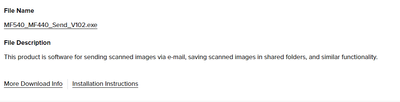
This is it here for W11.
~Rick
Bay Area - CA
~R5 C (1.1.2.1), ~RF Trinity, ~RF 100 Macro, ~RF 100~400, ~RF 100~500, ~RF 200-800, ~RF 1.4x TC, BG-R10, 430EX III-RT ~DxO PhotoLab Elite ~DaVinci Resolve Studio ~ImageClass MF644Cdw MF656Cdw ~Pixel 10 ~CarePaks Are Worth It
Options
- Mark as New
- Bookmark
- Subscribe
- Mute
- Subscribe to RSS Feed
- Permalink
- Report Inappropriate Content
05-11-2023 08:20 AM
how do I delete the multiple entries for the same device
Options
- Mark as New
- Bookmark
- Subscribe
- Mute
- Subscribe to RSS Feed
- Permalink
- Report Inappropriate Content
05-11-2023 10:13 AM - edited 05-11-2023 10:37 AM
Send to destinations are saved in the Address Book. I would use the remote UI for this, but am not sure of your comfort level.
You should be able to use the tool I mentioned above also.
~Rick
Bay Area - CA
~R5 C (1.1.2.1), ~RF Trinity, ~RF 100 Macro, ~RF 100~400, ~RF 100~500, ~RF 200-800, ~RF 1.4x TC, BG-R10, 430EX III-RT ~DxO PhotoLab Elite ~DaVinci Resolve Studio ~ImageClass MF644Cdw MF656Cdw ~Pixel 10 ~CarePaks Are Worth It
Options
- Mark as New
- Bookmark
- Subscribe
- Mute
- Subscribe to RSS Feed
- Permalink
- Report Inappropriate Content
05-11-2023 02:19 PM
the address book is empty
In the address book there is nothing that i see to scan to computer.


Options
- Mark as New
- Bookmark
- Subscribe
- Mute
- Subscribe to RSS Feed
- Permalink
- Report Inappropriate Content
06-02-2023 01:32 PM
Hello NSOK-Austin,
The address book will save network locations, but it is for shared folder on a computer or network drives. The computer names that appear on the MF455dw display will come from computers that have the scanner driver and the MFscan utility installed. The software will forward the network name of the computer that it is installed on. If the same computer shows up more than once and the address book is empty, it would look like an install or network environment issue. In this situation, I would suggest contacting support over the phone at 1-800-652-2666. Our agents would be able to check your settings and the install to see what might be going on.


Announcements
05/13/2026: New firmware updates are available.
EOS R5 Mark II - Version 1.3.0
EOS R6 Mark II - Version 1.7.0
04/28/2026: Service Notice: Caution Concerning use of Lithium Batteries
03/17/2026: New firmware updates are available.
SELPHY CP1500 - Version 1.0.7.0
02/23/2026: New firmware update is available for EOS C50- Version 1.0.3.1
01/23/2026: New firmware update is available for RF 24-105mm F4 IS USM- Version 2.0.7
01/20/2026: New firmware updates are available.
12/22/2025: New firmware update is available for EOS R6 Mark III- Version 1.0.2
10/21/2025: Service Notice: To Users of the Compact Digital Camera PowerShot V1
10/15/2025: New firmware updates are available.
Speedlite EL-5 - Version 1.2.0
Speedlite EL-1 - Version 1.1.0
Speedlite Transmitter ST-E10 - Version 1.2.0
07/28/2025: Notice of Free Repair Service for the Mirrorless Camera EOS R50 (Black)
05/21/2025: New firmware update available for EOS C500 Mark II - Version 1.1.5.1
Related Content
- PIXMA MG3620 flashing lights in Desktop Inkjet Printers
- PIXMA TR4720 Driver Installation Failure in Printer Software & Networking
- PIXMA TR8520 Scanner will not operate with new computer in Printer Software & Networking
- Canon PRO-100S unusable on Windows 11 — no drivers, no suppor in Professional Photo Printers
- PIXMA MX340 Connected BUT error 5200 in Desktop Inkjet Printers

Ⓒ 2026
Canon U.S.A Inc. All Rights Reserved. Reproduction in whole or part without permission is prohibited.
