Turn on suggestions
Auto-suggest helps you quickly narrow down your search results by suggesting possible matches as you type.
- Canon Community
- Discussions & Help
- General Discussion
- General Discussion
- Re: shooting in raw but uploading as jpeg
Options
- Subscribe to RSS Feed
- Mark Topic as New
- Mark Topic as Read
- Float this Topic for Current User
- Bookmark
- Subscribe
- Mute
- Printer Friendly Page
shooting in raw but uploading as jpeg

Options
- Mark as New
- Bookmark
- Subscribe
- Mute
- Subscribe to RSS Feed
- Permalink
- Report Inappropriate Content
08-20-2017 12:04 PM
I shot a session in. (L) raw just as I always do. When I plugged my CF card in and pulled up my image folder in my computer (PC) the images show as JPEG I tested another card and the same thing happened. My camera is showing raw and my computer is showing jpeg. Any idea why this may be happening? I've never had this issue in the past.
12 REPLIES 12


Options
- Mark as New
- Bookmark
- Subscribe
- Mute
- Subscribe to RSS Feed
- Permalink
- Report Inappropriate Content
08-20-2017 12:15 PM
Hello Crystalclear,
Thanks for reaching out to Canon USA, and welcome to the Canon Community Forums!
So that the Community can help you better, we will need to know exactly what Canon camera you're using, any error messages you might be seeing, and the Computer Operating System you're using (Windows Vista/7/8/10 or macOS 10.x), as well as the software you're using (Canon EOS Utility, Digital Photo Professional, Adobe software, etc.)
Any other details you'd like to give will only help the Community better understand your issue!
If this is an urgent support need, please CLICK HERE to reach our friendly Technical Support Team by phone or email.
Thanks and have a great day!
Options
- Mark as New
- Bookmark
- Subscribe
- Mute
- Subscribe to RSS Feed
- Permalink
- Report Inappropriate Content
08-20-2017 12:23 PM
I have a PC so I believe windows vista. I'm not sure which software. Typically I plug in my card to a card reader to plug into my computer and drag photos from my card reader file in my computer into Lightroom.
Options
- Mark as New
- Bookmark
- Subscribe
- Mute
- Subscribe to RSS Feed
- Permalink
- Report Inappropriate Content
08-20-2017 12:29 PM
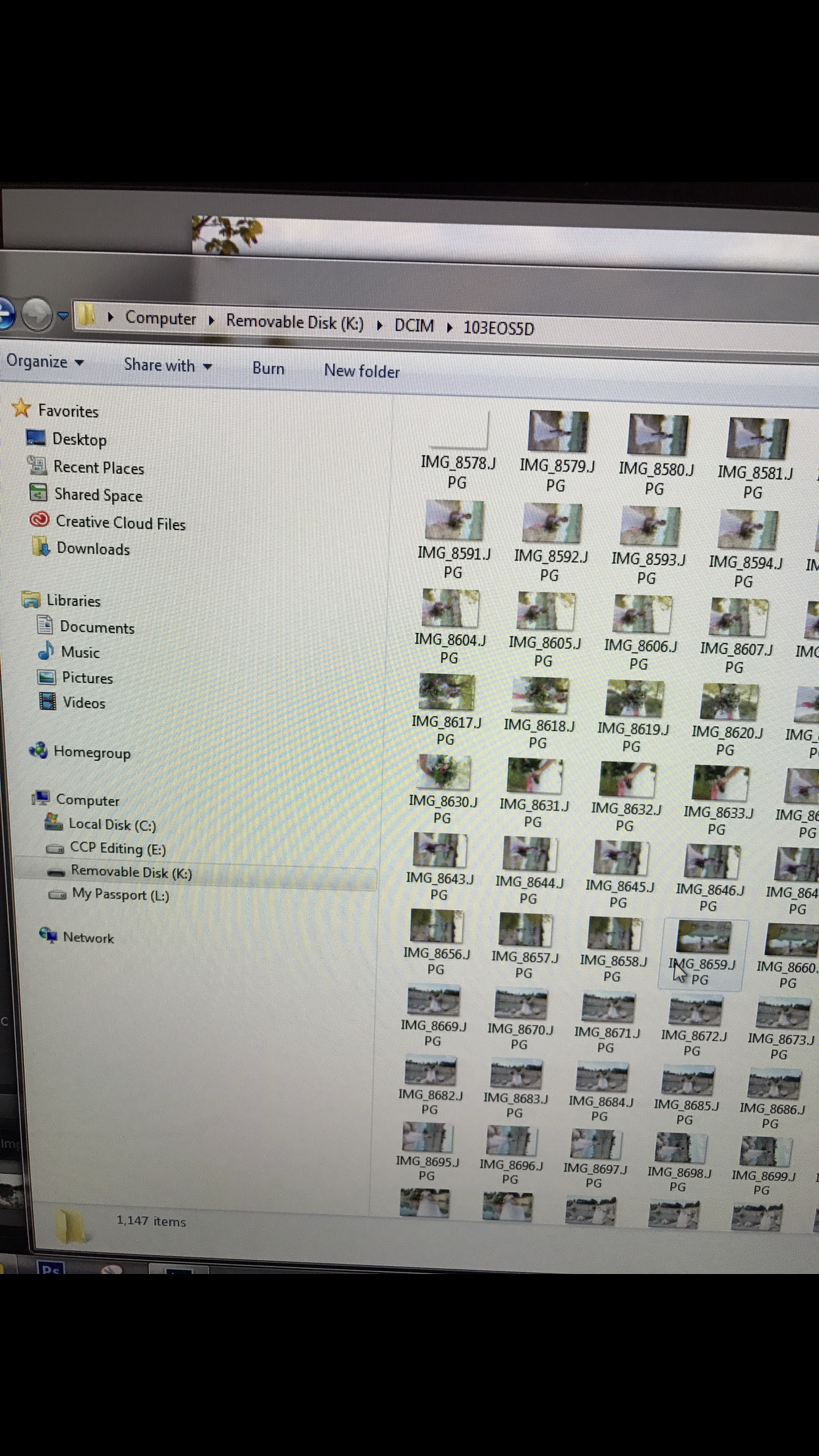
Options
- Mark as New
- Bookmark
- Subscribe
- Mute
- Subscribe to RSS Feed
- Permalink
- Report Inappropriate Content
08-20-2017 12:46 PM
That's odd. I've literally never changed the settings from raw on my camera. I'm using the canon 5d mark ii
Options
- Mark as New
- Bookmark
- Subscribe
- Mute
- Subscribe to RSS Feed
- Permalink
- Report Inappropriate Content
08-20-2017 12:52 PM
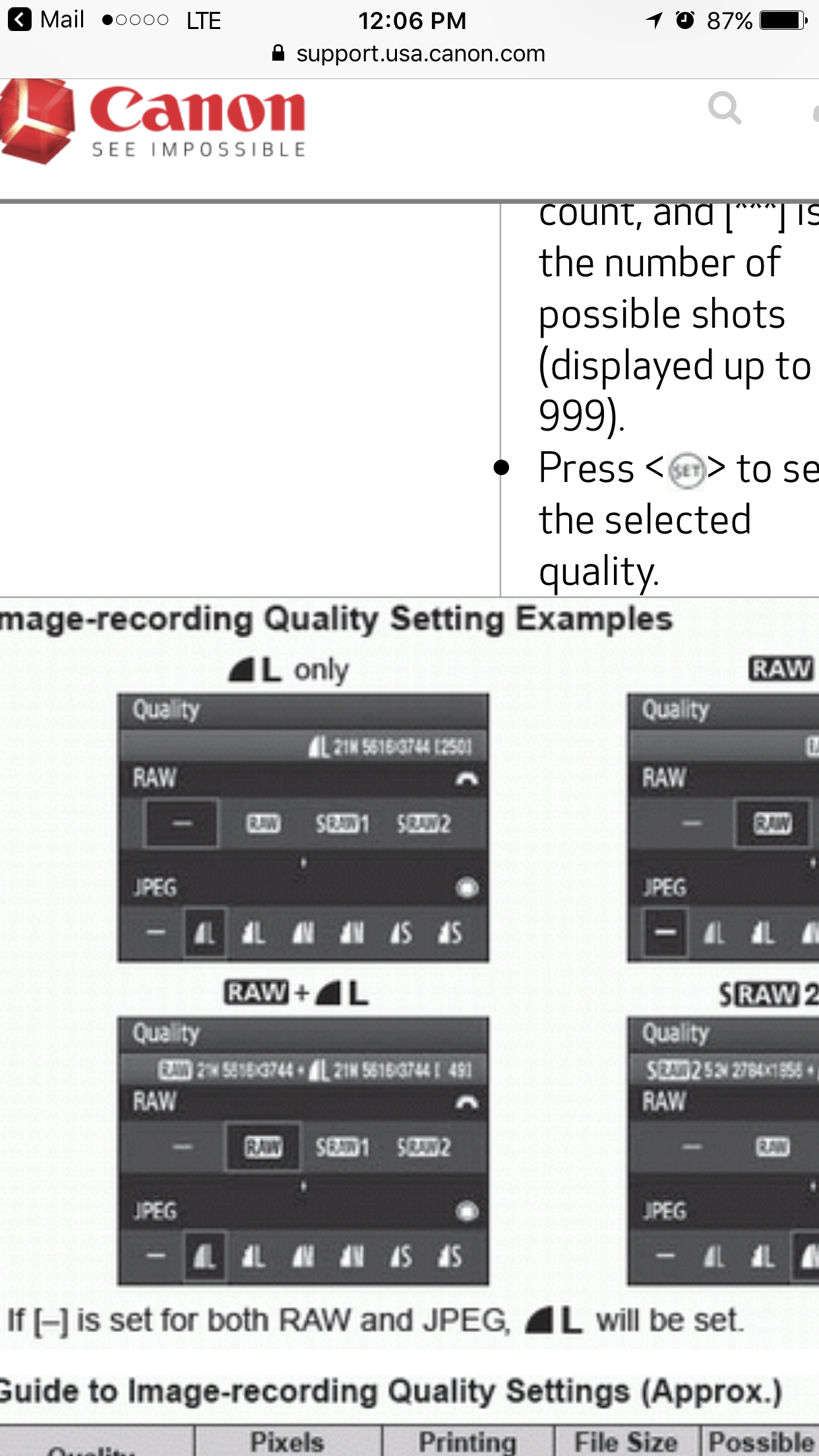
It's a pretty complex piece of equipment, and you'd be surprised how often settings get channged by mistake! You have quite a few quality settings on the EOS 5D Mark II. Take a look at THIS ARTICLE to see all of them, and how you can go about changing the quality settings.
Options
- Mark as New
- Bookmark
- Subscribe
- Mute
- Subscribe to RSS Feed
- Permalink
- Report Inappropriate Content
08-20-2017 01:09 PM
It looks like the L pizza pie is raw+jpeg on the link you sent me
Options
- Mark as New
- Bookmark
- Subscribe
- Mute
- Subscribe to RSS Feed
- Permalink
- Report Inappropriate Content
08-20-2017 01:10 PM
Options
- Mark as New
- Bookmark
- Subscribe
- Mute
- Subscribe to RSS Feed
- Permalink
- Report Inappropriate Content
08-20-2017 01:16 PM
What exactly does your camera say on this screen?

Options
- Mark as New
- Bookmark
- Subscribe
- Mute
- Subscribe to RSS Feed
- Permalink
- Report Inappropriate Content
08-20-2017 01:26 PM
@Crystalclear wrote:I shot a session in. (L) raw just as I always do. When I plugged my CF card in and pulled up my image folder in my computer (PC) the images show as JPEG I tested another card and the same thing happened. My camera is showing raw and my computer is showing jpeg. Any idea why this may be happening? I've never had this issue in the past.
"L" is not RAW; it's the "Largest" implementation of JPEG. Depending on exactly what you selected, you're shooting either in RAW + JPEG or in high-resolution JPEG only.
Bob
Philadelphia, Pennsylvania USA
Philadelphia, Pennsylvania USA

Announcements
07/22/2026: New firmware updates are available.
EOS R6 Mark III - Version 1.1.0
05/13/2026: New firmware updates are available.
EOS R5 Mark II - Version 1.3.0
EOS R6 Mark II - Version 1.7.0
04/28/2026: Service Notice: Caution Concerning use of Lithium Batteries
03/17/2026: New firmware updates are available.
SELPHY CP1500 - Version 1.0.7.0
02/23/2026: New firmware update is available for EOS C50- Version 1.0.3.1
01/23/2026: New firmware update is available for RF 24-105mm F4 IS USM- Version 2.0.7
01/20/2026: New firmware updates are available.
10/21/2025: Service Notice: To Users of the Compact Digital Camera PowerShot V1
10/15/2025: New firmware updates are available.
Speedlite EL-5 - Version 1.2.0
Speedlite EL-1 - Version 1.1.0
Speedlite Transmitter ST-E10 - Version 1.2.0
07/28/2025: Notice of Free Repair Service for the Mirrorless Camera EOS R50 (Black)
05/21/2025: New firmware update available for EOS C500 Mark II - Version 1.1.5.1
Related Content
- Please Share your Astrophotography Shooting Setup and Experience in General Discussion
- Sports Mode - Continuous Shooting Efficiency in General Discussion
- shooting in raw but uploading as jpeg in General Discussion
- shooting in raw but uploading as jpeg in General Discussion
- High ISO vs Underexposing in General Discussion

Ⓒ 2026
Canon U.S.A Inc. All Rights Reserved. Reproduction in whole or part without permission is prohibited.
