Turn on suggestions
Auto-suggest helps you quickly narrow down your search results by suggesting possible matches as you type.
- Canon Community
- Discussions & Help
- General Discussion
- General Discussion
- AI in post-processing, a helping hand or a quiet ...
Options
- Subscribe to RSS Feed
- Mark Topic as New
- Mark Topic as Read
- Float this Topic for Current User
- Bookmark
- Subscribe
- Mute
- Printer Friendly Page
AI in post-processing, a helping hand or a quiet step away from creativity?


Options
- Mark as New
- Bookmark
- Subscribe
- Mute
- Subscribe to RSS Feed
- Permalink
- Report Inappropriate Content
10-28-2025 01:30 AM
Over the past few years, AI features have started appearing everywhere (from Canon’s DPP4 and Adobe Lightroom/Photoshop to Topaz Labs and DxO PhotoLab).
These tools now offer everything from automatic masking and background cleanup to intelligent noise reduction, lens correction, and even subject recognition.
There’s no doubt they make post-processing faster and more accessible, but I can’t help wondering if we’re slowly trading away a part of the creative process.
When AI decides how much detail to recover, which tones to smooth, or what looks “natural,” are we still the ones shaping the final image, or just curating what the algorithm suggests?
So, I’m curious:
How much of your current post-processing workflow uses AI-based tools (Topaz, DxO, Adobe, etc.)?
Do you feel these tools enhance your creative control or dilute it?
At what point does “AI assistance” start to feel like “AI automation”?
I’d love to hear how others in the community view this shift. Is AI a genuine helping hand, or are we quietly stepping away from the hands-on creativity that made photography so personal in the first place?
4 REPLIES 4

Options
- Mark as New
- Bookmark
- Subscribe
- Mute
- Subscribe to RSS Feed
- Permalink
- Report Inappropriate Content
10-28-2025 09:09 AM
I don’t mind it in noise reduction, or maybe stitching a pano, but when you start changing the elements of a photograph it is no longer a photograph to me, it turns into graphic arts with photographic elements. It should be labeled as such.

Options
- Mark as New
- Bookmark
- Subscribe
- Mute
- Subscribe to RSS Feed
- Permalink
- Report Inappropriate Content
10-28-2025 09:38 AM
I'm not enthusiastic about AI but lean toward the creativity of the human mind and it's imaginative underlying aspects. I subscribe to a statewide Facebook page that deals with photography across the state of Tennessee. Plainly speaking, photos, composition and a variety of locations are awesome.
John
Canon EOS T7; EF-S 18-55mm IS; EF 28-135mm IS; EF 75-300mm; Sigma 150-600mm DG
Canon EOS T7; EF-S 18-55mm IS; EF 28-135mm IS; EF 75-300mm; Sigma 150-600mm DG

Options
- Mark as New
- Bookmark
- Subscribe
- Mute
- Subscribe to RSS Feed
- Permalink
- Report Inappropriate Content
10-28-2025 11:27 AM
I have not liked the results from AI https://en.wikipedia.org/wiki/Hallucination_(artificial_intelligence)
I prefer algorithms that I can read about and learn how they work.
For example, usharp mask algorithm is well known: https://en.wikipedia.org/wiki/Unsharp_masking
Another example: https://docs.gimp.org/3.0/en/gimp-filter-gaussian-blur-selective.html and https://docs.gimp.org/3.0/en/plug-in-despeckle.html
For decades, I have liked a median filter for noise reduction. When followed by unsharp mask, it can make a grainy photo look better. A median filter works well for removing noise from many kinds of measurements.

In computer graphics and digital imaging, image scaling is the resizing of a digital image. In video technology, the magnification of digital material is known as upscaling or resolution enhancement. When scaling a vector graphic image, the graphic primitives that make up the image can be rendered

Unsharp masking ( USM) is an image sharpening technique, first implemented in darkroom photography, but now commonly used in digital image processing software. Its name derives from the fact that the technique uses a blurred, or "unsharp", negative image to create a mask of the original image. The
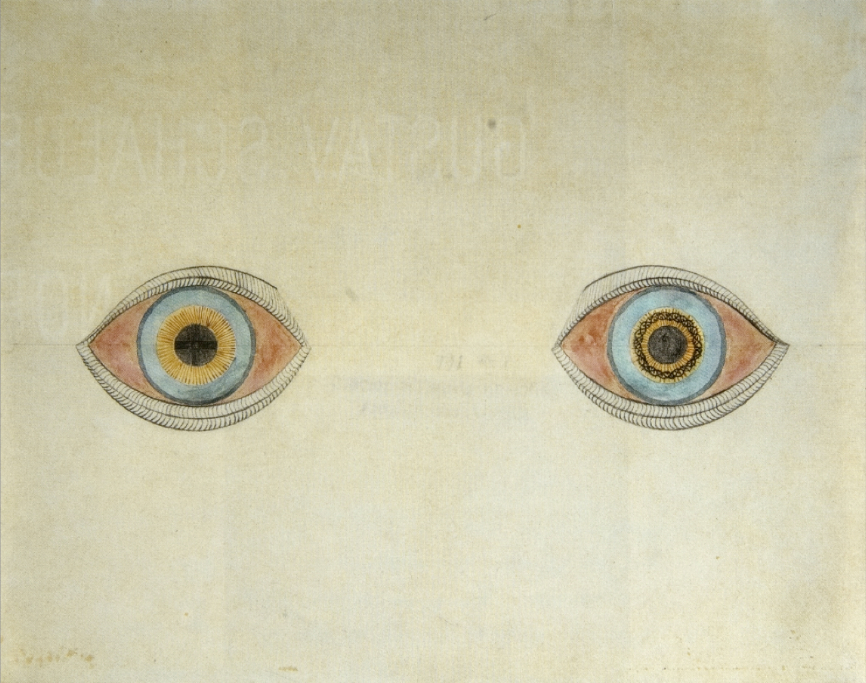
Hallucination My eyes at the moment of the apparitions by August Natterer, a German artist who created many drawings of his hallucinations Specialty Psychiatry Causes Hypnagogia, Peduncular hallucinosis, Delirium tremens, Parkinson's disease, Delusion, Lewy body dementia, Charles Bonnet syndrome ...

Options
- Mark as New
- Bookmark
- Subscribe
- Mute
- Subscribe to RSS Feed
- Permalink
- Report Inappropriate Content
10-29-2025 04:57 PM
The harpsichord was a perfectly good instrument for Mozart to write and perform music, and no one would suggest he was a slouch. Then the piano came along. The advancement of the instrument enabled, and indeed inspired discovery of new forms and styles of music. Was Mozart's genius rendered worthless? No. And certainly neither was the piano displaced by the synthesizer. Music simply made a transition from analog to digital, and so has photography.
Tools and technology aren't an impediment to creativity. They are a conduit to a new form of creativity. I expect that some of the output of new tech may not be to everyone's liking, but it all comes down to what you do with the tools. AI has helped me speed up processes that used to take hours for me to do manually, but I'm still the guy aiming the camera, pressing the shutter release, and processing the photo in post... and I consider myself to be a more traditionalist, stylistically.


Announcements
05/13/2026: New firmware updates are available.
EOS R5 Mark II - Version 1.3.0
EOS R6 Mark II - Version 1.7.0
04/28/2026: Service Notice: Caution Concerning use of Lithium Batteries
03/17/2026: New firmware updates are available.
SELPHY CP1500 - Version 1.0.7.0
02/23/2026: New firmware update is available for EOS C50- Version 1.0.3.1
01/23/2026: New firmware update is available for RF 24-105mm F4 IS USM- Version 2.0.7
01/20/2026: New firmware updates are available.
12/22/2025: New firmware update is available for EOS R6 Mark III- Version 1.0.2
10/21/2025: Service Notice: To Users of the Compact Digital Camera PowerShot V1
10/15/2025: New firmware updates are available.
Speedlite EL-5 - Version 1.2.0
Speedlite EL-1 - Version 1.1.0
Speedlite Transmitter ST-E10 - Version 1.2.0
07/28/2025: Notice of Free Repair Service for the Mirrorless Camera EOS R50 (Black)
05/21/2025: New firmware update available for EOS C500 Mark II - Version 1.1.5.1

Ⓒ 2026
Canon U.S.A Inc. All Rights Reserved. Reproduction in whole or part without permission is prohibited.
