Turn on suggestions
Auto-suggest helps you quickly narrow down your search results by suggesting possible matches as you type.
- Canon Community
- Discussions & Help
- Camera
- EOS DSLR & Mirrorless Cameras
- EOS R8 Image Stabilization Stutters When Recording...
Options
- Subscribe to RSS Feed
- Mark Topic as New
- Mark Topic as Read
- Float this Topic for Current User
- Bookmark
- Subscribe
- Mute
- Printer Friendly Page
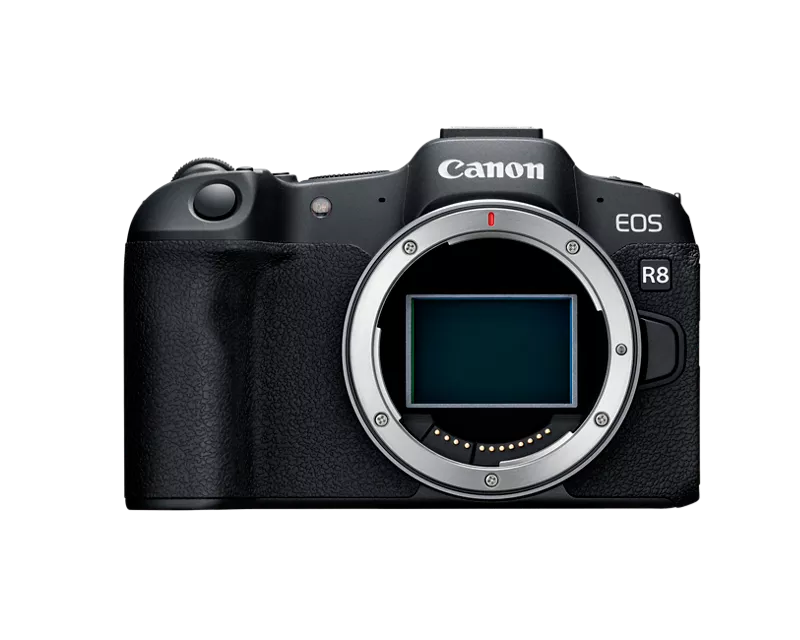
EOS R8 Image Stabilization Stutters When Recording 4K at 120fps

Options
- Mark as New
- Bookmark
- Subscribe
- Mute
- Subscribe to RSS Feed
- Permalink
- Report Inappropriate Content
08-12-2025 07:21 AM
Hello Canon community,
hope you're all doing well!, and I’m running into a rather frustrating issue with my Canon EOS R8. Whenever I switch to 4K (DQ) 120 fps in movie mode while using IBIS (In-Body Image Stabilization), the footage exhibits noticeable stuttering, it’s particularly evident during quick panning and movement. Interestingly, the stabilization works perfectly when I shoot at 4K 60 fps, and there’s no stutter in stills or 1080p video either.
Here’s what I’ve tried so far:
- Updated firmware to the latest version.
- Restored camera settings to default.
- Tested with different lenses and stabilization modes.
- Used both SD UHS-II and CFast 2.0 media—issue persists regardless.
Has anyone experienced this same issue on the EOS R8? Could it be a buffer or processing bottleneck at 120 fps? I’d really appreciate any insights or recommendations, especially if there’s a workaround or upcoming firmware fix.
Thanks so much in advance for any help!
Mark Pousee
6 REPLIES 6


Options
- Mark as New
- Bookmark
- Subscribe
- Mute
- Subscribe to RSS Feed
- Permalink
- Report Inappropriate Content
08-12-2025 09:47 AM - edited 08-12-2025 09:55 AM
Greetings ,
Please tell us what lens or lenses you're using? (brand, models) Are they adapted? If so, are you using a Canon brand adapter? Does the behavior occur with one lens or all?
The R8 supports UHS -I and UHS-II (recommended) SD cards for high frame rate video.
You mentioned CFast so tell us more about your rig. What accessories are you using (brand, models)? How are these things connected etc? Please provide complete information about your environment so we can understand your issue better.
~Rick
Bay Area - CA
~R5 C (1.1.3.1), ~RF Trinity, ~RF 100 Macro, ~RF 100~400, ~RF 100~500, ~RF 200-800, ~RF 1.4x TC, BG-R10, 430EX III-RT ~DxO PhotoLab Elite ~DaVinci Resolve Studio ~ImageClass MF644Cdw MF656Cdw ~Pixel 10 ~CarePaks Are Worth It

Options
- Mark as New
- Bookmark
- Subscribe
- Mute
- Subscribe to RSS Feed
- Permalink
- Report Inappropriate Content
08-12-2025 10:24 AM
I've owned the R8 for close to 2 years now, and know it does not have IBIS. Then again, I do photography, not video. Is there something similar to IBIS that kicks in on video only?
Gary
Lake Michigan Area MI
Digital Cameras: Canon EOS R6 Mk ll, EOS R8, EOS RP, ...and a few other brands
Film Cameras: Mostly Pentax, Kodak, and Zenit... and still heavily used

Options
- Mark as New
- Bookmark
- Subscribe
- Mute
- Subscribe to RSS Feed
- Permalink
- Report Inappropriate Content
08-12-2025 05:29 PM - edited 08-12-2025 05:32 PM
Gary is correct. No IBIS for stills or video. What it does have, as do all MILC's (as far as I know), is "Digital Stabilization" (DS) for video. For stills, it relies on lens IS but there may be a conflict between it and DS.
Newton
Options
- Mark as New
- Bookmark
- Subscribe
- Mute
- Subscribe to RSS Feed
- Permalink
- Report Inappropriate Content
08-12-2025 06:11 PM
Newton excellent catch. I had no idea that Digital IS worked in stills mode as well as video. I thought it was video only 🫣. It might be this way on my R5 C in Cinema OS, but I'm not sure. On Canon's other stills camera that share video/stills menus it looks like it crosses both boundaries.
~Rick
Bay Area - CA
~R5 C (1.1.3.1), ~RF Trinity, ~RF 100 Macro, ~RF 100~400, ~RF 100~500, ~RF 200-800, ~RF 1.4x TC, BG-R10, 430EX III-RT ~DxO PhotoLab Elite ~DaVinci Resolve Studio ~ImageClass MF644Cdw MF656Cdw ~Pixel 10 ~CarePaks Are Worth It
Options
- Mark as New
- Bookmark
- Subscribe
- Mute
- Subscribe to RSS Feed
- Permalink
- Report Inappropriate Content
08-12-2025 06:28 PM - edited 08-12-2025 06:34 PM
Hey there, Rick! DS is for video only. I wasn't too clear on that last line "For stills, it relies on lens IS but there may be a conflict between it and DS." I meant that there may be a conflict between the lens IS and DS for movies in the camera 🙂
Newton

Options
- Mark as New
- Bookmark
- Subscribe
- Mute
- Subscribe to RSS Feed
- Permalink
- Report Inappropriate Content
08-12-2025 07:13 PM
“ Whenever I switch to 4K (DQ) 120 fps in movie mode while using IBIS (In-Body Image Stabilization), the footage exhibits noticeable stuttering, it’s particularly evident during quick panning and movement. “
What focus mode and AF point are you using when the stutter occurs?
Also, what is the camera supposed to be focusing on as you are panning?
Are you panning a landscape or something else far away from the camera?
--------------------------------------------------------
"Enjoying photography since 1972."
"Enjoying photography since 1972."

Announcements
07/22/2026: New firmware updates are available.
EOS R6 Mark III - Version 1.1.0
05/13/2026: New firmware updates are available.
EOS R5 Mark II - Version 1.3.0
EOS R6 Mark II - Version 1.7.0
04/28/2026: Service Notice: Caution Concerning use of Lithium Batteries
03/17/2026: New firmware updates are available.
SELPHY CP1500 - Version 1.0.7.0
02/23/2026: New firmware update is available for EOS C50- Version 1.0.3.1
01/23/2026: New firmware update is available for RF 24-105mm F4 IS USM- Version 2.0.7
01/20/2026: New firmware updates are available.
10/21/2025: Service Notice: To Users of the Compact Digital Camera PowerShot V1
10/15/2025: New firmware updates are available.
Speedlite EL-5 - Version 1.2.0
Speedlite EL-1 - Version 1.1.0
Speedlite Transmitter ST-E10 - Version 1.2.0
07/28/2025: Notice of Free Repair Service for the Mirrorless Camera EOS R50 (Black)
05/21/2025: New firmware update available for EOS C500 Mark II - Version 1.1.5.1
Related Content
- EOS R5 Mark II Image stabilization horrible with jumps and "click" sound in EOS DSLR & Mirrorless Cameras
- Updated my R5 Mark II with latest firmware V.1.1.1 in EOS DSLR & Mirrorless Cameras
- EOS R5 Mark II won't take a photo with a Rokinon 14mm lens in EOS DSLR & Mirrorless Cameras
- EOS R5: Video recording blocked ("00:00" warning) in stills mode even though C3 recording-mode works in EOS DSLR & Mirrorless Cameras

Ⓒ 2026
Canon U.S.A Inc. All Rights Reserved. Reproduction in whole or part without permission is prohibited.
