Turn on suggestions
Auto-suggest helps you quickly narrow down your search results by suggesting possible matches as you type.
- Canon Community
- Discussions & Help
- Camera
- EOS DSLR & Mirrorless Cameras
- EOS R10 - can´t do magnification on image preview ...
Options
- Subscribe to RSS Feed
- Mark Topic as New
- Mark Topic as Read
- Float this Topic for Current User
- Bookmark
- Subscribe
- Mute
- Printer Friendly Page
EOS R10 - can´t do magnification on image preview if AF point selection button is remapped

Options
- Mark as New
- Bookmark
- Subscribe
- Mute
- Subscribe to RSS Feed
- Permalink
- Report Inappropriate Content
05-11-2025
06:22 AM
- last edited on
05-11-2025
09:40 AM
by
 James_C
Hello,
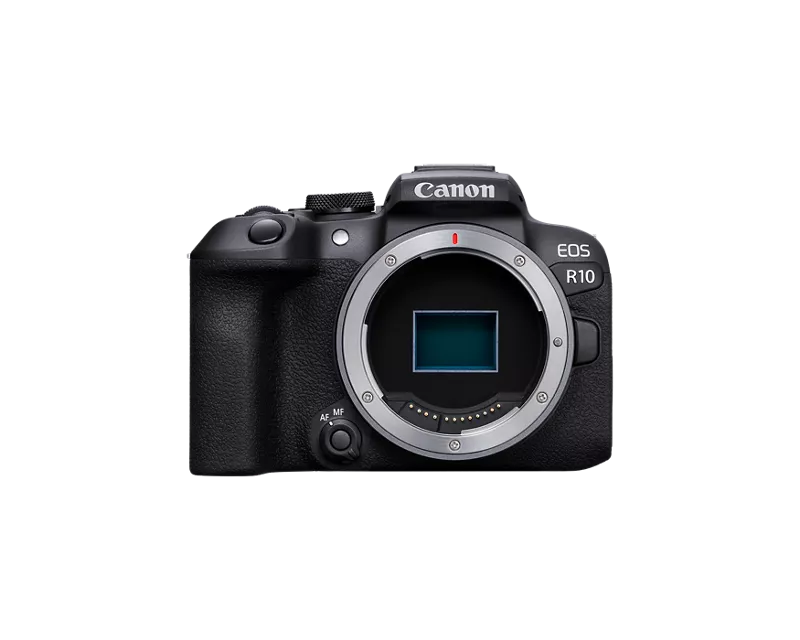
my girlfiend bought yeasterday R10 and when I helped her set it up, I remap few buttons etc... I noticed probably one of the strangest limitations I´ve ever seen.
When I remaped AF point selection button (button under the "star" button) to anything else than AF point selection or Magnify, camera actually loooses it´t abillity to zoom image in image review mode (play button). Which is so strange to me why would it even be a thing? Aren´t the blue "icons" meant to be "alternate" function for same button or function in different mode - for example image review mode and also it is not metioned on any place in manual.
Camera is on lastest 1.6.0 firmware, I have no idea how it is for example on R7 (R50 I think can´t remap this button to any more usefull and is forces to press ISO button to enter into AF Area selection).
Reason why I remaped this button is to "overcome" needs to press Multi-function button in order to change AF Area so I mapped it to Dial function settings where I enabled just AF area selection.
Thanks.
4 REPLIES 4


Options
- Mark as New
- Bookmark
- Subscribe
- Mute
- Subscribe to RSS Feed
- Permalink
- Report Inappropriate Content
05-11-2025 10:26 AM
Just for confirmation I see the same issue with my EOS R10.
One other choice is to configure the lens control ring to be used to change the AF area. You can do this while the shutter button is half-pressed or at any time while the camera is powered on. Then you can keep the AF point button with its default configuration and zoom in works with playback. Only alternative if you remap the AF point button is to zoom in with your fingers on the touch screen.
Brian
EOS specialist trainer, photographer and author
-- Note: my spell checker is set for EN-GB, not EN-US --
Options
- Mark as New
- Bookmark
- Subscribe
- Mute
- Subscribe to RSS Feed
- Permalink
- Report Inappropriate Content
05-11-2025 11:07 AM
So I am not the only one and also strangely enough it happened on 1.5.0 firmware also so maybe it is done on "purpose" (question is how it was on relase), but it makes no sense to limit it this way.
Control Ring of course can "solve" it or there is way I did it - I placed Magnify to AF point button (which retains zoom on image review) and remaped Record button to open Dial function as from stills, why would you want to record video... when you have dedicated mode for it, but still it just overcomes very strange limitations made in camera.

Options
- Mark as New
- Bookmark
- Subscribe
- Mute
- Subscribe to RSS Feed
- Permalink
- Report Inappropriate Content
05-11-2025 07:46 PM - edited 05-11-2025 07:49 PM
“When I remaped AF point selection button (button under the "star" button) to anything else than AF point selection or Magnify, camera actually loooses it´t abillity to zoom image in image review mode (play button). Which is so strange to me why would it even be a thing? Aren´t the blue "icons" meant to be "alternate" function for same button or function in different mode - for example image review mode and also it is not metioned on any place in manual. “
By default, some buttons have different behaviors, or “alternate functions”, depending on the current camera operating mode. For example, the camera could be in still image capture mode, image playback mode, menu view mode, etc.
If you change the function of this type of “dual function” control, then you will lose the default behavior. All Canon cameras behave this way. You lose the default behavior once you change it to something else. The new function will be present in every camera mode, even if the new function is not needed.
The firmware update had nothing to do with the loss of functionality. Restore the default functionality to the button and choose another button for your programming.
--------------------------------------------------------
"Enjoying photography since 1972."
"Enjoying photography since 1972."
Options
- Mark as New
- Bookmark
- Subscribe
- Mute
- Subscribe to RSS Feed
- Permalink
- Report Inappropriate Content
05-12-2025 09:39 AM
This has for sure some sort of true to it but I don´t remeber been it like this on DSLR cameras, it is still strange I can´t help myself


Announcements
07/22/2026: New firmware updates are available.
EOS R6 Mark III - Version 1.1.0
05/13/2026: New firmware updates are available.
EOS R5 Mark II - Version 1.3.0
EOS R6 Mark II - Version 1.7.0
04/28/2026: Service Notice: Caution Concerning use of Lithium Batteries
03/17/2026: New firmware updates are available.
SELPHY CP1500 - Version 1.0.7.0
02/23/2026: New firmware update is available for EOS C50- Version 1.0.3.1
01/23/2026: New firmware update is available for RF 24-105mm F4 IS USM- Version 2.0.7
01/20/2026: New firmware updates are available.
10/21/2025: Service Notice: To Users of the Compact Digital Camera PowerShot V1
10/15/2025: New firmware updates are available.
Speedlite EL-5 - Version 1.2.0
Speedlite EL-1 - Version 1.1.0
Speedlite Transmitter ST-E10 - Version 1.2.0
07/28/2025: Notice of Free Repair Service for the Mirrorless Camera EOS R50 (Black)
05/21/2025: New firmware update available for EOS C500 Mark II - Version 1.1.5.1
Related Content
- R8 bug - if AF point selection button is remapped, magnify does not work in playback mode in EOS DSLR & Mirrorless Cameras
- Canon R6 : AF Operation - Customizing to One-Shot for Electronic Manual Focus With Magnification in EOS DSLR & Mirrorless Cameras
- EOS-70D Announcement and Preview in EOS DSLR & Mirrorless Cameras

Ⓒ 2026
Canon U.S.A Inc. All Rights Reserved. Reproduction in whole or part without permission is prohibited.
