Turn on suggestions
Auto-suggest helps you quickly narrow down your search results by suggesting possible matches as you type.
- Canon Community
- Discussions & Help
- Camera
- EOS DSLR & Mirrorless Cameras
- Re: [Bug] in Canon R6 Mark II: AF Lock Issue with ...
Options
- Subscribe to RSS Feed
- Mark Topic as New
- Mark Topic as Read
- Float this Topic for Current User
- Bookmark
- Subscribe
- Mute
- Printer Friendly Page

Options
- Mark as New
- Bookmark
- Subscribe
- Mute
- Subscribe to RSS Feed
- Permalink
- Report Inappropriate Content
01-25-2026 06:10 AM
I’ve been experiencing a very strange and frustrating AF lock issue on the Canon EOS R6 Mark II. This specific behavior is causing me to miss critical shutter moments during my shoots.
Summary of the Problem:
Settings: I have "Servo AF" assigned to the AF-ON button through the customization menu.
The Issue: After shooting a burst using the AF-ON button, the AF stays locked as if the shutter button is still being held halfway down, even after I completely release all buttons.
The Frustration: While this is happening, the multi-controller (joystick) becomes completely unresponsive, making it impossible to move the AF point to follow the action.
The Anomaly: Unlike the normal behavior of the touch shutter, the AF point stays green and refuses to return to its idle state (white) even after the subject is gone.
Note: The issue disappears immediately if I press the shutter button halfway, but in a live performance shooting environment, that tiny fraction of a second is enough to miss a decisive moment.
I'm sharing this video in hopes that it reaches Canon for a much-needed firmware fix. Has anyone else encountered this "sticky" AF behavior?
EOS R6 Mark II
Solved! Go to Solution.
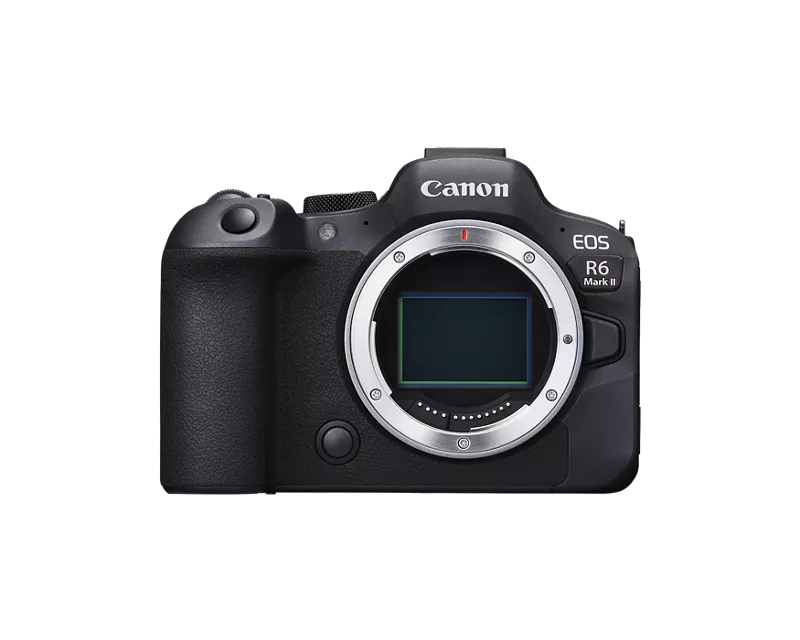
1 ACCEPTED SOLUTION
Accepted Solutions


Options
- Mark as New
- Bookmark
- Subscribe
- Mute
- Subscribe to RSS Feed
- Permalink
- Report Inappropriate Content
01-25-2026 09:21 AM - edited 01-25-2026 09:26 AM
Greetings,
You need to contact Canon support so they can investigate this. If it is an actual problem, posting about your issue here will do nothing. The appropriate parties will never see it.
Start by registering your camera in your MyCanon account. Then contact support.
MyCanon https://share.google/rAnzZvJVvjqYzTzQn
Support telephone number
1-800-652-2666
I understand you want your AF point to unlock. Let support determine if this is an issue or something related to your configuration.
~Rick
Bay Area - CA
~R5 C (1.1.3.1), ~RF Trinity, ~RF 100 Macro, ~RF 100~400, ~RF 100~500, ~RF 200-800, ~RF 1.4x TC, BG-R10, 430EX III-RT ~DxO PhotoLab Elite ~DaVinci Resolve Studio ~ImageClass MF644Cdw MF656Cdw ~Pixel 10 ~CarePaks Are Worth It
23 REPLIES 23
Options
- Mark as New
- Bookmark
- Subscribe
- Mute
- Subscribe to RSS Feed
- Permalink
- Report Inappropriate Content
01-25-2026 09:21 AM - edited 01-25-2026 09:26 AM
Greetings,
You need to contact Canon support so they can investigate this. If it is an actual problem, posting about your issue here will do nothing. The appropriate parties will never see it.
Start by registering your camera in your MyCanon account. Then contact support.
MyCanon https://share.google/rAnzZvJVvjqYzTzQn
Support telephone number
1-800-652-2666
I understand you want your AF point to unlock. Let support determine if this is an issue or something related to your configuration.
~Rick
Bay Area - CA
~R5 C (1.1.3.1), ~RF Trinity, ~RF 100 Macro, ~RF 100~400, ~RF 100~500, ~RF 200-800, ~RF 1.4x TC, BG-R10, 430EX III-RT ~DxO PhotoLab Elite ~DaVinci Resolve Studio ~ImageClass MF644Cdw MF656Cdw ~Pixel 10 ~CarePaks Are Worth It

Options
- Mark as New
- Bookmark
- Subscribe
- Mute
- Subscribe to RSS Feed
- Permalink
- Report Inappropriate Content
01-25-2026 10:43 AM
I had a somewhat similar issue
"When using the Av mode - One Shot...regardless of one Spot AF, 1 Point AF or Expanded it does not lock onto the selection I choose on the joystick in the back for the focusing point.I am using BAF and don't have this issue with my RF 100-500mmAlso using Subject Detect to Auto - Eye Detectin AutoDoes not matter the AF setting."
https://u.pcloud.link/publink/show?code=XZ26pK5Z2Ltr1BTlcIYgb2sDVXcuK7DoDuDy
Not sure what setting was causing the issue, but did some camera resets find a solution.
The basic reset did not work unfortunately, but did reset all other options in the "Other Settings" selection, EXCEPT "Root Certificate" and the "Custom shooting mode(C1-C-3).
This resolved the issue without losing my custom "C1-C3) settings which was awesome.

Options
- Mark as New
- Bookmark
- Subscribe
- Mute
- Subscribe to RSS Feed
- Permalink
- Report Inappropriate Content
01-25-2026 11:12 AM - edited 01-25-2026 11:19 AM
“
Summary of the Problem:
Settings: I have "Servo AF" assigned to the AF-ON button through the customization menu.
The Issue: After shooting a burst using the AF-ON button, the AF stays locked as if the shutter button is still being held halfway down, even after I completely release all buttons. “
I agree with Rick. A social media platform is not one reports bugs to a manufacturer. I also doubt if your issue is an actual bug. Your observations are consistent with camera being set to use One Shot AF, which locks focus.
Try not to fall into the trap of believing any camera behavior that one doesn’t immediately understand is automatically a bug.
--------------------------------------------------------
"Enjoying photography since 1972."
"Enjoying photography since 1972."
Options
- Mark as New
- Bookmark
- Subscribe
- Mute
- Subscribe to RSS Feed
- Permalink
- Report Inappropriate Content
01-25-2026 11:16 AM
Canon is also not the ones to report the bugs/problem to.
I called 4 times with hours spent with no resolution on the issue I posed above.
Reddit was more helpful than Canon's own tech support which is a joke after spending thousands on equipment with a manufacture.
Options
- Mark as New
- Bookmark
- Subscribe
- Mute
- Subscribe to RSS Feed
- Permalink
- Report Inappropriate Content
01-25-2026 12:58 PM
Respectfully, that's a matter of personal opinion. Reddit is full of "know it all's". My experience with Canon support his been different. I'm not defending anybody. I'm just pointing out that my experiences with them have been positive. However, after working decades in software development and also owning technical support, I know that it's not always perfect.
As more information comes to light, it's possible the behavior is related to configuration and not to an actual bug. Maybe 🤔
In all fairness , I'd still recommend reporting the behavior to Canon.
~Rick
Bay Area - CA
~R5 C (1.1.3.1), ~RF Trinity, ~RF 100 Macro, ~RF 100~400, ~RF 100~500, ~RF 200-800, ~RF 1.4x TC, BG-R10, 430EX III-RT ~DxO PhotoLab Elite ~DaVinci Resolve Studio ~ImageClass MF644Cdw MF656Cdw ~Pixel 10 ~CarePaks Are Worth It


Options
- Mark as New
- Bookmark
- Subscribe
- Mute
- Subscribe to RSS Feed
- Permalink
- Report Inappropriate Content
01-25-2026 02:13 PM
It's documented that you called our team several times in one day, and they went over everything with you, including disabling eye detection and trying a different lens, since your 35mm macro was the one causing the problems.
If their troubleshooting didn't fix the issue, and a different lens that works on another camera produces the same issue on your camera, then the next step is to send your camera and your lens to our factory service center so we can determine why your camera is doing what it's doing.
You can start the repair process by logging into your Canon Account at https://canon.us/account
Options
- Mark as New
- Bookmark
- Subscribe
- Mute
- Subscribe to RSS Feed
- Permalink
- Report Inappropriate Content
01-25-2026 03:19 PM
While I fully understand sending it to Canon could have resolved...My camera was just one year past the warranty. I also stated with one or two of the support groups that it would do the same on my RF 100-500.
The tech on the phone said it would be $250-$450 pending on what is wrong with the camera. This is a big expense when it was truly not needed.
Found a resolution on reddit for free. I called simply as a customer needing knowledge based support from a manufacture that make's the camera with experts to help guide me. Not shaming all the techs (some were amazing trying to assist), but some had very little knowledge how to correct the issue and also told me my C1-C3 settings would be wiped clean. This never occurred during my process and resolution.
It is just frustrating as a consumer having the Canon brand in my hand for nearly 30 yrs from film to the first digital camera (300D, then 50D and 6d MK II) . As trusted loyal owner of your cameras, lens and gear.
Options
- Mark as New
- Bookmark
- Subscribe
- Mute
- Subscribe to RSS Feed
- Permalink
- Report Inappropriate Content
01-25-2026 04:31 PM
I'm curious to know what resolution you found on Reddit that wasn't included in the support documentation and that our phone team wasn't aware of.
For what it's worth, our engineers can't fix "bugs" for products they never see in real life. We can't diagnose anything unless it's sent in.
Options
- Mark as New
- Bookmark
- Subscribe
- Mute
- Subscribe to RSS Feed
- Permalink
- Report Inappropriate Content
01-25-2026 05:12 PM
Thank you for the advice.
I have already contacted official Canon support in Korea and sent my camera in for a professional inspection. The technicians there confirmed that the issue is reproducible not only on my unit but also on their own test units.
They concluded it is not a hardware failure or a configuration error, but a systemic behavior (bug) of the R6 Mark II model. I am sharing this here and on Reddit to raise awareness and collect more data from global users, as individual service center visits cannot solve a firmware-level issue.
My goal is to get this reported to the actual firmware development team, and having other users confirm the same behavior is the most effective way to show that this is a widespread flaw.

Announcements
07/22/2026: New firmware updates are available.
EOS R6 Mark III - Version 1.1.0
05/13/2026: New firmware updates are available.
EOS R5 Mark II - Version 1.3.0
EOS R6 Mark II - Version 1.7.0
04/28/2026: Service Notice: Caution Concerning use of Lithium Batteries
03/17/2026: New firmware updates are available.
SELPHY CP1500 - Version 1.0.7.0
02/23/2026: New firmware update is available for EOS C50- Version 1.0.3.1
01/23/2026: New firmware update is available for RF 24-105mm F4 IS USM- Version 2.0.7
01/20/2026: New firmware updates are available.
10/21/2025: Service Notice: To Users of the Compact Digital Camera PowerShot V1
10/15/2025: New firmware updates are available.
Speedlite EL-5 - Version 1.2.0
Speedlite EL-1 - Version 1.1.0
Speedlite Transmitter ST-E10 - Version 1.2.0
07/28/2025: Notice of Free Repair Service for the Mirrorless Camera EOS R50 (Black)
05/21/2025: New firmware update available for EOS C500 Mark II - Version 1.1.5.1
Related Content
- EOS Canon R6 mkIII Image write failure in EOS DSLR & Mirrorless Cameras
- EOS R5 Mark II custom button for Spot AF in EOS DSLR & Mirrorless Cameras
- EOS R5 Mark II minor Firmware Update, Version 1.3.1 in Camera Software
- EOS R5 + EF-EOS R Adapter: RF lenses work perfectly, but no AF and no shutter with any EF lenses in EOS DSLR & Mirrorless Cameras
- When To Consider A Settings Reset in EOS DSLR & Mirrorless Cameras

Ⓒ 2026
Canon U.S.A Inc. All Rights Reserved. Reproduction in whole or part without permission is prohibited.
