Turn on suggestions
Auto-suggest helps you quickly narrow down your search results by suggesting possible matches as you type.
- Canon Community
- Discussions & Help
- Printer
- Desktop Inkjet Printers
- Re: TS6420 alignment issue
Options
- Subscribe to RSS Feed
- Mark Topic as New
- Mark Topic as Read
- Float this Topic for Current User
- Bookmark
- Subscribe
- Mute
- Printer Friendly Page
TS6420 alignment issue

Options
- Mark as New
- Bookmark
- Subscribe
- Mute
- Subscribe to RSS Feed
- Permalink
- Report Inappropriate Content
09-13-2023 01:00 PM
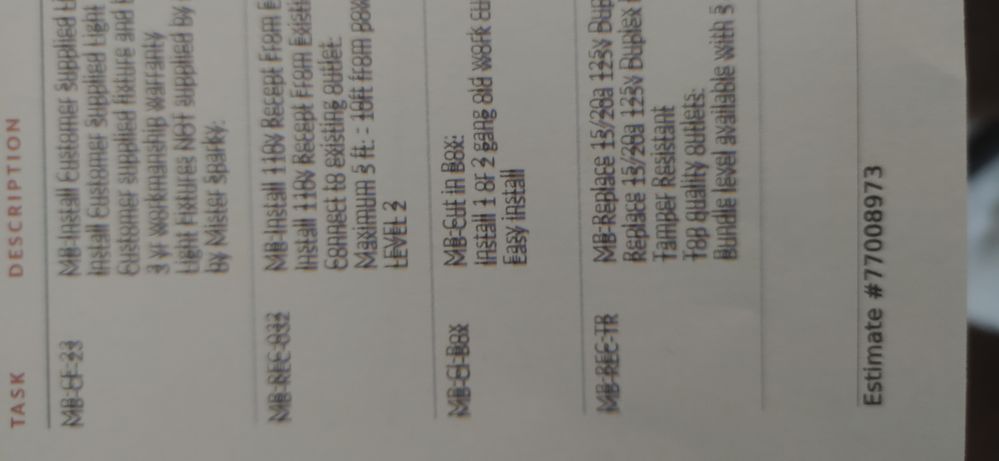
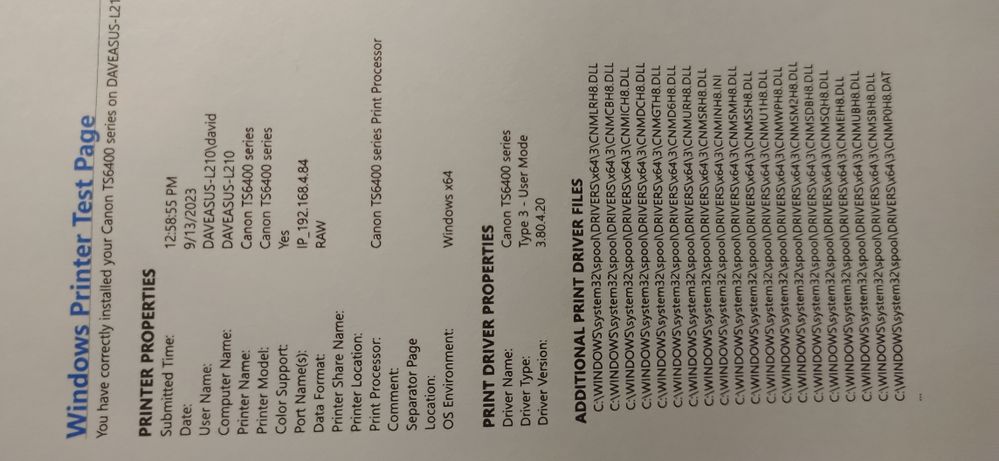
Problem. I have printing alignment issues with my TS6420. After using ALL tips to fix this, I am still perplexed. I did manual realignment. I checked encoder strip. I cleaned print nozzles. And yet, when I do a print test everything works great. But..........when I print documents (from anywhere) the resulting prints are misaligned (double with a shadow of second line above the first). Attached image shows the problem. Yet a test print off maintenance shows a perfectly printed page. ??????????? Can anyone help?
8 REPLIES 8


Options
- Mark as New
- Bookmark
- Subscribe
- Mute
- Subscribe to RSS Feed
- Permalink
- Report Inappropriate Content
09-19-2023 12:54 PM
Hi,
I recommend removing and reinstall the printer driver and then click HERE to download/reinstall the printer driver.
If the issue persists, I recommend you reach out to Canon support. You will need to register your Canon gear HERE to access additional support options.
Did this answer your question? Please click the Accept as Solution button so that others may find the answer as well.
Options
- Mark as New
- Bookmark
- Subscribe
- Mute
- Subscribe to RSS Feed
- Permalink
- Report Inappropriate Content
10-29-2023 11:55 AM
This did not work at all. In fact it made it worse

Options
- Mark as New
- Bookmark
- Subscribe
- Mute
- Subscribe to RSS Feed
- Permalink
- Report Inappropriate Content
10-29-2023 12:19 PM
If you tried the above, and you're still having issues, please log into your My Canon Account at https://canon.us/account and verify that your printer is registered. There you'll see your personalized support options.
Options
- Mark as New
- Bookmark
- Subscribe
- Mute
- Subscribe to RSS Feed
- Permalink
- Report Inappropriate Content
10-29-2023 12:41 PM
My product is registered but there is no support listed. The person above is the only instance where I have found this exact issue. It seems there is a problem with vertical alignment. Please post so everyone can see how to troubleshoot.
Options
- Mark as New
- Bookmark
- Subscribe
- Mute
- Subscribe to RSS Feed
- Permalink
- Report Inappropriate Content
10-29-2023 04:26 PM
I finally solved it by changing from my existing non-brand ink cartridges to Canon's higher priced ink cartridges and the issue was immediately fixed. Go figure.
Options
- Mark as New
- Bookmark
- Subscribe
- Mute
- Subscribe to RSS Feed
- Permalink
- Report Inappropriate Content
10-29-2023 04:48 PM
I’ll try that. I know it has worked fine with our reconditioned ink cartridges. Funny thing is pictures print fine. Only when you print pdfs, word, emails, etc.
Options
- Mark as New
- Bookmark
- Subscribe
- Mute
- Subscribe to RSS Feed
- Permalink
- Report Inappropriate Content
01-09-2024 05:09 PM
Just encouraging this issue.
Options
- Mark as New
- Bookmark
- Subscribe
- Mute
- Subscribe to RSS Feed
- Permalink
- Report Inappropriate Content
01-09-2024 05:10 PM
Same here. Only started when I tried to save myself some money.


Announcements
07/22/2026: New firmware updates are available.
EOS R6 Mark III - Version 1.1.0
05/13/2026: New firmware updates are available.
EOS R5 Mark II - Version 1.3.0
EOS R6 Mark II - Version 1.7.0
04/28/2026: Service Notice: Caution Concerning use of Lithium Batteries
03/17/2026: New firmware updates are available.
SELPHY CP1500 - Version 1.0.7.0
02/23/2026: New firmware update is available for EOS C50- Version 1.0.3.1
01/23/2026: New firmware update is available for RF 24-105mm F4 IS USM- Version 2.0.7
01/20/2026: New firmware updates are available.
10/21/2025: Service Notice: To Users of the Compact Digital Camera PowerShot V1
10/15/2025: New firmware updates are available.
Speedlite EL-5 - Version 1.2.0
Speedlite EL-1 - Version 1.1.0
Speedlite Transmitter ST-E10 - Version 1.2.0
07/28/2025: Notice of Free Repair Service for the Mirrorless Camera EOS R50 (Black)
05/21/2025: New firmware update available for EOS C500 Mark II - Version 1.1.5.1
Related Content
- PIXMA MG3620 - prints only half the page and copies are faded – Nozzle Check attached in Desktop Inkjet Printers
- Canon G3470 / G7000 – Intermittent Magenta Halo Around 100% K Black Text on Glossy Printable Vinyl in Desktop Inkjet Printers
- imagePROGRAF PRO-310 print head problem, colors not printing in Professional Photo Printers
- PIXMA TS6420a All-In-One: red shadows on text in Desktop Inkjet Printers
- PIXMA TS9521C Odd Printing Lines in Desktop Inkjet Printers

Ⓒ 2026
Canon U.S.A Inc. All Rights Reserved. Reproduction in whole or part without permission is prohibited.
