- Meet Our Illuminaries
- Discussions & Help
- Gallery
- Learn With Canon
- About Our Community
- Meet Our Illuminaries
- Discussions & Help
- Gallery
- Learn With Canon
- About Our Community
Turn on suggestions
Auto-suggest helps you quickly narrow down your search results by suggesting possible matches as you type.
- Canon Community
- Discussions & Help
- Printer
- Desktop Inkjet Printers
- Pixma MG7720 Borderless Printing Issue
Options
- Subscribe to RSS Feed
- Mark Topic as New
- Mark Topic as Read
- Float this Topic for Current User
- Bookmark
- Subscribe
- Mute
- Printer Friendly Page
Pixma MG7720 Borderless Printing Issue

Options
- Mark as New
- Bookmark
- Subscribe
- Mute
- Subscribe to RSS Feed
- Permalink
- Report Inappropriate Content
02-20-2020 12:01 AM
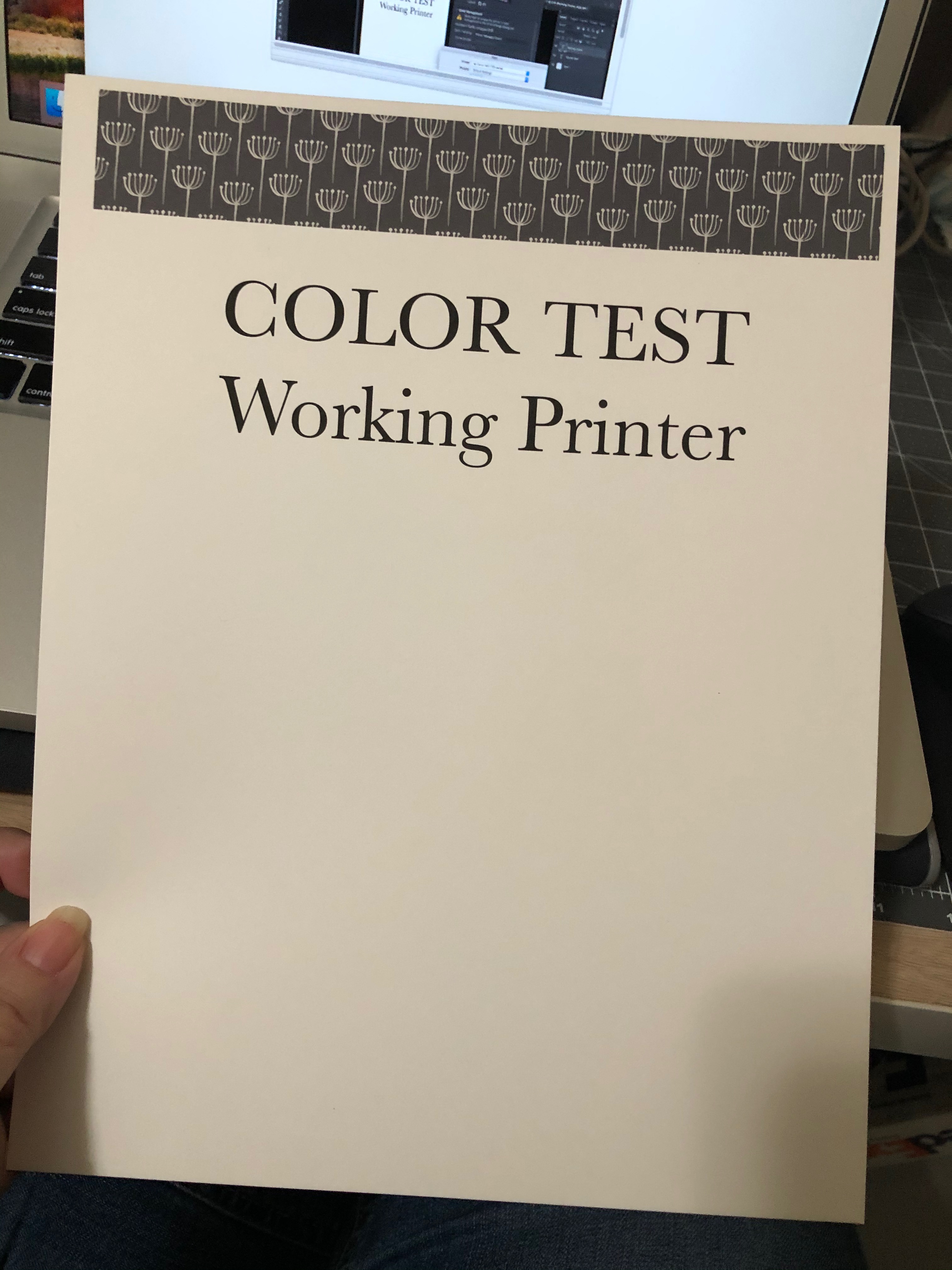
Hi there. I have been unable to print at 8.5 x 11 borderless setting lately. I had no issue with this previously but it suddenly came up within the last week or so. I am on a Mac with OS High Sierra 10.13.6. I tried deleting the driver and reloading, but still end up with a border on the finished print. I confirmed my OS is completley up to date, Photoshop is updated (cc v. 21.1), and the driver is up to date. Here is a screen shot of the print preview and my printer settings. You can see on the print preview that the image should be a full bleed to the edge of the 8.5 width.
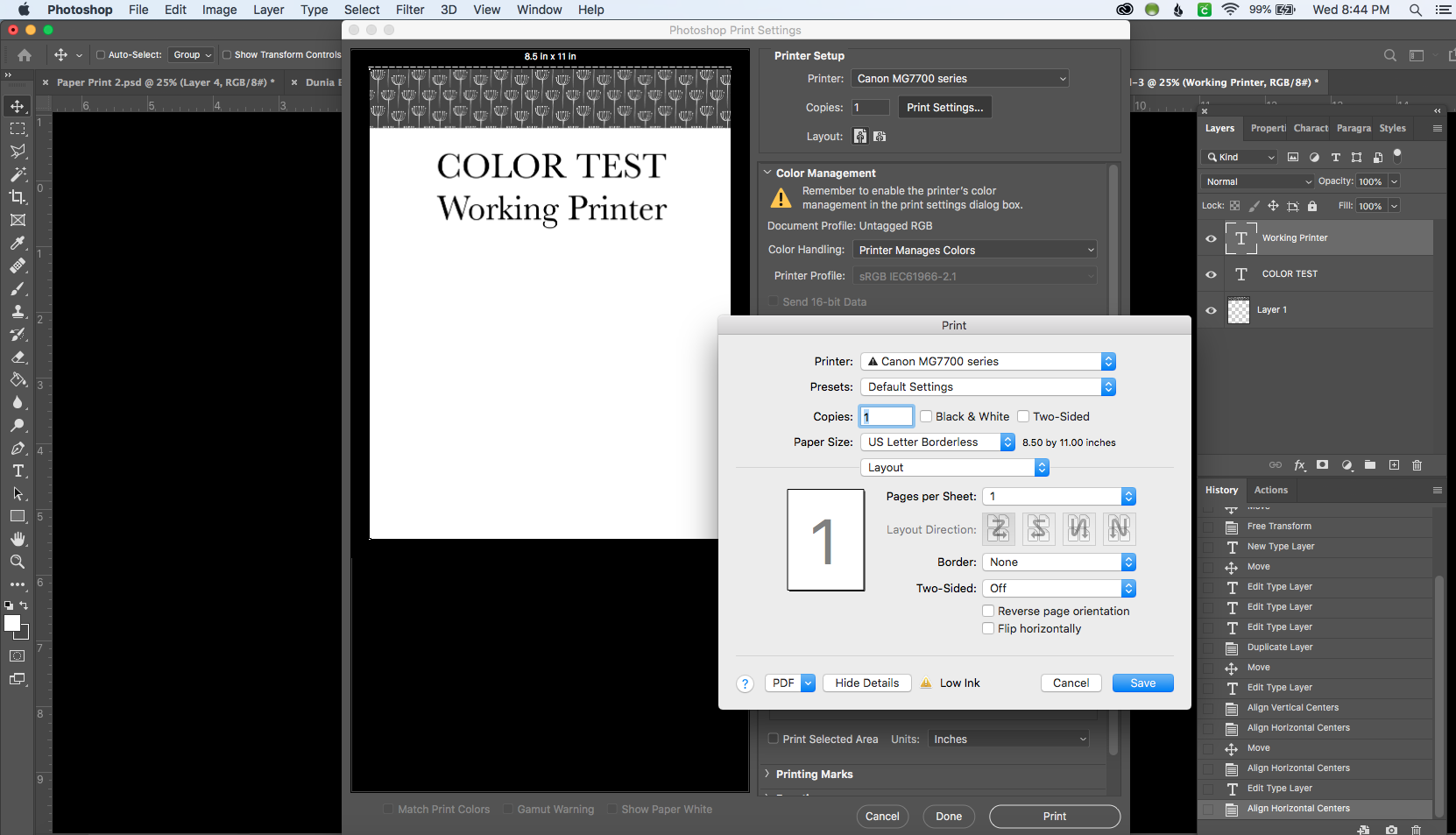
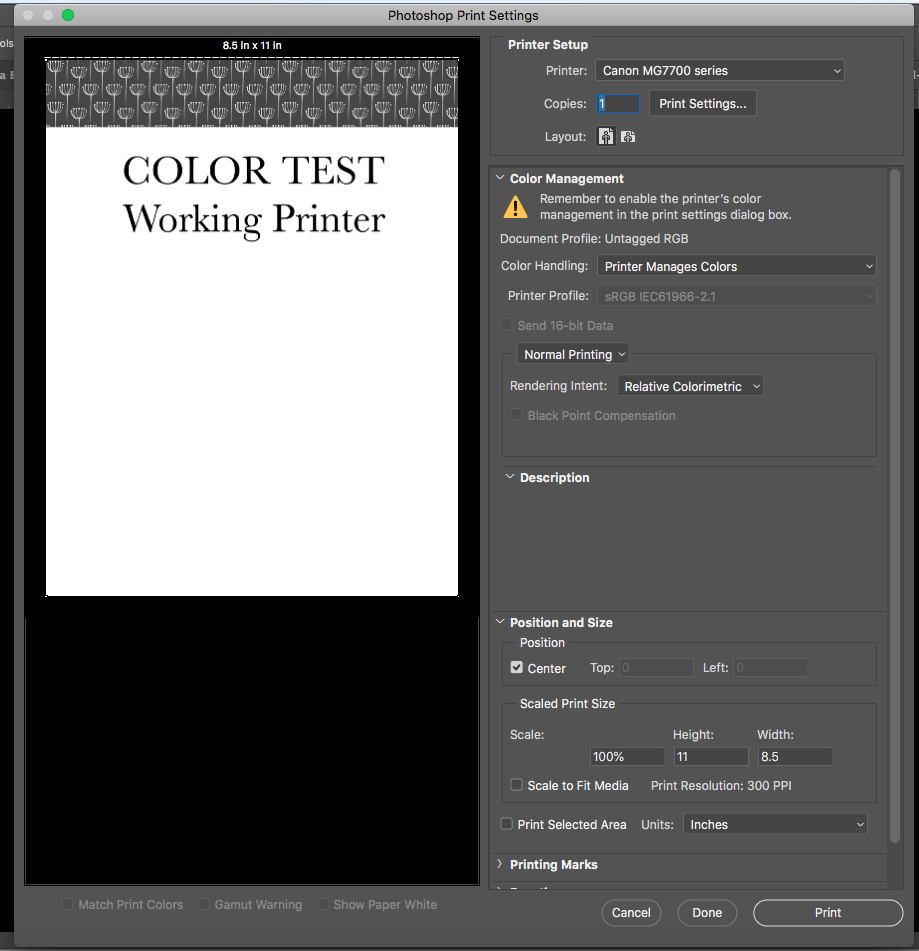
Here is the second screenshot to confirm it is set to 100% scale.
Here is what comes out of the printer
Any suggestions?
2 REPLIES 2
Options
- Mark as New
- Bookmark
- Subscribe
- Mute
- Subscribe to RSS Feed
- Permalink
- Report Inappropriate Content
02-23-2020 02:13 PM
Anyone?


Options
- Mark as New
- Bookmark
- Subscribe
- Mute
- Subscribe to RSS Feed
- Permalink
- Report Inappropriate Content
02-26-2020 04:04 PM
Hi lynne_ashcraft,
It is recommended that you contact one of Canon's Technical Support Representatives via phone. To contact a Technical Support Representative, please use the link below:
http://Canon.us/ContactLI


Announcements
07/22/2026: New firmware updates are available.
EOS R6 Mark III - Version 1.1.0
05/13/2026: New firmware updates are available.
EOS R5 Mark II - Version 1.3.0
EOS R6 Mark II - Version 1.7.0
04/28/2026: Service Notice: Caution Concerning use of Lithium Batteries
03/17/2026: New firmware updates are available.
SELPHY CP1500 - Version 1.0.7.0
02/23/2026: New firmware update is available for EOS C50- Version 1.0.3.1
01/23/2026: New firmware update is available for RF 24-105mm F4 IS USM- Version 2.0.7
01/20/2026: New firmware updates are available.
10/21/2025: Service Notice: To Users of the Compact Digital Camera PowerShot V1
10/15/2025: New firmware updates are available.
Speedlite EL-5 - Version 1.2.0
Speedlite EL-1 - Version 1.1.0
Speedlite Transmitter ST-E10 - Version 1.2.0
07/28/2025: Notice of Free Repair Service for the Mirrorless Camera EOS R50 (Black)
05/21/2025: New firmware update available for EOS C500 Mark II - Version 1.1.5.1
Related Content
- PIXMA G620 - Prints partial page then starts job over in Desktop Inkjet Printers
- Inconsistent printing spacing MegaTank PIXMA G3290 in Desktop Inkjet Printers
- Driver PIXMA G5010 & G6010 for macOS 26 in Desktop Inkjet Printers
- Professional Print & Layout: How to print borderless at 11" x 17" in Printer Software & Networking
- PIXMA MG7720 printing blank pages in Desktop Inkjet Printers

Ⓒ 2026
Canon U.S.A Inc. All Rights Reserved. Reproduction in whole or part without permission is prohibited.
