Turn on suggestions
Auto-suggest helps you quickly narrow down your search results by suggesting possible matches as you type.
- Canon Community
- Discussions & Help
- Printer
- Desktop Inkjet Printers
- Inconsistent printing spacing MegaTank PIXMA G3290
Options
- Subscribe to RSS Feed
- Mark Topic as New
- Mark Topic as Read
- Float this Topic for Current User
- Bookmark
- Subscribe
- Mute
- Printer Friendly Page
Inconsistent printing spacing MegaTank PIXMA G3290

Options
- Mark as New
- Bookmark
- Subscribe
- Mute
- Subscribe to RSS Feed
- Permalink
- Report Inappropriate Content
08-05-2026 09:09 AM
Hello,
I just purchased a MegaTank PIXMA G3290 and have been borderless printing on card stock cards. Most of the time it works great but about 25% of the time it messes up the print in the same way by offsetting the print by a half an inch.
I've tried messing with every software setting to no avail. Wonder if it's a software fix or a physical defect.

3 REPLIES 3

Anonymous
Not applicable
Options
- Mark as New
- Bookmark
- Subscribe
- Mute
- Subscribe to RSS Feed
- Permalink
- Report Inappropriate Content
08-05-2026 09:59 AM
Inconsistent print spacing or shifting margins on a new Canon PIXMA G3290—especially when printing precise templates like trading cards—is typically caused by loose physical paper guides, incorrect software scaling settings, or heavy cardstock slipping against the feed rollers.
Physical Feed Troubleshooting
-
Loose Paper Guides: Ensure the plastic edge guides in the paper tray are pushed completely snug against the paper stack to prevent twisting.
-
Cardstock Roller Slippage: Heavy or thick specialty cardstocks can cause friction rollers to slip momentarily, creating variable top and bottom margins.
-
Paper Curl: Flatten thick cardstock completely before printing to keep the leading edge from hitting internal components at an angle.
Software and Driver Setup
-
Disable Scaling Options: Set your print dialog settings to Actual Size or 100% rather than "Fit to Page" or "Shrink to Fit".
-
Match Media Profiles: Check that the paper size and media type in your software match the exact size and type registered on the printer's LCD screen.
-
Turn Off Borderless Expansion: Borderless printing stretches and crops your image slightly; use standard bordered settings with custom manual cutting marks instead.
Printer Maintenance
-
Align the Print Head: Run a Manual Print Head Alignment from the printer's utility or maintenance menu to correct factory carriage drift.
-
Clean the Feed Rollers: Use the built-in roller cleaning maintenance routine to remove manufacturing dust or paper debris from the friction mechanism.
If you would like to pinpoint the issue further, let me know:
-
What software application are you using to send the print job?
-
What weight or type of paper (e.g., 110lb cardstock, glossy photo paper) are you currently using?
-
Is the spacing drifting vertically (top-to-bottom) or horizontally (left-to-right) across pages?
Options
- Mark as New
- Bookmark
- Subscribe
- Mute
- Subscribe to RSS Feed
- Permalink
- Report Inappropriate Content
08-05-2026
10:09 AM
- last edited on
08-05-2026
10:13 AM
by
 Danny
Danny
It's drifting vertically. I am using this product:

Cleaning the rollers seemed to fix the problem for ten prints then it started again. I am using photoshop to send the print job. I think it is a roller problem.
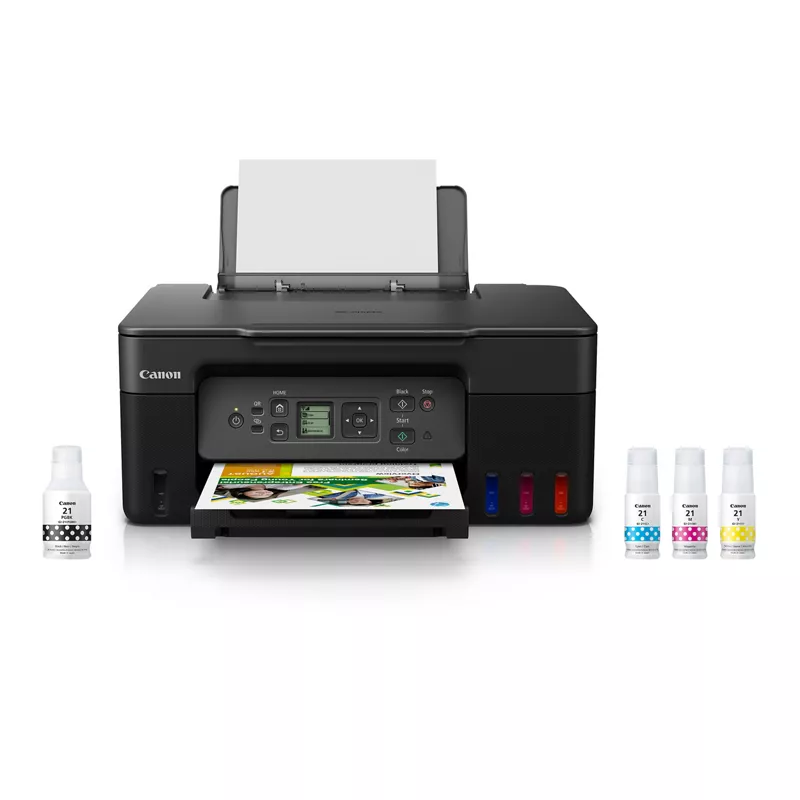
[Commercial link removed per forum guidelines and replaced with screenshot to serve as visual aid.]
Options
- Mark as New
- Bookmark
- Subscribe
- Mute
- Subscribe to RSS Feed
- Permalink
- Report Inappropriate Content
08-05-2026 08:48 PM
Found a fix! Increasing the ink dry time and setting the paper to higher gloss than the paper itself must help the roller grab the paper better. Thank you for all the help!


Announcements
07/22/2026: New firmware updates are available.
EOS R6 Mark III - Version 1.1.0
05/13/2026: New firmware updates are available.
EOS R5 Mark II - Version 1.3.0
EOS R6 Mark II - Version 1.7.0
04/28/2026: Service Notice: Caution Concerning use of Lithium Batteries
03/17/2026: New firmware updates are available.
SELPHY CP1500 - Version 1.0.7.0
02/23/2026: New firmware update is available for EOS C50- Version 1.0.3.1
01/23/2026: New firmware update is available for RF 24-105mm F4 IS USM- Version 2.0.7
01/20/2026: New firmware updates are available.
10/21/2025: Service Notice: To Users of the Compact Digital Camera PowerShot V1
10/15/2025: New firmware updates are available.
Speedlite EL-5 - Version 1.2.0
Speedlite EL-1 - Version 1.1.0
Speedlite Transmitter ST-E10 - Version 1.2.0
07/28/2025: Notice of Free Repair Service for the Mirrorless Camera EOS R50 (Black)
05/21/2025: New firmware update available for EOS C500 Mark II - Version 1.1.5.1
Related Content
- GX2020 MegaTank printer printing VERY slowly (4 pages/hr) in Office Printers
- PIXMA G7020 prints with white horizontal lines, doesn't print cyan well in Desktop Inkjet Printers
- imagePROGRAF PRO-1100 inconsistent print quality, now only bad quality in Professional Photo Printers
- MegaTank GX7120 Printing too dark in Office Printers

Ⓒ 2026
Canon U.S.A Inc. All Rights Reserved. Reproduction in whole or part without permission is prohibited.
