Turn on suggestions
Auto-suggest helps you quickly narrow down your search results by suggesting possible matches as you type.
- Canon Community
- Discussions & Help
- Printer
- Desktop Inkjet Printers
- Re: How to access Canon TS9020 timing/encoder stri...
Options
- Subscribe to RSS Feed
- Mark Topic as New
- Mark Topic as Read
- Float this Topic for Current User
- Bookmark
- Subscribe
- Mute
- Printer Friendly Page
How to access PIXMA TS9020 timing/encoder strip for cleaning?

Options
- Mark as New
- Bookmark
- Subscribe
- Mute
- Subscribe to RSS Feed
- Permalink
- Report Inappropriate Content
12-26-2021
07:58 PM
- last edited on
07-23-2025
04:23 PM
by
 James_C
My Canon TS9020 has a banding problem, which may be caused by a dirty encoder strip. There are encoder strip cleaning tutorials on this website, but they are all useless for me.
You see, whoever designed the TS9020 decided it would be a good idea to cover the encoding strip with some sort of plastic guard. This makes it impossible for me to access the strip to clean it.
I've included two photos to show this plastic guard. I circled it in red so you can see it easily, and I circled the one tiny bit of the encoder strip that is visible and accessible in yellow.
Is there any way to temporarily remove the plastic guard or otherwise access and clean the encoder strip?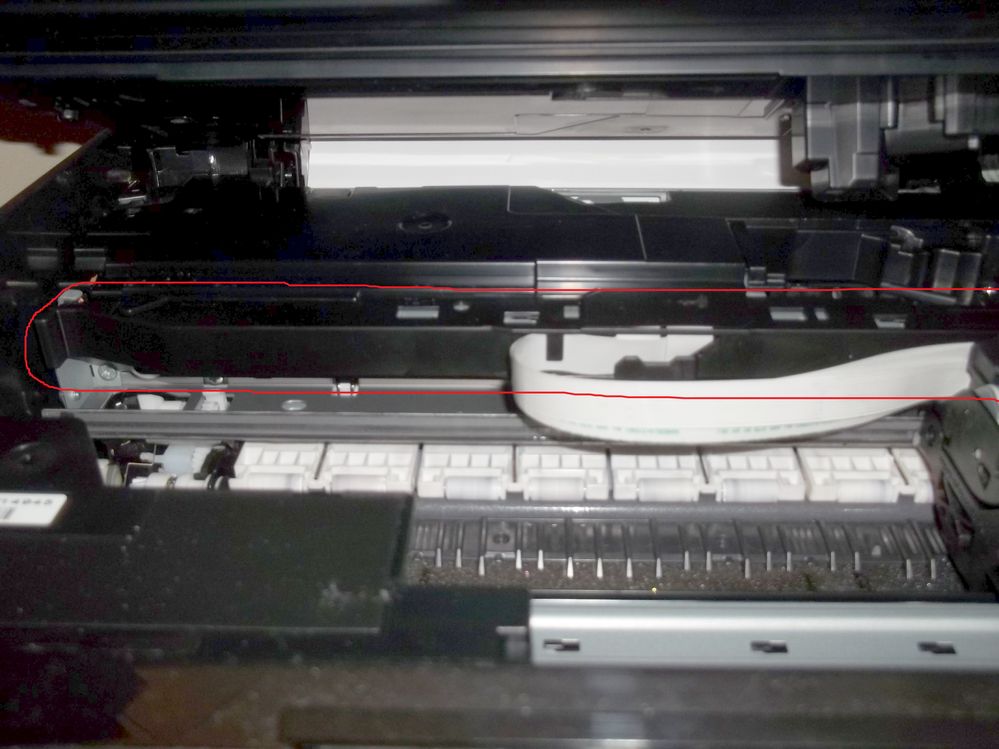

2 REPLIES 2

Options
- Mark as New
- Bookmark
- Subscribe
- Mute
- Subscribe to RSS Feed
- Permalink
- Report Inappropriate Content
03-05-2024 05:23 PM
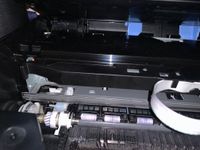
This is EXACTLY my question on another model TS8220. Did you ever figure out how to get that plastic cover off to clean or replace.??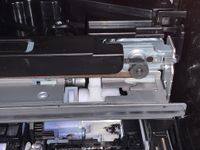
Options
- Mark as New
- Bookmark
- Subscribe
- Mute
- Subscribe to RSS Feed
- Permalink
- Report Inappropriate Content
07-23-2025 04:21 PM
I am also looking for an answer to this exact question. how do we remove this plastic cover to see the encoder strip?

Announcements
07/22/2026: New firmware updates are available.
EOS R6 Mark III - Version 1.1.0
05/13/2026: New firmware updates are available.
EOS R5 Mark II - Version 1.3.0
EOS R6 Mark II - Version 1.7.0
04/28/2026: Service Notice: Caution Concerning use of Lithium Batteries
03/17/2026: New firmware updates are available.
SELPHY CP1500 - Version 1.0.7.0
02/23/2026: New firmware update is available for EOS C50- Version 1.0.3.1
01/23/2026: New firmware update is available for RF 24-105mm F4 IS USM- Version 2.0.7
01/20/2026: New firmware updates are available.
10/21/2025: Service Notice: To Users of the Compact Digital Camera PowerShot V1
10/15/2025: New firmware updates are available.
Speedlite EL-5 - Version 1.2.0
Speedlite EL-1 - Version 1.1.0
Speedlite Transmitter ST-E10 - Version 1.2.0
07/28/2025: Notice of Free Repair Service for the Mirrorless Camera EOS R50 (Black)
05/21/2025: New firmware update available for EOS C500 Mark II - Version 1.1.5.1
Related Content
- PIXMA G7020 only prints in red from all ink tanks in Desktop Inkjet Printers
- Which UK-model printer uses the same inks as the PIXMA TS8350a? in Desktop Inkjet Printers
- PIXMA G620 photos look faded in Desktop Inkjet Printers
- G7020 Utility fails during cleaning request in Desktop Inkjet Printers
- PRO-2100 Black lines in the red channel in Production Printing

Ⓒ 2026
Canon U.S.A Inc. All Rights Reserved. Reproduction in whole or part without permission is prohibited.
