Turn on suggestions
Auto-suggest helps you quickly narrow down your search results by suggesting possible matches as you type.
- Canon Community
- Discussions & Help
- Printer
- Desktop Inkjet Printers
- Re: How do i find out my printer model from the se...
Options
- Subscribe to RSS Feed
- Mark Topic as New
- Mark Topic as Read
- Float this Topic for Current User
- Bookmark
- Subscribe
- Mute
- Printer Friendly Page
How do i find out my printer model from the serial number

Options
- Mark as New
- Bookmark
- Subscribe
- Mute
- Subscribe to RSS Feed
- Permalink
- Report Inappropriate Content
12-31-2017 02:04 PM
Hi
How can i find the model of my printer just from the serial number?
I know its a Pixma MG3000 series but not the actual model.
Can anyone help?
Thanks in advance
17 REPLIES 17

Options
- Mark as New
- Bookmark
- Subscribe
- Mute
- Subscribe to RSS Feed
- Permalink
- Report Inappropriate Content
12-31-2017 03:03 PM
Hi Chadman2007,
Welcome to the Canon forum! Your printer's model number should be located on the top and/or the front of your printer. Canon printer models usually have model names that begin with 2 or 3 letters--such as iP, MP, MF, MX, MG, MB, or LBP, to name a few--followed by as many as 4 numerals. Once you find this, you will have found your printer's model number.
If you need help looking it up by the serial number or if this is an urgent support need, please CLICK HERE to reach our friendly Technical Support Team by phone or email.
Thank you!
Options
- Mark as New
- Bookmark
- Subscribe
- Mute
- Subscribe to RSS Feed
- Permalink
- Report Inappropriate Content
04-11-2019
02:52 AM
- last edited on
04-11-2019
08:25 AM
by
 Danny
Danny
LRHD[xxxxx] that's the serial number of my printer could you tell me the model of it? I lost the manual for it.
[numerical portion of serial number removed for privacy concerns]

Options
- Mark as New
- Bookmark
- Subscribe
- Mute
- Subscribe to RSS Feed
- Permalink
- Report Inappropriate Content
04-11-2019 08:30 AM
Hi! A serial number beginning with "LRH" corresponds to the Canon PIXMA E510 multifunction printer. This printer is not offered through or supported by Canon USA.
We hope this helps!
Options
- Mark as New
- Bookmark
- Subscribe
- Mute
- Subscribe to RSS Feed
- Permalink
- Report Inappropriate Content
12-17-2019 10:55 AM - edited 12-17-2019 10:56 AM
hi, I need help too. My serial number starts with KJLM. it's a pixma printer / scanner. what's the model name for this device? thanks

Options
- Mark as New
- Bookmark
- Subscribe
- Mute
- Subscribe to RSS Feed
- Permalink
- Report Inappropriate Content
12-18-2019 01:55 PM
Hi pixmakjlm,
The model number would be on the front edge of the printer, or near the display of the printer. It will begin with "PIXMA" and then 2 letters, MX, MG, TS, TR, etc, and then 3 or 4 numbers.
Also, on the back of the printer, there should be a number that starts with K and if you and provide that number, we can look up the model. Example would be K1056 or similar.
Options
- Mark as New
- Bookmark
- Subscribe
- Mute
- Subscribe to RSS Feed
- Permalink
- Report Inappropriate Content
12-18-2019 02:02 PM
To clarify Patrick's response, we have not made a printer with a serial number beginning with "KJLM." As he mentioned, your printer's model name should be clearly visible on the top and/or front of the unit. Feel free to include a photo of it if you're unsure.
Hope this helps!
Options
- Mark as New
- Bookmark
- Subscribe
- Mute
- Subscribe to RSS Feed
- Permalink
- Report Inappropriate Content
12-18-2019
06:25 PM
- last edited on
12-18-2019
06:29 PM
by
SamanthaW
Hi all,
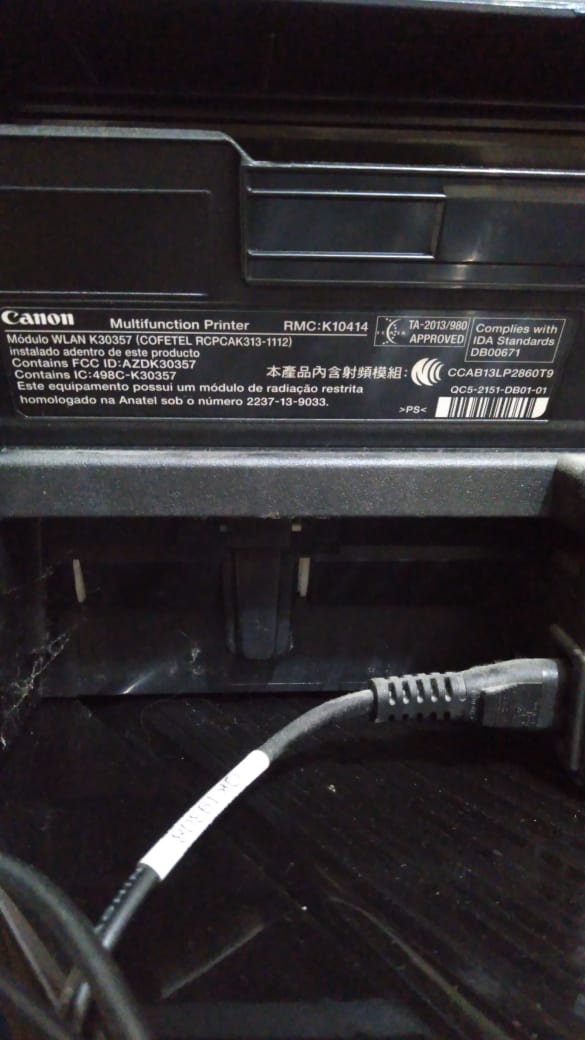
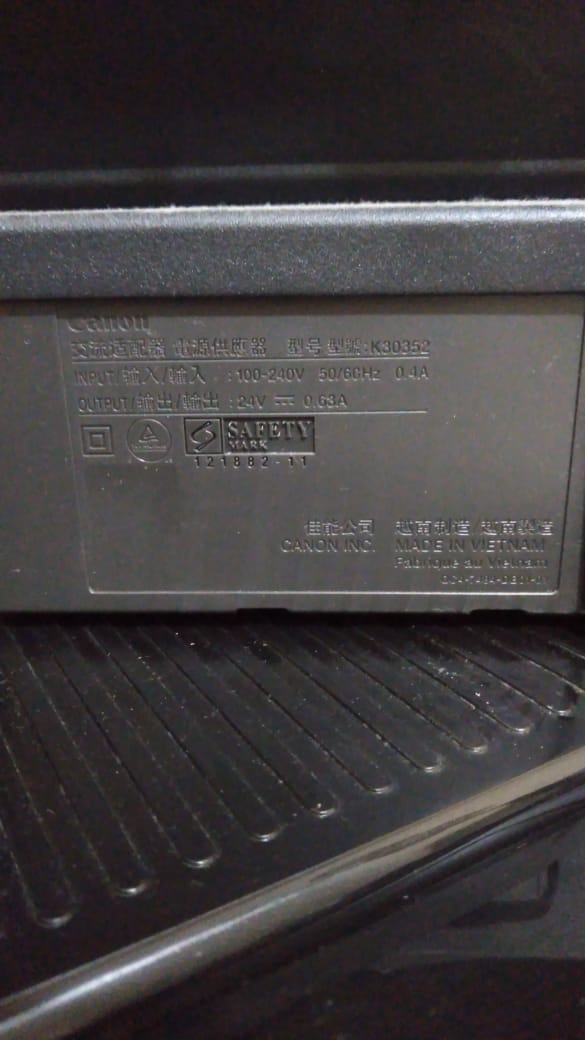
[Removed photo of serial number per forum guidelines]
Masked serial number is KJLMXXXXX
Here are the pics

Options
- Mark as New
- Bookmark
- Subscribe
- Mute
- Subscribe to RSS Feed
- Permalink
- Report Inappropriate Content
12-18-2019 06:30 PM
Your printer model should be on the top of your printer, above the power button, or on the front of the printer. If you send photos we can help you find it. We still don't see that beginning for US model printers.
Options
- Mark as New
- Bookmark
- Subscribe
- Mute
- Subscribe to RSS Feed
- Permalink
- Report Inappropriate Content
10-25-2020 03:47 AM
Hi I need help to find my model number my Serial number is JJUA*****

Announcements
07/22/2026: New firmware updates are available.
EOS R6 Mark III - Version 1.1.0
05/13/2026: New firmware updates are available.
EOS R5 Mark II - Version 1.3.0
EOS R6 Mark II - Version 1.7.0
04/28/2026: Service Notice: Caution Concerning use of Lithium Batteries
03/17/2026: New firmware updates are available.
SELPHY CP1500 - Version 1.0.7.0
02/23/2026: New firmware update is available for EOS C50- Version 1.0.3.1
01/23/2026: New firmware update is available for RF 24-105mm F4 IS USM- Version 2.0.7
01/20/2026: New firmware updates are available.
10/21/2025: Service Notice: To Users of the Compact Digital Camera PowerShot V1
10/15/2025: New firmware updates are available.
Speedlite EL-5 - Version 1.2.0
Speedlite EL-1 - Version 1.1.0
Speedlite Transmitter ST-E10 - Version 1.2.0
07/28/2025: Notice of Free Repair Service for the Mirrorless Camera EOS R50 (Black)
05/21/2025: New firmware update available for EOS C500 Mark II - Version 1.1.5.1
Related Content
- printer K10425 Please what is model number? TS34???? in Desktop Inkjet Printers
- Canon imageCLASS MF665Cdw – Forgot System Manager ID/PIN in Office Printers
- imageCLASS LBP247dw II drops network connection and goes to sleep in Printer Software & Networking
- PIXMA Print Plan, new Canon account shows no registered products in Desktop Inkjet Printers
- TR8620a - Ink Carts Won't Work in Desktop Inkjet Printers

Ⓒ 2026
Canon U.S.A Inc. All Rights Reserved. Reproduction in whole or part without permission is prohibited.
