Turn on suggestions
Auto-suggest helps you quickly narrow down your search results by suggesting possible matches as you type.
- Canon Community
- Discussions & Help
- Camera
- Camera Software
- Re: .FIR files for firmware updates
Options
- Subscribe to RSS Feed
- Mark Topic as New
- Mark Topic as Read
- Float this Topic for Current User
- Bookmark
- Subscribe
- Mute
- Printer Friendly Page

Options
- Mark as New
- Bookmark
- Subscribe
- Mute
- Subscribe to RSS Feed
- Permalink
- Report Inappropriate Content
02-05-2024
12:29 AM
- last edited on
02-06-2024
08:54 AM
by
 Danny
Danny
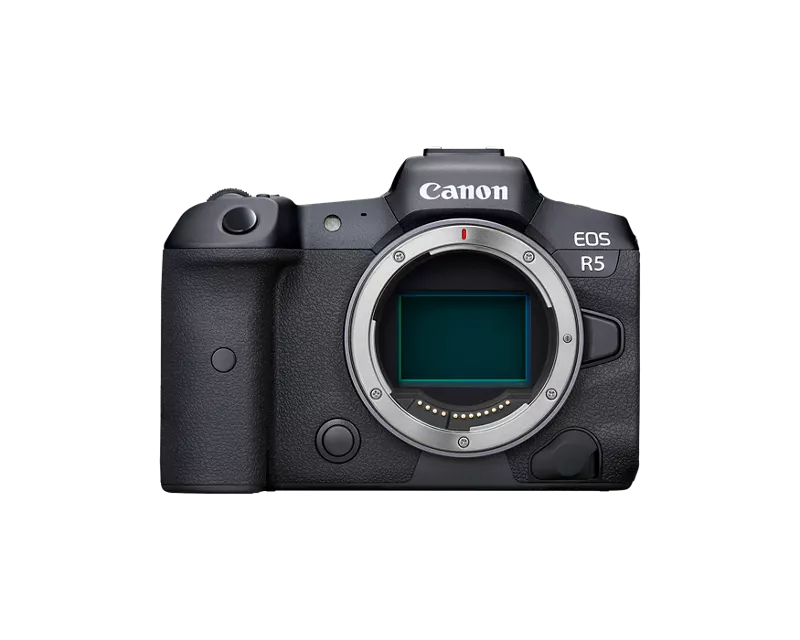
I am late updating the latest firmware which is 1.9.0 for my R5.
Have done all other firmware updates without issue.
This time I cannot open the .FIR file.
Is there someone out their that can help me? I'm working in Windows 10. I've updated my Windows and looked for software that might open this file type but I can't find any. Assume it's a problem with my computer but what??? I have also installed Canon Utilities 3 hoping this might work to open it to no luck.
Thanks in advance!
Michelle
Solved! Go to Solution.
1 ACCEPTED SOLUTION
Accepted Solutions
Options
- Mark as New
- Bookmark
- Subscribe
- Mute
- Subscribe to RSS Feed
- Permalink
- Report Inappropriate Content
02-05-2024 01:09 AM
Not sure how to update my question but I'm happy to announce that I finally figured it out. And like a lot of things sometimes when you are to close to a subject you cannot see the forest for the trees. It took going to bed, after hours of trying to solve the problem, that the solution hit me. You do not need to open that .FIR file. You just slide it over onto the SD card and load it into the camera for the firmware to update. Man but that answer was a long time coming tonight!
8 REPLIES 8


Options
- Mark as New
- Bookmark
- Subscribe
- Mute
- Subscribe to RSS Feed
- Permalink
- Report Inappropriate Content
02-05-2024 12:32 AM
Hi and welcome to the forum.
You you mean you cannot extract or unpack the compressed file to generate the FIR file to copy to your camera SD card?
cheers, TREVOR
The mark of good photographer is less what they hold in their hand, it's more what they hold in their head;
"All the variety, all the charm, all the beauty of life is made up of light and shadow", Leo Tolstoy;
"Skill in photography is acquired by practice and not by purchase" Percy W. Harris
Options
- Mark as New
- Bookmark
- Subscribe
- Mute
- Subscribe to RSS Feed
- Permalink
- Report Inappropriate Content
02-05-2024 01:09 AM
Not sure how to update my question but I'm happy to announce that I finally figured it out. And like a lot of things sometimes when you are to close to a subject you cannot see the forest for the trees. It took going to bed, after hours of trying to solve the problem, that the solution hit me. You do not need to open that .FIR file. You just slide it over onto the SD card and load it into the camera for the firmware to update. Man but that answer was a long time coming tonight!
Options
- Mark as New
- Bookmark
- Subscribe
- Mute
- Subscribe to RSS Feed
- Permalink
- Report Inappropriate Content
02-05-2024 01:12 AM
I tried to allude to that diplomatically in wording my question, given you indicated you had successfully done updates already.
cheers, TREVOR
The mark of good photographer is less what they hold in their hand, it's more what they hold in their head;
"All the variety, all the charm, all the beauty of life is made up of light and shadow", Leo Tolstoy;
"Skill in photography is acquired by practice and not by purchase" Percy W. Harris
Options
- Mark as New
- Bookmark
- Subscribe
- Mute
- Subscribe to RSS Feed
- Permalink
- Report Inappropriate Content
02-05-2024 01:24 AM
Trevor, thanks for reaching out!
Not sure how to update my question but I'm happy to announce that I finally figured it out. And like a lot of things sometimes when you are too close to a subject you cannot see the forest for the trees. It took going to bed, after hours of trying to solve the problem, that the solution hit me. You do not need to open that .FIR file. You just slide it over onto the SD card and load it into the camera for the firmware to update. Man but that answer was a long time coming tonight! But I really, really appreciate you responding!
Options
- Mark as New
- Bookmark
- Subscribe
- Mute
- Subscribe to RSS Feed
- Permalink
- Report Inappropriate Content
02-05-2024 01:25 AM
The best thing is to mark you explanation as the accepted solution.
cheers, TREVOR
The mark of good photographer is less what they hold in their hand, it's more what they hold in their head;
"All the variety, all the charm, all the beauty of life is made up of light and shadow", Leo Tolstoy;
"Skill in photography is acquired by practice and not by purchase" Percy W. Harris
Options
- Mark as New
- Bookmark
- Subscribe
- Mute
- Subscribe to RSS Feed
- Permalink
- Report Inappropriate Content
02-05-2024 01:26 AM
Even I'm laughing at myself here. In defense, it's been over a year since I've even picked up the camera due to a family illness. So it goes without saying that I'm more than a little rusty but feel free to shake your head and laugh with me!
Options
- Mark as New
- Bookmark
- Subscribe
- Mute
- Subscribe to RSS Feed
- Permalink
- Report Inappropriate Content
02-05-2024 01:31 AM
Thanks for this info. And that makes sense now. Take care.
Options
- Mark as New
- Bookmark
- Subscribe
- Mute
- Subscribe to RSS Feed
- Permalink
- Report Inappropriate Content
02-05-2024 01:32 AM
Cheers! You too!!
cheers, TREVOR
The mark of good photographer is less what they hold in their hand, it's more what they hold in their head;
"All the variety, all the charm, all the beauty of life is made up of light and shadow", Leo Tolstoy;
"Skill in photography is acquired by practice and not by purchase" Percy W. Harris

Announcements
07/22/2026: New firmware updates are available.
EOS R6 Mark III - Version 1.1.0
05/13/2026: New firmware updates are available.
EOS R5 Mark II - Version 1.3.0
EOS R6 Mark II - Version 1.7.0
04/28/2026: Service Notice: Caution Concerning use of Lithium Batteries
03/17/2026: New firmware updates are available.
SELPHY CP1500 - Version 1.0.7.0
02/23/2026: New firmware update is available for EOS C50- Version 1.0.3.1
01/23/2026: New firmware update is available for RF 24-105mm F4 IS USM- Version 2.0.7
01/20/2026: New firmware updates are available.
10/21/2025: Service Notice: To Users of the Compact Digital Camera PowerShot V1
10/15/2025: New firmware updates are available.
Speedlite EL-5 - Version 1.2.0
Speedlite EL-1 - Version 1.1.0
Speedlite Transmitter ST-E10 - Version 1.2.0
07/28/2025: Notice of Free Repair Service for the Mirrorless Camera EOS R50 (Black)
05/21/2025: New firmware update available for EOS C500 Mark II - Version 1.1.5.1
Related Content
- EOS R5 Mark II firmware won't update in EOS DSLR & Mirrorless Cameras
- EOS R6 Mark III Firmware 1.1.0 makes pics too dark in macOS Preview app and Instagram Stories in Camera Software
- Will Canon release a firmware update for the R6 mkiii that allows us to turn off IBIS and use IS? in EOS DSLR & Mirrorless Cameras
- Can't update firmware on EOS R50 in EOS DSLR & Mirrorless Cameras
- Firmware update error, file cannot be found Help me plz!!!! in EOS DSLR & Mirrorless Cameras

Ⓒ 2026
Canon U.S.A Inc. All Rights Reserved. Reproduction in whole or part without permission is prohibited.
