Turn on suggestions
Auto-suggest helps you quickly narrow down your search results by suggesting possible matches as you type.
- Canon Community
- Discussions & Help
- Video
- Professional Video
- Using LCD Screen and External Monitor at the same ...
Options
- Subscribe to RSS Feed
- Mark Topic as New
- Mark Topic as Read
- Float this Topic for Current User
- Bookmark
- Subscribe
- Mute
- Printer Friendly Page
Using LCD Screen and External Monitor at the same time in Photo Mode EOS R5C

Options
- Mark as New
- Bookmark
- Subscribe
- Mute
- Subscribe to RSS Feed
- Permalink
- Report Inappropriate Content
09-18-2025 03:19 AM
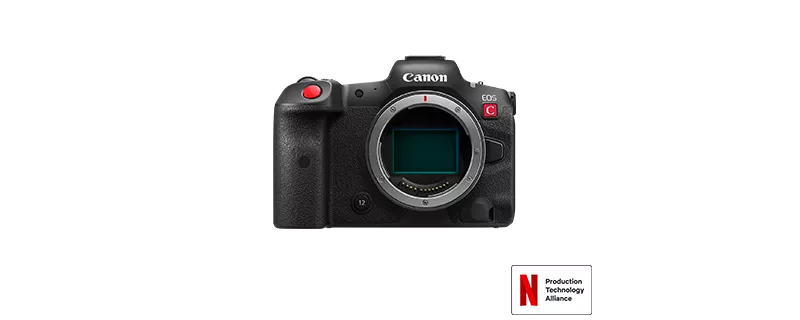
I work in real estate photography (REP) and the small LCD screen on the R5C screen doesn't cut it for framing and viewing camera controls. It's too hard to see all of the camera info, plus the vertical and horizontal level indicators at the same time, while composing and reviewing photos on the go. While shooting REP, the camera is set very low, around waist height, and an external monitor is invaluable. I would love if a firmware update could allow the LCD and external monitor to operate at the same time, while in photo mode. At the VERY LEAST, please update the firmware to allow the horizontal and vertical level indicators to display on an external monitor while in photo mode. Currently the level indicators will not display on an external monitor, making it unusable for REP. In REP, using the level indicators is extremely important so walls do not have any keystone effect distortion. Walls must be vertical in REP. If this never gets updated, sadly my next camera will not be a Canon. If I knew this was an issue, I would have not purchased my Canon, as other brands do not have this issue. I love my camera, but utility comes first.
4 REPLIES 4


Options
- Mark as New
- Bookmark
- Subscribe
- Mute
- Subscribe to RSS Feed
- Permalink
- Report Inappropriate Content
09-18-2025 06:57 AM
“ I would love if a firmware update could allow the LCD and external monitor to operate at the same time, while in photo mode. At the VERY LEAST, please update the firmware to allow the horizontal and vertical level indicators to display on an external monitor while in photo mode. “
I believe what you are describing is more of a hardware upgrade than a firmware update. To do what you wish is only possible with two sets of hardware that generate a video signal. AFAIK, the camera has only one.
--------------------------------------------------------
"Enjoying photography since 1972."
"Enjoying photography since 1972."

Options
- Mark as New
- Bookmark
- Subscribe
- Mute
- Subscribe to RSS Feed
- Permalink
- Report Inappropriate Content
09-18-2025 12:28 PM
Greetings,
I've never tried in photo mode, but you can use both displays in video mode (Cinema OS). I think waddizzle is correct about hardware requirements.
Other options:
Have you considered using live view and the Canon Connect App. This may provide some additional flexibility shooting at a lower level. Some OSD's may not be available depending on the shooting mode selected. Using a larger device such as a tablet might be beneficial in this type of shooting situation.
~Rick
Bay Area - CA
~R5 C (1.1.3.1), ~RF Trinity, ~RF 100 Macro, ~RF 100~400, ~RF 100~500, ~RF 200-800, ~RF 1.4x TC, BG-R10, 430EX III-RT ~DxO PhotoLab Elite ~DaVinci Resolve Studio ~ImageClass MF644Cdw MF656Cdw ~Pixel 10 ~CarePaks Are Worth It
Options
- Mark as New
- Bookmark
- Subscribe
- Mute
- Subscribe to RSS Feed
- Permalink
- Report Inappropriate Content
09-18-2025 07:51 PM - edited 09-18-2025 08:11 PM
Might be a hardware issue, but allowing the level indicator to display externally (OSD) should be something that a firmware update could address.
Options
- Mark as New
- Bookmark
- Subscribe
- Mute
- Subscribe to RSS Feed
- Permalink
- Report Inappropriate Content
09-18-2025 08:05 PM
I’m aware you can use both screens in cinema mode, just wish the photo OS did the same.
Using a tablet isn’t really feasible because I have a large off camera flash in my hands, that’s why it’s useful to have my 7” monitor mounted. Also the level indicator doesn’t display on the Camera Connect app.


Announcements
07/22/2026: New firmware updates are available.
EOS R6 Mark III - Version 1.1.0
05/13/2026: New firmware updates are available.
EOS R5 Mark II - Version 1.3.0
EOS R6 Mark II - Version 1.7.0
04/28/2026: Service Notice: Caution Concerning use of Lithium Batteries
03/17/2026: New firmware updates are available.
SELPHY CP1500 - Version 1.0.7.0
02/23/2026: New firmware update is available for EOS C50- Version 1.0.3.1
01/23/2026: New firmware update is available for RF 24-105mm F4 IS USM- Version 2.0.7
01/20/2026: New firmware updates are available.
10/21/2025: Service Notice: To Users of the Compact Digital Camera PowerShot V1
10/15/2025: New firmware updates are available.
Speedlite EL-5 - Version 1.2.0
Speedlite EL-1 - Version 1.1.0
Speedlite Transmitter ST-E10 - Version 1.2.0
07/28/2025: Notice of Free Repair Service for the Mirrorless Camera EOS R50 (Black)
05/21/2025: New firmware update available for EOS C500 Mark II - Version 1.1.5.1

Ⓒ 2026
Canon U.S.A Inc. All Rights Reserved. Reproduction in whole or part without permission is prohibited.
