07-20-2014 08:15 PM
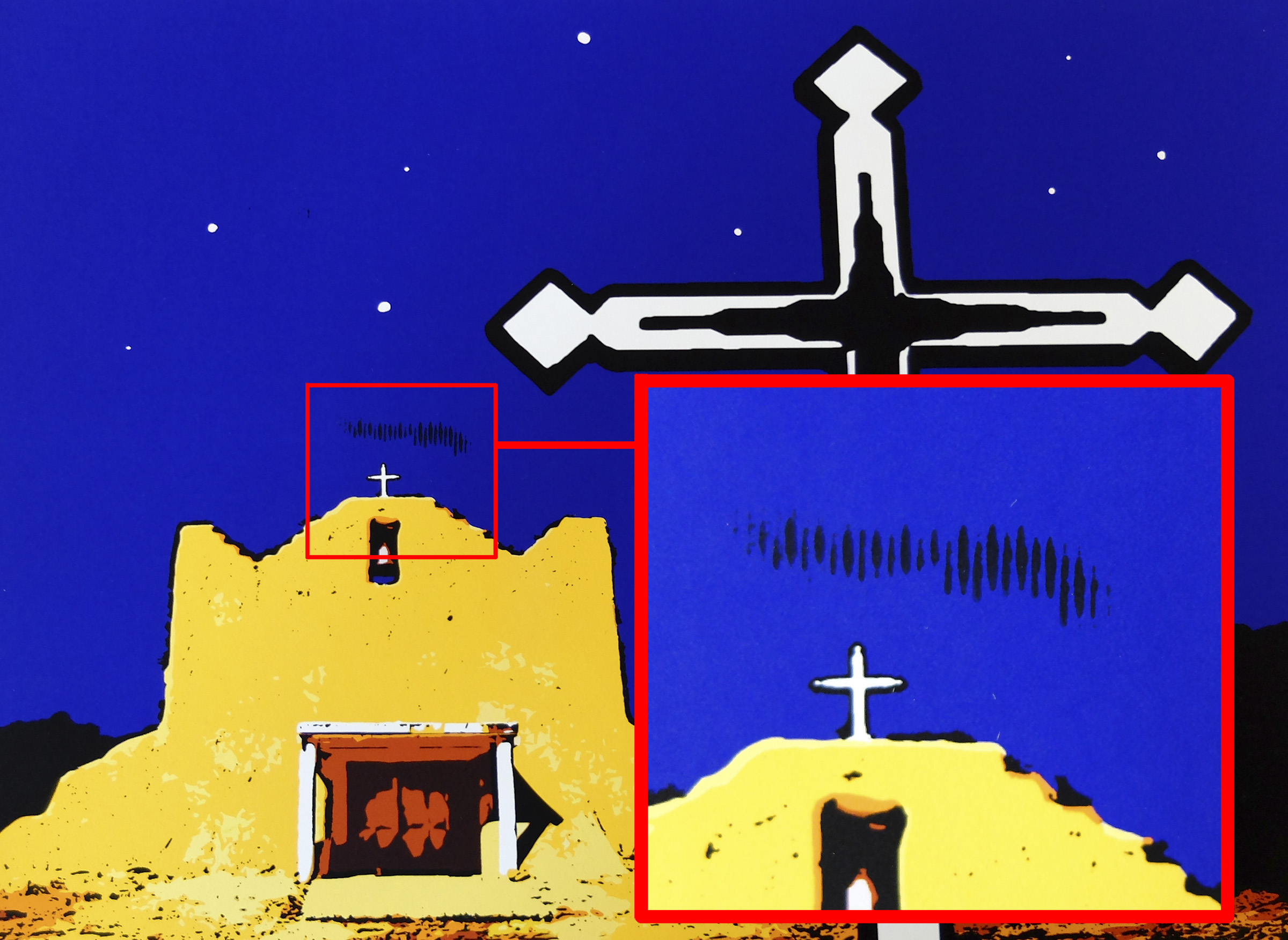
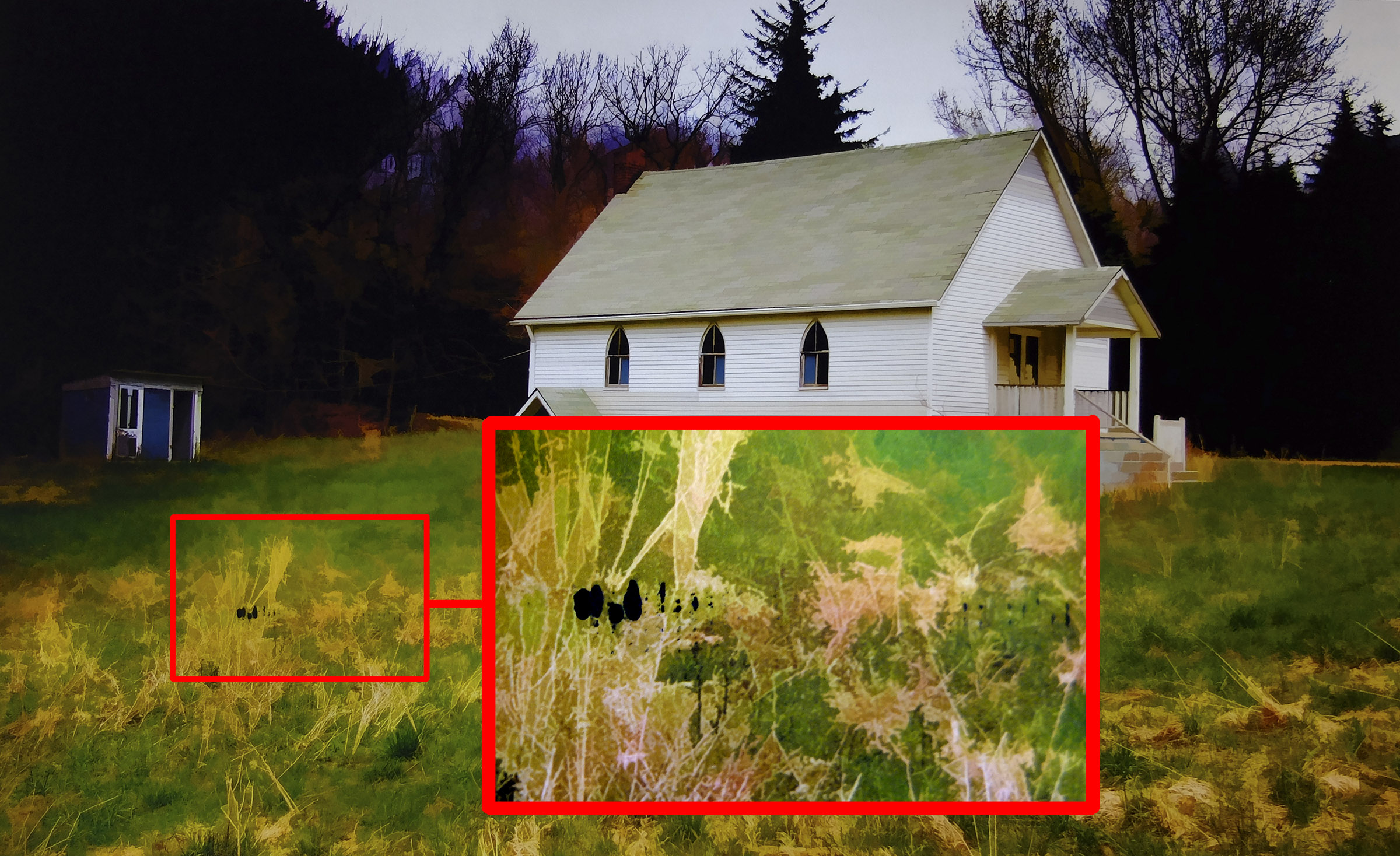
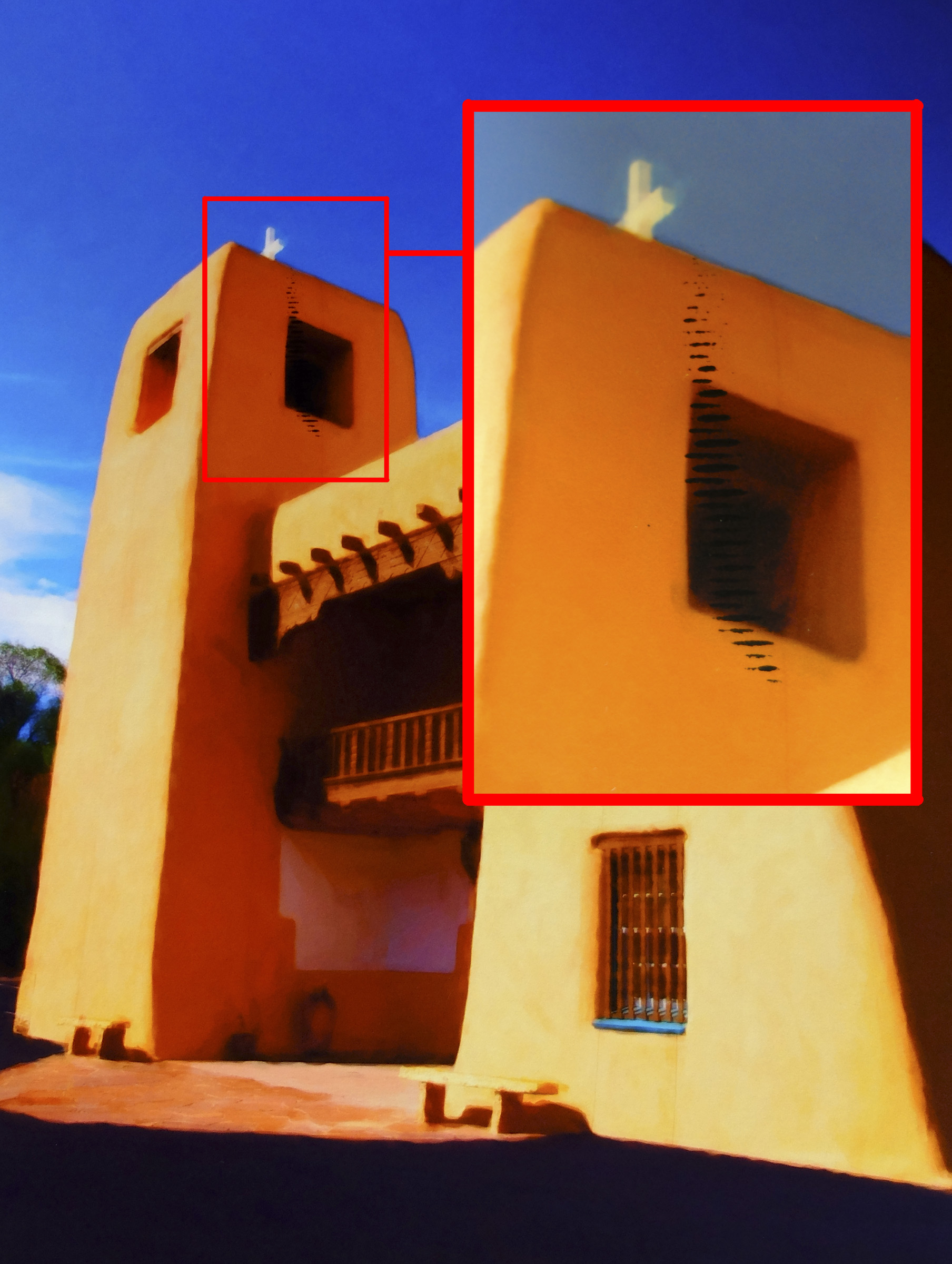
My Pro 100 continues to spread ink lines on any 13 X 19 photos I print, see attached examples. I am using Fine Art Paper 'Photo Rag' from the manula feed tray. I've cleaned the print head several times and this never seems to go away. It does not happen from the top tray. I thought it was thicker paper stock that was not bending and the print head is touching the paper. I've not been able to confirm this. Any help or ideas would be appreciated. Thx
07-25-2014 10:15 AM
It is probably contaminated rollers. You may need to get inside and clean them. You can use a q-tip with denatured alcohol or send it to Canon service.

08-03-2014 08:46 PM
Thnaks, I'll give that a shot and see where it goes!
12/18/2025: New firmware updates are available.
11/20/2025: New firmware updates are available.
EOS R5 Mark II - Version 1.2.0
PowerShot G7 X Mark III - Version 1.4.0
PowerShot SX740 HS - Version 1.0.2
10/15/2025: New firmware updates are available.
Speedlite EL-5 - Version 1.2.0
Speedlite EL-1 - Version 1.1.0
Speedlite Transmitter ST-E10 - Version 1.2.0
7/17/2025: New firmware updates are available.
02/20/2025: New firmware updates are available.
RF70-200mm F2.8 L IS USM Z - Version 1.0.6
RF24-105mm F2.8 L IS USM Z - Version 1.0.9
RF100-300mm F2.8 L IS USM - Version 1.0.8
Canon U.S.A Inc. All Rights Reserved. Reproduction in whole or part without permission is prohibited.