Turn on suggestions
Auto-suggest helps you quickly narrow down your search results by suggesting possible matches as you type.
- Canon Community
- Discussions & Help
- Printer
- Professional Photo Printers
- PRO-100 leaves black ink on edges of greeting card...
Options
- Subscribe to RSS Feed
- Mark Topic as New
- Mark Topic as Read
- Float this Topic for Current User
- Bookmark
- Subscribe
- Mute
- Printer Friendly Page
PRO-100 leaves black ink on edges of greeting card paper

Options
- Mark as New
- Bookmark
- Subscribe
- Mute
- Subscribe to RSS Feed
- Permalink
- Report Inappropriate Content
07-28-2019 03:46 PM
I bought a PRO-100 earlier this year, so it is fairly new. I use it primarily to print out greeting cards with photos that I have taken. I am using Photo Paper Direct Injet Greeting Cards, 68lb, 8.5ml, 240gsm.
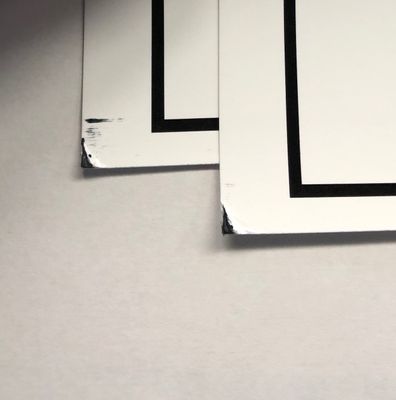
The printer leaves black ink on the corners, and sometimes edges of the paper. It happens when I use all the various settings -- borderless, non-borderless, photo printing, etc. It doesn't matter what type of paper I choose.
I can tell when it's going to leave the excess ink because the printer makes a clunky sound, like the printer head is hitting the paper in a weird way. It doesn't leave excess ink when I print on plain, thin paper.
I thought this printer could handle think paper. Any suggestions?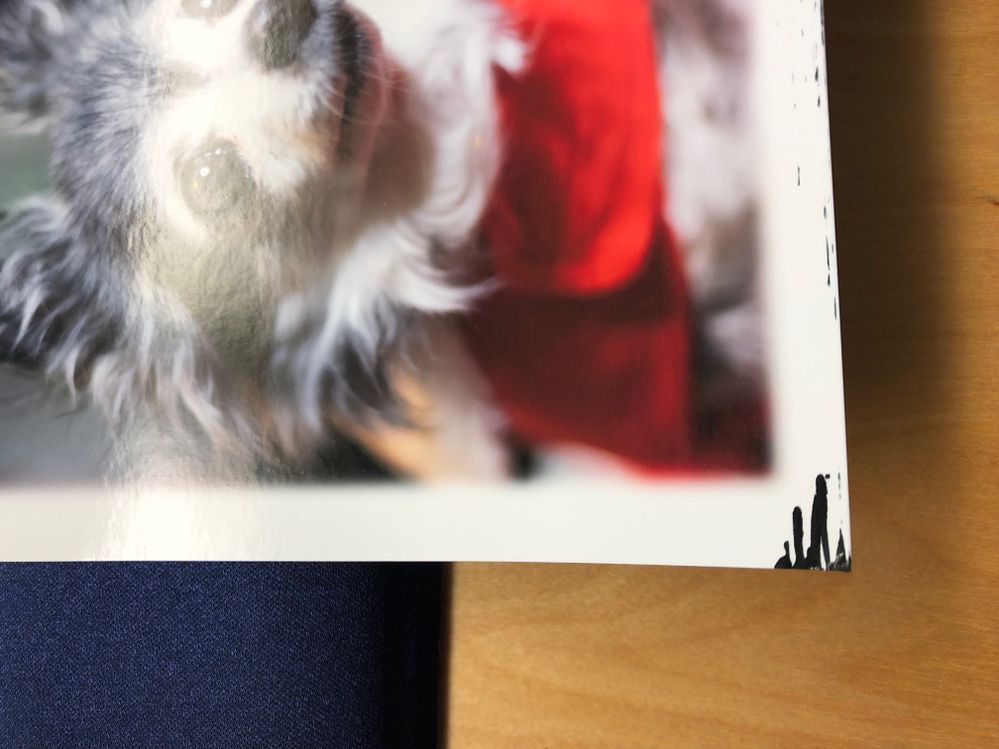
6 REPLIES 6


Options
- Mark as New
- Bookmark
- Subscribe
- Mute
- Subscribe to RSS Feed
- Permalink
- Report Inappropriate Content
07-28-2019 07:58 PM
Go into the printer driver, select the Maintenance tab and then set prevent paper abrasion in the Custom Settings section.

also, avoid borderless printing since the printer will overspray the paper to be sure of full coverage.
John Hoffman
Conway, NH
R6 Mark III, M200 (converted to infrared), RF lenses, Pixma PRO-100, Pixma TR8620a, Lr Classic
Conway, NH
R6 Mark III, M200 (converted to infrared), RF lenses, Pixma PRO-100, Pixma TR8620a, Lr Classic
Options
- Mark as New
- Bookmark
- Subscribe
- Mute
- Subscribe to RSS Feed
- Permalink
- Report Inappropriate Content
07-29-2019 12:00 AM
Thanks! This helped pretty much, but there is still just a little bit on two of the corners. Maybe as I print more copies it will be resolved.
Thanks again.
Shawna
Options
- Mark as New
- Bookmark
- Subscribe
- Mute
- Subscribe to RSS Feed
- Permalink
- Report Inappropriate Content
07-29-2019 12:26 AM
Thanks! This helped pretty much, but there is still just a little bit on two of the corners.
I will try some of the other maintenance functions to see if I can get it all cleaned up.
Thanks again.
Shawna
Options
- Mark as New
- Bookmark
- Subscribe
- Mute
- Subscribe to RSS Feed
- Permalink
- Report Inappropriate Content
07-29-2019 07:19 AM
Try running roller and bottom plate cleaning as well.
John Hoffman
Conway, NH
R6 Mark III, M200 (converted to infrared), RF lenses, Pixma PRO-100, Pixma TR8620a, Lr Classic
Conway, NH
R6 Mark III, M200 (converted to infrared), RF lenses, Pixma PRO-100, Pixma TR8620a, Lr Classic
Options
- Mark as New
- Bookmark
- Subscribe
- Mute
- Subscribe to RSS Feed
- Permalink
- Report Inappropriate Content
08-04-2019 03:20 PM
It appears I was premature in my my belief that the fixes worked.
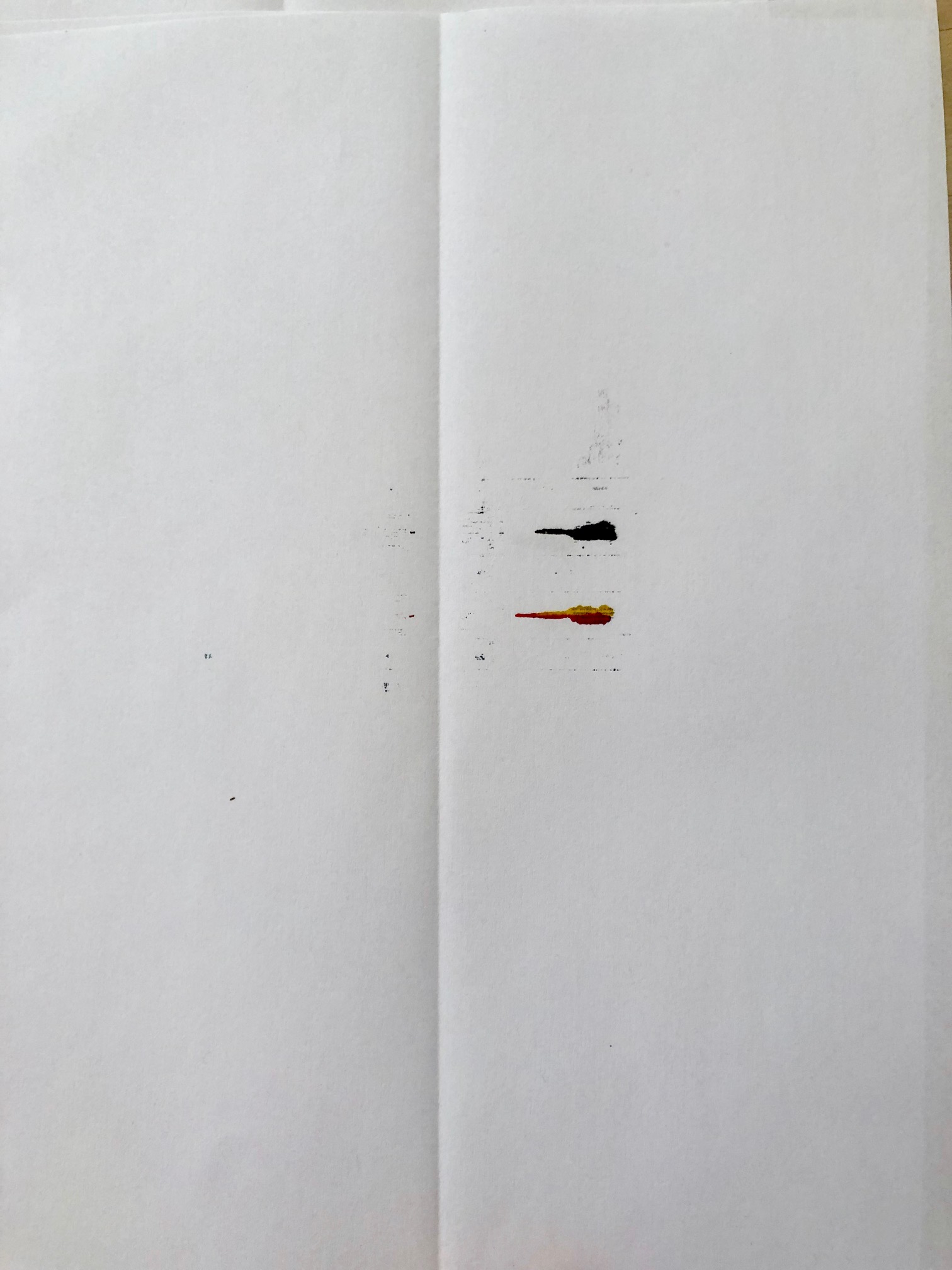
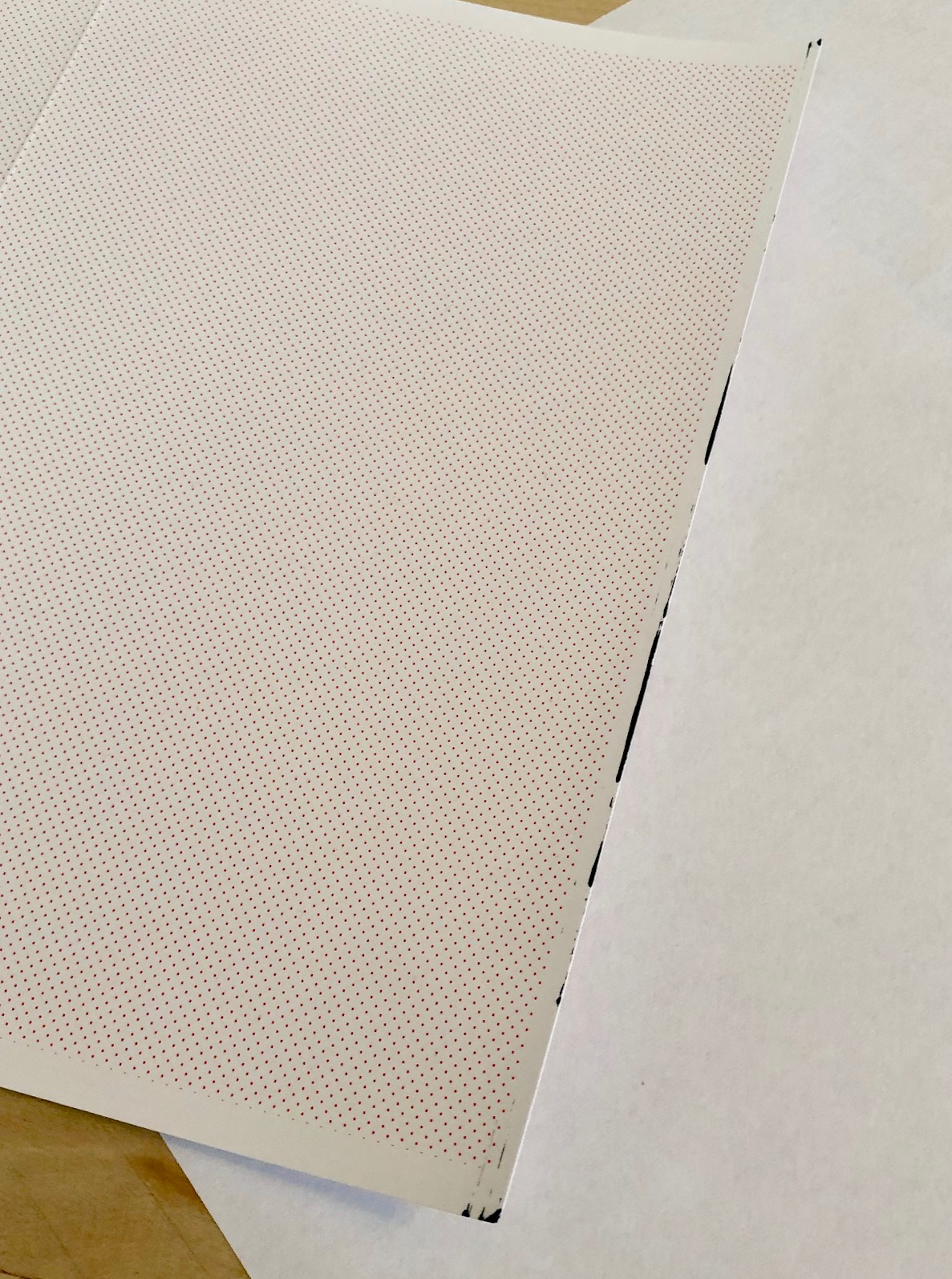
I ran all the maintenance checks, and the first time I printed again using the glossy greeting card paper, there was black along the leading edge. See attached picture.
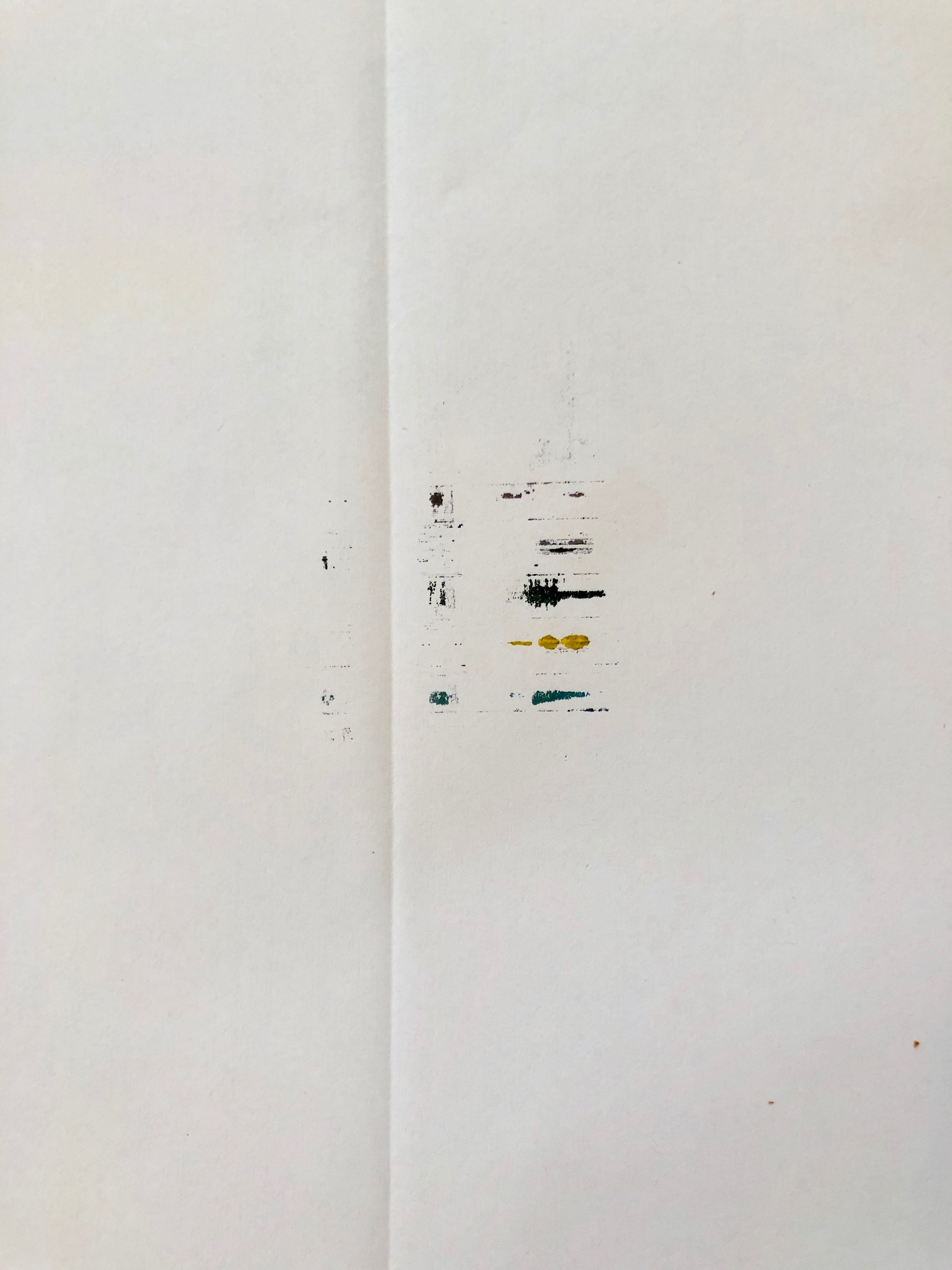
And the bottom plate cleaning showed some color blotches, as pictured. I ran this one numerous times.
There seems to be no problem at all when I use regular printer paper -- just the thicker greeting card paper.
Is it possible I got a lemon of a printer? I purchased this one specifically because I understood it could handle thick paper.
Thanks for any input anybody has.
Shawna
Options
- Mark as New
- Bookmark
- Subscribe
- Mute
- Subscribe to RSS Feed
- Permalink
- Report Inappropriate Content
08-04-2019 03:44 PM
The goal is to run the cleaning processes until the paper comes out clean.
You could give Canon a call at 1-800-OK-CANON and see what help they can offer.
John Hoffman
Conway, NH
R6 Mark III, M200 (converted to infrared), RF lenses, Pixma PRO-100, Pixma TR8620a, Lr Classic
Conway, NH
R6 Mark III, M200 (converted to infrared), RF lenses, Pixma PRO-100, Pixma TR8620a, Lr Classic

Announcements
04/28/2026: Service Notice: Caution Concerning use of Lithium Batteries
02/23/2026: New firmware update is available for EOS C50- Version 1.0.3.1
01/23/2026: New firmware update is available for RF 24-105mm F4 IS USM- Version 2.0.7
12/22/2025: New firmware update is available for EOS R6 Mark III- Version 1.0.2
10/21/2025: Service Notice: To Users of the Compact Digital Camera PowerShot V1
07/28/2025: Notice of Free Repair Service for the Mirrorless Camera EOS R50 (Black)
05/21/2025: New firmware update available for EOS C500 Mark II - Version 1.1.5.1
03/17/2026: New firmware updates are available.
SELPHY CP1500 - Version 1.0.7.0
02/23/2026: New firmware update is available for EOS C50- Version 1.0.3.1
01/23/2026: New firmware update is available for RF 24-105mm F4 IS USM- Version 2.0.7
01/20/2026: New firmware updates are available.
12/22/2025: New firmware update is available for EOS R6 Mark III- Version 1.0.2
11/20/2025: New firmware updates are available.
EOS R5 Mark II - Version 1.2.0
PowerShot G7 X Mark III - Version 1.4.0
PowerShot SX740 HS - Version 1.0.2
10/21/2025: Service Notice: To Users of the Compact Digital Camera PowerShot V1
10/15/2025: New firmware updates are available.
Speedlite EL-5 - Version 1.2.0
Speedlite EL-1 - Version 1.1.0
Speedlite Transmitter ST-E10 - Version 1.2.0
07/28/2025: Notice of Free Repair Service for the Mirrorless Camera EOS R50 (Black)
7/17/2025: New firmware updates are available.
05/21/2025: New firmware update available for EOS C500 Mark II - Version 1.1.5.1

Ⓒ 2026
Canon U.S.A Inc. All Rights Reserved. Reproduction in whole or part without permission is prohibited.
