Turn on suggestions
Auto-suggest helps you quickly narrow down your search results by suggesting possible matches as you type.
- Canon Community
- Discussions & Help
- Printer
- Printer Software & Networking
- IJ Scan Utility2 not working after upgrading to Ma...
Options
- Subscribe to RSS Feed
- Mark Topic as New
- Mark Topic as Read
- Float this Topic for Current User
- Bookmark
- Subscribe
- Mute
- Printer Friendly Page

Options
- Mark as New
- Bookmark
- Subscribe
- Mute
- Subscribe to RSS Feed
- Permalink
- Report Inappropriate Content
10-01-2023
08:41 AM
- last edited on
10-01-2023
08:56 AM
by
 Stephen
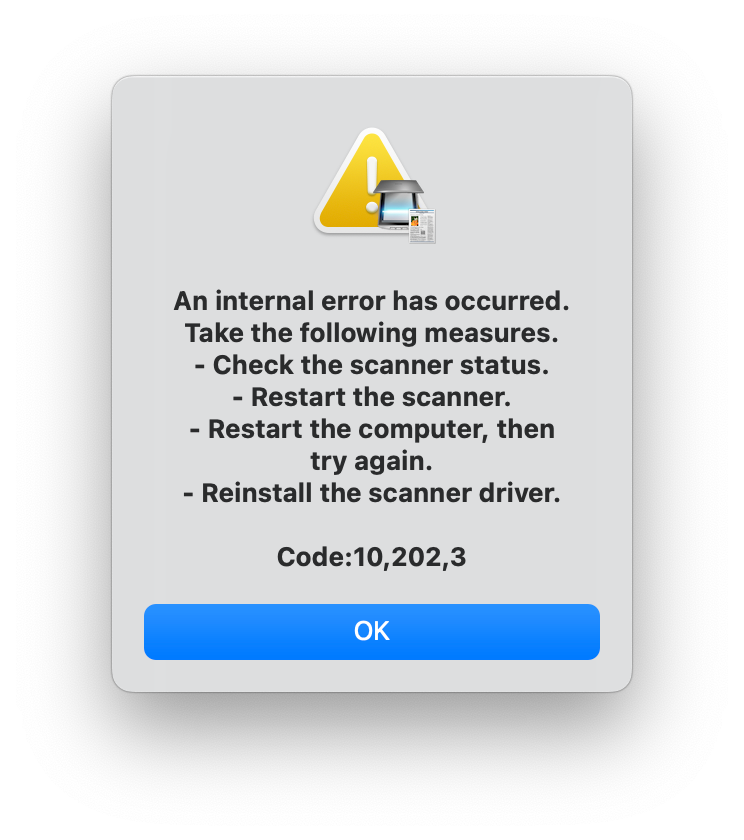
After upgrading my Mac to the latest operating system on Sep 30, 2023 (Mac OS Sonoma 14), my CanoScan LiDE 220 using IJ Scan Utility would not save scans. The error message I received after the machine conducted the scan and attempted to save it reads: "An internal error has occurred. Take the following measures. Check the scanner status. Restart the scanner. Restart the computer, then try again. Reinstall the scanner driver. Code: 10,202,3."
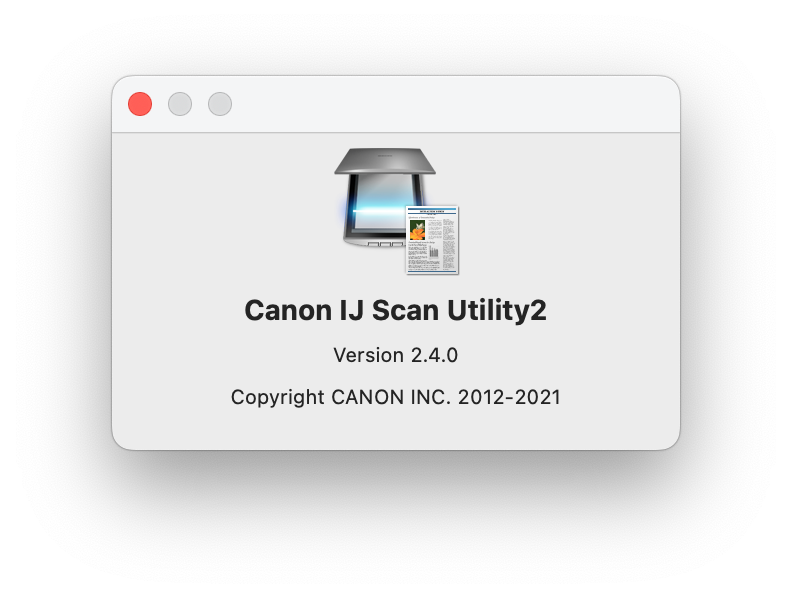
I installed the updated driver via the Canon support site to "Canon IJ Scan Utility2 version 2.4.0", but this did not change the behavior.
Help!
Solved! Go to Solution.
1 ACCEPTED SOLUTION
Accepted Solutions


Options
- Mark as New
- Bookmark
- Subscribe
- Mute
- Subscribe to RSS Feed
- Permalink
- Report Inappropriate Content
10-01-2023 08:48 AM
It looks like the latest date for SUIJ2 is 2021, so that is several macOS updates ago.
If you don't get a resolution for the software issue you could look into VueScan by Hamrick Software. It is a paid product, but that product "rescues" many older scanners. I am using a Minolta scanner that was last supported with Windows XP on my W10 PC via VueScan.
John Hoffman
Conway, NH
R6 Mark III, M200 (converted to infrared), RF lenses, Pixma PRO-100, Pixma TR8620a, Lr Classic
Conway, NH
R6 Mark III, M200 (converted to infrared), RF lenses, Pixma PRO-100, Pixma TR8620a, Lr Classic
15 REPLIES 15
Options
- Mark as New
- Bookmark
- Subscribe
- Mute
- Subscribe to RSS Feed
- Permalink
- Report Inappropriate Content
10-01-2023 08:48 AM
It looks like the latest date for SUIJ2 is 2021, so that is several macOS updates ago.
If you don't get a resolution for the software issue you could look into VueScan by Hamrick Software. It is a paid product, but that product "rescues" many older scanners. I am using a Minolta scanner that was last supported with Windows XP on my W10 PC via VueScan.
John Hoffman
Conway, NH
R6 Mark III, M200 (converted to infrared), RF lenses, Pixma PRO-100, Pixma TR8620a, Lr Classic
Conway, NH
R6 Mark III, M200 (converted to infrared), RF lenses, Pixma PRO-100, Pixma TR8620a, Lr Classic
Options
- Mark as New
- Bookmark
- Subscribe
- Mute
- Subscribe to RSS Feed
- Permalink
- Report Inappropriate Content
10-01-2023 09:25 PM
I do face exactly the same problem with both my Maxify 2300 and 5100. Did anyone find a solution?
Options
- Mark as New
- Bookmark
- Subscribe
- Mute
- Subscribe to RSS Feed
- Permalink
- Report Inappropriate Content
10-02-2023 06:46 PM
I also updated my Mac to the new Sonoma operating system. I got the same error. I was able to scan using the IJ Scan Utility Lite Ver.4.1.0 (Mac) utility that one can download from the same page as the Canon IJ Scan Utility2 download. Using the Lite version allowed me to scan. A second solution is to use the image capture application on your mac to run the scanner.
Options
- Mark as New
- Bookmark
- Subscribe
- Mute
- Subscribe to RSS Feed
- Permalink
- Report Inappropriate Content
10-02-2023 10:28 PM
Thanks for the hint with Scan Utility Ver. 4.1 --> it works on my site as well.
Still, I hope that Canon realize the problem and fix it in the next release of their driver or software package.
Options
- Mark as New
- Bookmark
- Subscribe
- Mute
- Subscribe to RSS Feed
- Permalink
- Report Inappropriate Content
10-09-2023 11:29 AM
As of October 9, 2023, I do not see the IJ Scan Utility Lite as an available download for my CanoScan LiDE 220 running on macOS Sonoma 14.0. Is there a compatibility issue?
Options
- Mark as New
- Bookmark
- Subscribe
- Mute
- Subscribe to RSS Feed
- Permalink
- Report Inappropriate Content
10-09-2023 11:34 AM
Yes, I don't see it on the download page for that model. There is the ScanGear Starter EX Ver.1.2.0 (Mac) application that you might want to give it a try. Also the Image Capture app on you mac should work.
Options
- Mark as New
- Bookmark
- Subscribe
- Mute
- Subscribe to RSS Feed
- Permalink
- Report Inappropriate Content
10-10-2023 04:36 AM
Canon IJ Scan Utility2 version 2.4.1 has been released on 2023-10-05. Installed (after first trying update driver) and ot worked!
Options
- Mark as New
- Bookmark
- Subscribe
- Mute
- Subscribe to RSS Feed
- Permalink
- Report Inappropriate Content
10-10-2023 05:37 PM
Where did you find it?
Options
- Mark as New
- Bookmark
- Subscribe
- Mute
- Subscribe to RSS Feed
- Permalink
- Report Inappropriate Content
10-11-2023 05:23 AM
I found it on the Hungarian site. Found it on USA site as well:
https://www.usa.canon.com/support/p/canoscan-lide-220
In "Software & Drivers", the first 2 entries are IJ Scan Utility2 Ver.2.4.1 (Mac) and ICA Driver Ver.5.0.0 (Mac) after selecting Sonoma v14.

Announcements
07/22/2026: New firmware updates are available.
EOS R6 Mark III - Version 1.1.0
05/13/2026: New firmware updates are available.
EOS R5 Mark II - Version 1.3.0
EOS R6 Mark II - Version 1.7.0
04/28/2026: Service Notice: Caution Concerning use of Lithium Batteries
03/17/2026: New firmware updates are available.
SELPHY CP1500 - Version 1.0.7.0
02/23/2026: New firmware update is available for EOS C50- Version 1.0.3.1
01/23/2026: New firmware update is available for RF 24-105mm F4 IS USM- Version 2.0.7
01/20/2026: New firmware updates are available.
10/21/2025: Service Notice: To Users of the Compact Digital Camera PowerShot V1
10/15/2025: New firmware updates are available.
Speedlite EL-5 - Version 1.2.0
Speedlite EL-1 - Version 1.1.0
Speedlite Transmitter ST-E10 - Version 1.2.0
07/28/2025: Notice of Free Repair Service for the Mirrorless Camera EOS R50 (Black)
05/21/2025: New firmware update available for EOS C500 Mark II - Version 1.1.5.1

Ⓒ 2026
Canon U.S.A Inc. All Rights Reserved. Reproduction in whole or part without permission is prohibited.
