Hello all,
I have recently purchased a Canon MB5120 for my small business and for the most part this printer has worked quite well besides the ADF scanning feature.
When I attempt to scan from the ‘Canon IJ Scan Utility’ using the PDF Document button and selecting what I believe are the appropriate settings, the backside pages/even pages are consistently being scanned halfway.
I am unsure what to do, please take a look at the provided images. I have searched through this forum and online but haven’t been able to find a solution. The scanner works, but it has to be manually fed [turn 180 degrees and fed back into the ADF] which is a bit time consuming.
What am I doing wrong here? I plan on calling customer support but being in Asia I would have to wait during the weekday, preferring to speak to an English customer rep that is.
Once again, I simply wish for the ADF to scan in duplex and output via PDF without the need of feeding it again manually.
This is what a sample PDF preview looks like

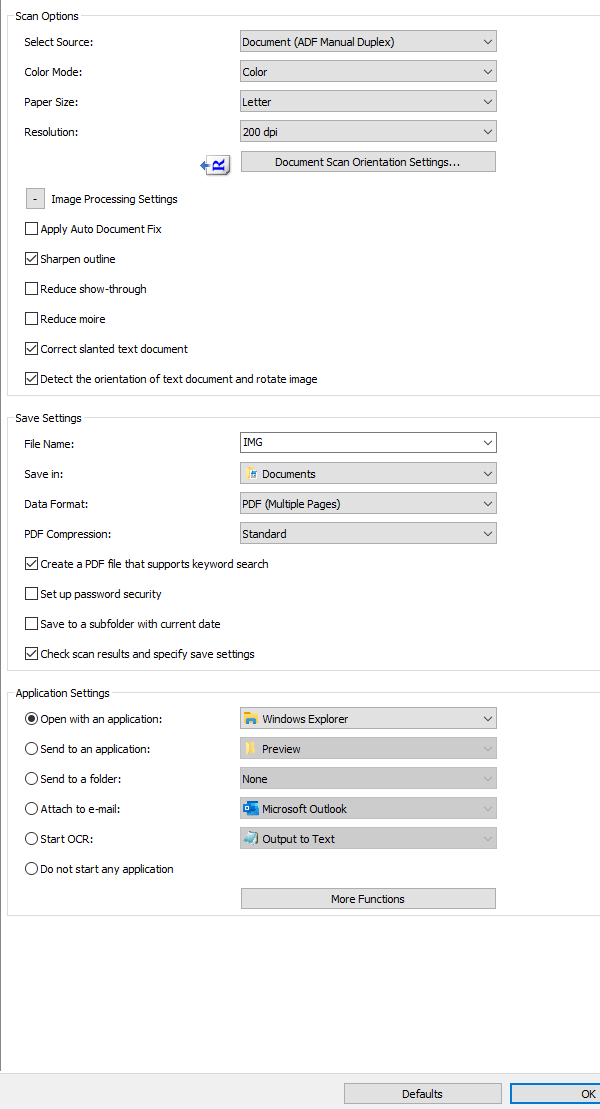
These are my settings under 'Document Scan,' in which, I have it currently set to 'ADF Manual Duplex' since if I were to choose 'Document (ADF Duplex) it produces the above result.