Turn on suggestions
Auto-suggest helps you quickly narrow down your search results by suggesting possible matches as you type.
- Canon Community
- Discussions & Help
- Printer
- Office Printers
- Re: Cannot scan on MF 732 CDW: Error code: 2100009
Options
- Subscribe to RSS Feed
- Mark Topic as New
- Mark Topic as Read
- Float this Topic for Current User
- Bookmark
- Subscribe
- Mute
- Printer Friendly Page
Cannot scan on MF 732 CDW: Error code: 2100009

Options
- Mark as New
- Bookmark
- Subscribe
- Mute
- Subscribe to RSS Feed
- Permalink
- Report Inappropriate Content
10-12-2018 08:16 AM
OS: Mac OS X 10.14
Installed Canon MF Scan utility and added the printer from Network Scanner.
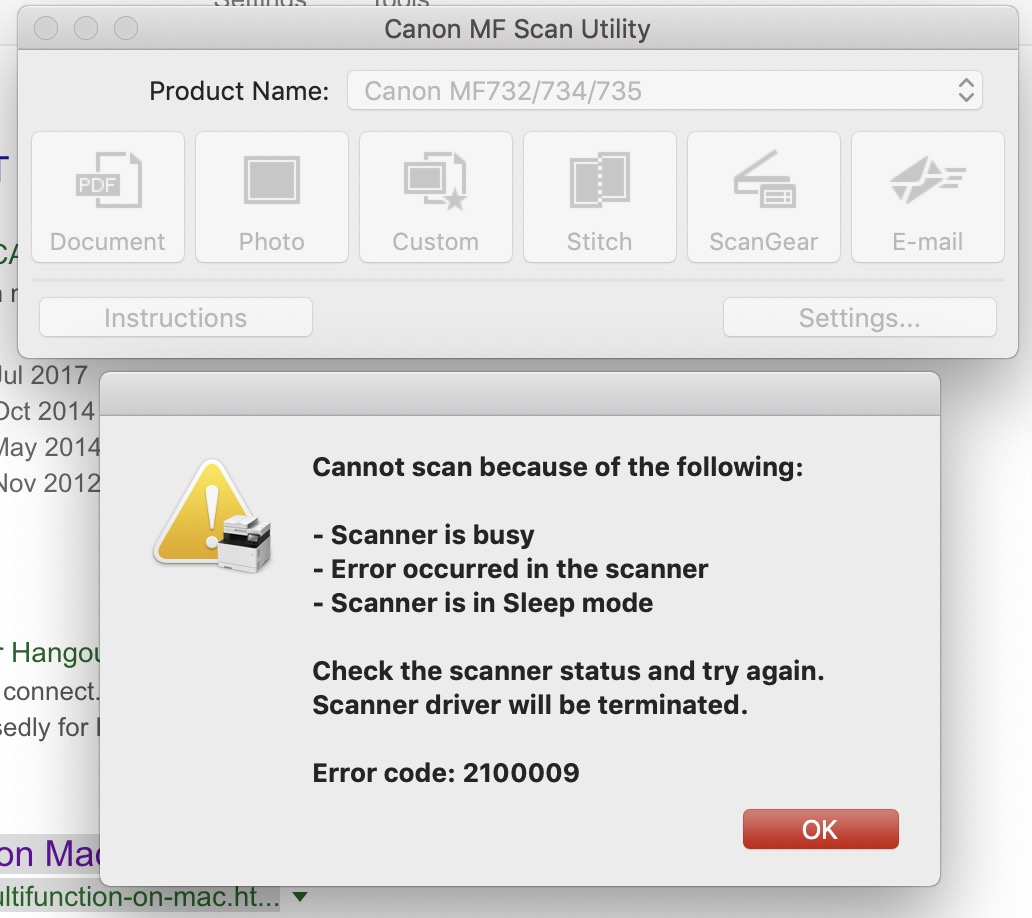
When I try to scan, I get the Error code: 2100009 - Cannot Scan (see below).
I also tried from scanning from printers/scan, that works, but I cannot scan double sided there.
Need help urgently pls.
11 REPLIES 11

Options
- Mark as New
- Bookmark
- Subscribe
- Mute
- Subscribe to RSS Feed
- Permalink
- Report Inappropriate Content
01-27-2023 07:53 PM
I'm running Ventura 13.1 and started getting the "2100009" today. non_dirty, your fix worked!
Options
- Mark as New
- Bookmark
- Subscribe
- Mute
- Subscribe to RSS Feed
- Permalink
- Report Inappropriate Content
05-02-2026 06:24 PM
I'm having the same problem with tahoe. It involves the TWAIN driver, which for some reason, though still widely used (even in the latest version of macOS), Canon has decided that nobody needs the TWAIN driver anymore. The notes say to use version 2.5 or earlier for the scanner portion, which contains a TWAIN driver, but as others have found out, it doesn't seem to exist, or if if it does, it's very, very hard to locate.

- « Previous
-
- 1
- 2
- Next »
- « Previous
-
- 1
- 2
- Next »
Announcements
07/22/2026: New firmware updates are available.
EOS R6 Mark III - Version 1.1.0
05/13/2026: New firmware updates are available.
EOS R5 Mark II - Version 1.3.0
EOS R6 Mark II - Version 1.7.0
04/28/2026: Service Notice: Caution Concerning use of Lithium Batteries
03/17/2026: New firmware updates are available.
SELPHY CP1500 - Version 1.0.7.0
02/23/2026: New firmware update is available for EOS C50- Version 1.0.3.1
01/23/2026: New firmware update is available for RF 24-105mm F4 IS USM- Version 2.0.7
01/20/2026: New firmware updates are available.
10/21/2025: Service Notice: To Users of the Compact Digital Camera PowerShot V1
10/15/2025: New firmware updates are available.
Speedlite EL-5 - Version 1.2.0
Speedlite EL-1 - Version 1.1.0
Speedlite Transmitter ST-E10 - Version 1.2.0
07/28/2025: Notice of Free Repair Service for the Mirrorless Camera EOS R50 (Black)
05/21/2025: New firmware update available for EOS C500 Mark II - Version 1.1.5.1
Related Content
- MF662Cdw Driver Install Pack for Windows Error in Printer Software & Networking
- MacBook M5 Pro Suddenly Stopped Recognizing Canon Pixma MX922 scanner - but printer works fine in Desktop Inkjet Printers
- Canon PIXMA PRO-200S unable to bypass error code 1062 in Professional Photo Printers
- imagePROGRAF iPF8400 won't load, error code E141-4046 in Production Printing
- CanoScan LiDE 300 "You do not have the required privileges to access the specified folder" in Scanners

Ⓒ 2026
Canon U.S.A Inc. All Rights Reserved. Reproduction in whole or part without permission is prohibited.
