Turn on suggestions
Auto-suggest helps you quickly narrow down your search results by suggesting possible matches as you type.
- Canon Community
- Discussions & Help
- Printer
- Mobile & Compact Printers
- Re: SELPHY CP1500 Windows driver availability
Options
- Subscribe to RSS Feed
- Mark Topic as New
- Mark Topic as Read
- Float this Topic for Current User
- Bookmark
- Subscribe
- Mute
- Printer Friendly Page
SELPHY CP1500 Windows driver availability

Options
- Mark as New
- Bookmark
- Subscribe
- Mute
- Subscribe to RSS Feed
- Permalink
- Report Inappropriate Content
06-04-2024
12:18 PM
- last edited on
06-11-2024
12:19 PM
by
 Danny
Danny
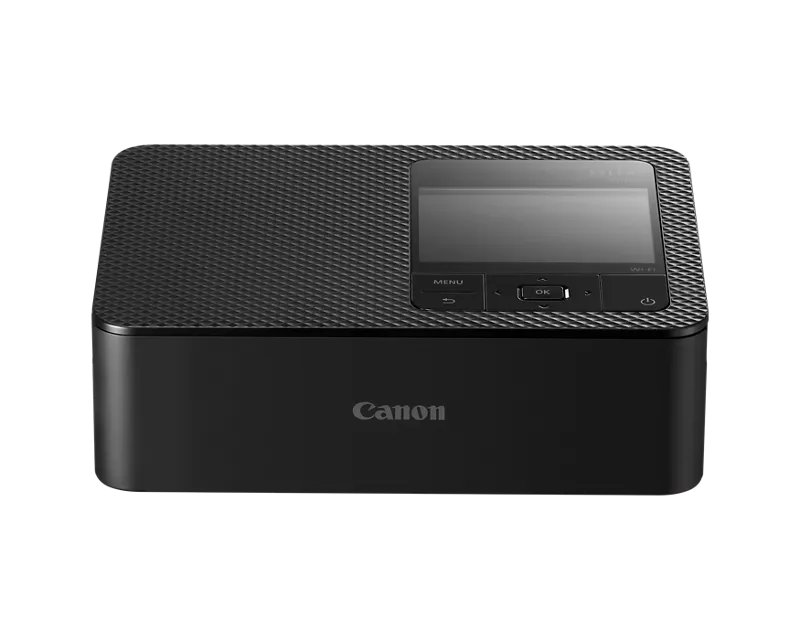
Canon Selphy CP 1500 does not have a Windows 10 driver for USB connection with computer but the CP 1300 driver works !
20 REPLIES 20
Options
- Mark as New
- Bookmark
- Subscribe
- Mute
- Subscribe to RSS Feed
- Permalink
- Report Inappropriate Content
12-27-2025 12:07 PM - edited 12-27-2025 12:07 PM
I had a CP900 which wasn't supported on windows anymore. So I finally decided to buy the newest version available CP1500 to be able to print straight from my computer. Only to find out it's already not supported anymore.. at the day of buying. Very disappointing
Options
- Mark as New
- Bookmark
- Subscribe
- Mute
- Subscribe to RSS Feed
- Permalink
- Report Inappropriate Content
12-31-2025 11:43 AM
I have the same issue. It's mind blowing to me that Canon just decided not to release a driver for this printer and not fix the printer so it works with IPP either for what seems like more than a year at this point?!!
The automatically installed IPP driver only offers Letter and A4 paper sizes in grayscale.
You can force the C1400 driver for C1500 printer, but then it errors out when you actually send a print job.
Insane choice from Canon!
Options
- Mark as New
- Bookmark
- Subscribe
- Mute
- Subscribe to RSS Feed
- Permalink
- Report Inappropriate Content
04-20-2026 08:44 AM
Same issue here - really hoping for a fix soon. It used to work like a charm
Options
- Mark as New
- Bookmark
- Subscribe
- Mute
- Subscribe to RSS Feed
- Permalink
- Report Inappropriate Content
04-20-2026 08:46 AM - edited 04-20-2026 08:46 AM
We still need a fix for Windows 11
Options
- Mark as New
- Bookmark
- Subscribe
- Mute
- Subscribe to RSS Feed
- Permalink
- Report Inappropriate Content
04-20-2026 11:50 AM
My understanding based on talking to Canon support is that this is deprioritized. I would not expect to see a fix come out, though it definitely should. All they'd have to do is release the driver that was shared with the original IPP system.

Options
- Mark as New
- Bookmark
- Subscribe
- Mute
- Subscribe to RSS Feed
- Permalink
- Report Inappropriate Content
04-20-2026 12:37 PM
Hi everyone,
I’ve been following this thread and watching your reports about the SELPHY CP1500 getting stuck in grayscale on Windows 11. I know how frustrating it is to load up your paper only to have those memories print in black and white!
I’ve done some digging into our internal guides and latest documentation to find out exactly what’s going on. Here is the scoop: Because this printer is designed to use the built-in settings already inside Windows—rather than a separate Canon installer—recent Windows 11 updates have changed how those Microsoft-provided settings talk to your SELPHY. Essentially, Windows is accidentally hiding your color and paper size options.
To get your vibrant colors and postcard sizes back, I've found that these are the most effective fixes:
-
The Best Workaround: Try opening your photo in the native Microsoft Photos app that comes pre-installed on your PC. I've found that this app "talks" to the built-in Windows driver much better than other programs and can often "see" the color settings that are currently missing elsewhere.
-
A Fresh "Handshake": Sometimes Windows just needs a reset. I’ve seen success by removing the printer from your computer's settings, restarting your PC, and then adding it back manually.
-
Update the "Brains": I’d also suggest double-checking that your printer is on the latest firmware (currently v1.0.7.0), which helps it play nice with the newer versions of Windows.
Let us know if your SELPHY is still acting shy with color after trying these steps! For any unique edge cases, please feel free to reach out to technical support team directly via your Canon Account at https://canon.us/account
Options
- Mark as New
- Bookmark
- Subscribe
- Mute
- Subscribe to RSS Feed
- Permalink
- Report Inappropriate Content
04-20-2026 01:01 PM
You must have not read this post at all. The issue is the driver.
Options
- Mark as New
- Bookmark
- Subscribe
- Mute
- Subscribe to RSS Feed
- Permalink
- Report Inappropriate Content
04-20-2026 01:13 PM
In my case, updating to version 1.0.7.0 completely resolved the issue on Windows 11. After the update, it was necessary to remove the printer from the system and then reinstall it. Following the reinstallation, the Japanese postcard size 10 × 15 cm (equivalent to the popular 6 × 4 inch format) became available in the print settings.
Options
- Mark as New
- Bookmark
- Subscribe
- Mute
- Subscribe to RSS Feed
- Permalink
- Report Inappropriate Content
04-20-2026 02:17 PM - edited 04-20-2026 02:33 PM
Hi Stephen!
I can confirm that the latest v1.0.7.0 firmware that was released a month ago on 17th of March 2026 finally fixes the IPP in the printer that was broken in the v1.0.6.0 firmware.
With this new firmware the printer now properly reports to Windows that it can print color and "Japanese (Hagaki) postcard" (3.94'' x 5.83'') as well as Metric Photo L (3.50'' x 4.69'') and Credit Card (2.13'' x 3.39'') paper size via generic IPP driver.
Thanks to Canon for finally addressing the broken printer after years of delay.
Better late than never!
Options
- Mark as New
- Bookmark
- Subscribe
- Mute
- Subscribe to RSS Feed
- Permalink
- Report Inappropriate Content
04-21-2026 06:11 AM
Praise the lord! It finally works again!

Announcements
07/22/2026: New firmware updates are available.
EOS R6 Mark III - Version 1.1.0
05/13/2026: New firmware updates are available.
EOS R5 Mark II - Version 1.3.0
EOS R6 Mark II - Version 1.7.0
04/28/2026: Service Notice: Caution Concerning use of Lithium Batteries
03/17/2026: New firmware updates are available.
SELPHY CP1500 - Version 1.0.7.0
02/23/2026: New firmware update is available for EOS C50- Version 1.0.3.1
01/23/2026: New firmware update is available for RF 24-105mm F4 IS USM- Version 2.0.7
01/20/2026: New firmware updates are available.
10/21/2025: Service Notice: To Users of the Compact Digital Camera PowerShot V1
10/15/2025: New firmware updates are available.
Speedlite EL-5 - Version 1.2.0
Speedlite EL-1 - Version 1.1.0
Speedlite Transmitter ST-E10 - Version 1.2.0
07/28/2025: Notice of Free Repair Service for the Mirrorless Camera EOS R50 (Black)
05/21/2025: New firmware update available for EOS C500 Mark II - Version 1.1.5.1
Related Content
- MF662Cdw Driver Install Pack for Windows Error in Printer Software & Networking
- Canon PIXMA PRO-200S unable to bypass error code 1062 in Professional Photo Printers
- imageCLASS MF654Cdw scanner driver needed for ARM64 laptop running Windows 11 in Printer Software & Networking
- PIXMA TR8560 driver needed for Windows 11 in Printer Software & Networking
- imageCLASS MF665Cdw driver won't install, Winzip can't create output file in Printer Software & Networking

Ⓒ 2026
Canon U.S.A Inc. All Rights Reserved. Reproduction in whole or part without permission is prohibited.
