Turn on suggestions
Auto-suggest helps you quickly narrow down your search results by suggesting possible matches as you type.
- Canon Community
- Discussions & Help
- General Discussion
- General Discussion
- Recent Forum Update Causing Image Display Issues
Options
- Subscribe to RSS Feed
- Mark Topic as New
- Mark Topic as Read
- Float this Topic for Current User
- Bookmark
- Subscribe
- Mute
- Printer Friendly Page
Recent Forum Update Causing Image Display Issues


Options
- Mark as New
- Bookmark
- Subscribe
- Mute
- Subscribe to RSS Feed
- Permalink
- Report Inappropriate Content
12-12-2022 09:30 AM - edited 12-12-2022 09:31 AM
Greetings,
A recent forum update appears to be causing image display issues for me on the forum. I've tested with Edge, Chrome and Safari. This is affecting existing uploads as well as images displayed in line during thread creation. Examples below,@shadowsports, @rs-eos, @jrhoffman75.
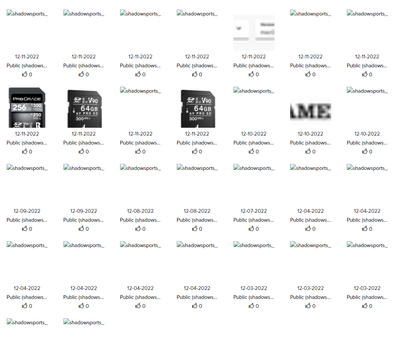

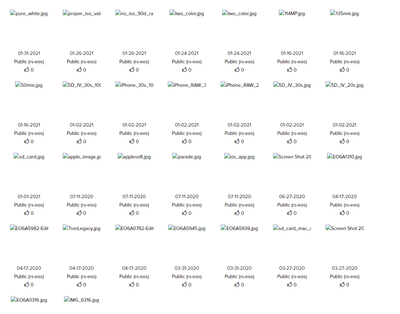
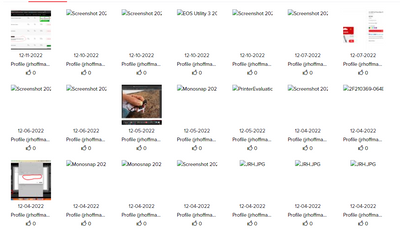
I'm sure the mods are aware, but I just wanted to mention it.
~Rick
Bay Area - CA
~R5 C (1.0.9.1), ~R50v (1.1.1) ~RF Trinity, ~RF 100 Macro, ~RF 100~400, ~RF 100~500, ~RF 200-800 +RF 1.4x TC, BG-R10, 430EX III-RT ~DxO PhotoLab Elite ~DaVinci Resolve Studio ~ImageClass MF644Cdw/MF656Cdw ~Pixel 8 ~CarePaks Are Worth It
2 REPLIES 2

Options
- Mark as New
- Bookmark
- Subscribe
- Mute
- Subscribe to RSS Feed
- Permalink
- Report Inappropriate Content
12-12-2022 09:42 AM
Hi Rick. My problem is user error. I received a notice that I couldn't add an image to a reply because I had exceeded my allotment. So I went in and deleted my image library because it went back several years. Didn't realize till I was finished that the images in a reply are not included in the reply but linked to the user library.
John Hoffman
Conway, NH
R6 Mark III, M200, Many lenses, Pixma PRO-100, Pixma TR8620a, Lr Classic
Conway, NH
R6 Mark III, M200, Many lenses, Pixma PRO-100, Pixma TR8620a, Lr Classic
Options
- Mark as New
- Bookmark
- Subscribe
- Mute
- Subscribe to RSS Feed
- Permalink
- Report Inappropriate Content
12-12-2022 09:54 AM - edited 12-12-2022 10:05 AM
Hi John,
Good morning. Thanks for the reply. I have just over 600 images. I am not receiving any capacity or storage notifications. I noticed in some of your older posts that your inline images were displaying with a placeholder. Probably because the linked image no longer exists on the server. I'm hit or miss, but mine either work, or only display a broken link. Some eventually work, others don't. In some cases refreshing my screen multiple times helps. I am also not having any problems adding images, only with them displaying.
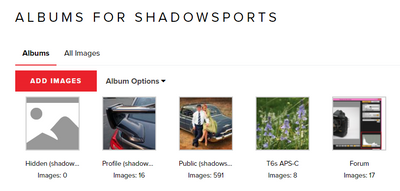
I included a screen shot of your and Ricky's public images which exhibit the same behavior. Broken links interspersed with images displaying normally. Viewing another user's library shouldn't be affected. (Am I right?) So it does not appear to be a storage or capacity related?
~Rick
Bay Area - CA
~R5 C (1.0.9.1), ~R50v (1.1.1) ~RF Trinity, ~RF 100 Macro, ~RF 100~400, ~RF 100~500, ~RF 200-800 +RF 1.4x TC, BG-R10, 430EX III-RT ~DxO PhotoLab Elite ~DaVinci Resolve Studio ~ImageClass MF644Cdw/MF656Cdw ~Pixel 8 ~CarePaks Are Worth It


Announcements
12/18/2025: New firmware updates are available.
12/15/2025: New firmware update available for EOS C50 - Version 1.0.1.1
11/20/2025: New firmware updates are available.
EOS R6 Mark III - Version 1.0.1
EOS R5 Mark II - Version 1.2.0
PowerShot G7 X Mark III - Version 1.4.0
PowerShot SX740 HS - Version 1.0.2
10/21/2025: Service Notice: To Users of the Compact Digital Camera PowerShot V1
10/15/2025: New firmware updates are available.
Speedlite EL-5 - Version 1.2.0
Speedlite EL-1 - Version 1.1.0
Speedlite Transmitter ST-E10 - Version 1.2.0
07/28/2025: Notice of Free Repair Service for the Mirrorless Camera EOS R50 (Black)
7/17/2025: New firmware updates are available.
05/21/2025: New firmware update available for EOS C500 Mark II - Version 1.1.5.1
02/20/2025: New firmware updates are available.
RF70-200mm F2.8 L IS USM Z - Version 1.0.6
RF24-105mm F2.8 L IS USM Z - Version 1.0.9
RF100-300mm F2.8 L IS USM - Version 1.0.8
RF50mm F1.4 L VCM - Version 1.0.2
RF24mm F1.4 L VCM - Version 1.0.3
01/22/2024: Canon Supports Disaster Relief Efforts in California
01/14/2025: Steps to resolve still image problem when using certain SanDisk SD cards with the Canon EOS R5 Mark II
Related Content
- Problems with HPC Enterprise and Canon Printer – Any Advice? in General Discussion
- Issues with Product Registration and Account Changes on Canon Site - Duplicate phone numbers, etc in General Discussion
- Microsoft OneDrive and Canon 70D RAW Files display issue in General Discussion
- Canon Battery Grip BG-E14 with the EOS 70D in General Discussion

Ⓒ 2025
Canon U.S.A Inc. All Rights Reserved. Reproduction in whole or part without permission is prohibited.
