EOS Webcam Utility Pro - Discussions
cancel
Showing results for 
Show  only  | Search instead for 
Did you mean: 

Posts

EOS Webcam Utily doesn't pick up Camera

I've tried this on my mac and it worked just fine.I'm currently trying on a PC Laptop and I'm having trouble. I've already done the usual turning wifi off and making sure EOS Utility isn't open in the task bar.EOS Webcam Utiliy does appear as a drop ...

syena by Contributor
  • 2579 Views
  • 4 replies
  • 0 likes

EOS Webcam Utility - OBS - Mojave

I am trying to use my Canon Rebel T3 as a webcam for OBS. I installed the utility, and se the camera for 1280x720, 30 and plugged it in with a known working USB cord, and when I select the Webcam Utility in OBS, I get the screen with a shutter and th...

Macro Lens for Webcam Utility

I'm using my t6i as a webcam.  I usually use my nifty 50mm lens and it works well.  I recently got the Canon EF-S 35mm f/2.8 Macro IS STM  This one doesn't seem to work as a webcam.  When I connect to Zoom, I get an error trying to show the video.  H...

Webcam Utility for older cameras

I have a SL3 and I have the webcam utility for both my Mac and windows computer and they both works just fine. But I got curious as I have a 500d(t1i) laying around and I wanted to see if I can set that up as a permanent webcam as I no longer need it...

Carson1 by Apprentice
  • 2012 Views
  • 1 replies
  • 0 likes

Webcam Utility not working anymore

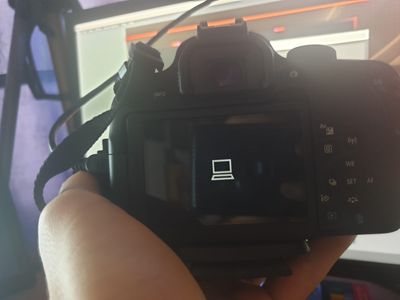
Yesterday it worked just fine, I put my battery to charge and today when I tried it again it simply does not work. I tried reinstalling it rebooting the pc taking the battery out of the camera, changing the modes it simply does not work. It shows me ...

camera.png camera not working.jfif

m50 and Webcam Utility

Hello I am using my M50 and the webcam utility for a webcam. Sometimes it works great, othertimes the camera will freeze and the image turns pink. Sometimes this takes a minute sometimes a lot longer. I am on a Macbook Pro running Catalina 10.15.7. I...

blbraner by Apprentice
  • 2016 Views
  • 3 replies
  • 0 likes

Resolved! Webcam Utility Camera In Use

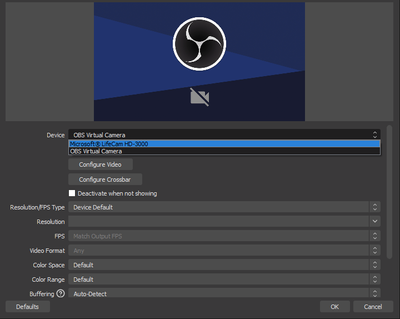
I have a canon EOS 5D Mark III. I've downloaded and installed the webcam utility. I have OBS open and it recognizes the EOS webcam utility, however, whenever I select it, it indicates that the webcam is already in use:  I've installed the software, r...

eos_problem.PNG

Webcam Utility not working

I installed Webcam Utility for MacOS (Catalina 10.15.7). Unfortunately I cannot select the Webcam Utility in any of the programs tried (e.g. Zoom) as it does not even show up as an option. I tried reinstalling Webcam Utility etc. but nothing seems to...

PDS by Contributor
  • 1596 Views
  • 1 replies
  • 1 likes
Getting started

New to the community? Here's some information to help you get acquainted:

Announcements
12/15/2025: New firmware update available for EOS C50 - Version 1.0.1.1

11/20/2025: New firmware updates are available.

EOS R6 Mark III - Version 1.0.1

EOS R3 - Version 2.0.0

EOS R1 - Version 1.2.0

EOS R5 Mark II - Version 1.2.0

EOS R5 - Version 2.2.1

PowerShot G7 X Mark III - Version 1.4.0

PowerShot SX740 HS - Version 1.0.2


10/21/2025: Service Notice: To Users of the Compact Digital Camera PowerShot V1

10/15/2025: New firmware updates are available.

Speedlite EL-5 - Version 1.2.0

Speedlite EL-1 - Version 1.1.0

Speedlite Transmitter ST-E10 - Version 1.2.0


07/28/2025: Notice of Free Repair Service for the Mirrorless Camera EOS R50 (Black)

07/24/2025: New firmware updates are available.


07/23/2025: New firmware updates are available.

EOS R5C - Version 1.1.1.1

EOS C80 - Version 1.0.3.1


7/17/2025: New firmware updates are available.

EOS R7 - Version 1.7.1

EOS R10 - Version 1.7.0

EOS R8 - Version 1.5.0

EOS R50 - Version 1.4.0

Powershot V10 - Version 1.4.0

Powershot V1 - Version 1.1.0

EOS R50V - Version 1.1.1


05/21/2025: New firmware update available for EOS C500 Mark II - Version 1.1.5.1

02/20/2025: New firmware updates are available.

RF70-200mm F2.8 L IS USM Z - Version 1.0.6

RF24-105mm F2.8 L IS USM Z - Version 1.0.9

RF100-300mm F2.8 L IS USM - Version 1.0.8

RF50mm F1.4 L VCM - Version 1.0.2

RF24mm F1.4 L VCM - Version 1.0.3


01/22/2024: Canon Supports Disaster Relief Efforts in California
01/14/2025: Steps to resolve still image problem when using certain SanDisk SD cards with the Canon EOS R5 Mark II