Turn on suggestions
Auto-suggest helps you quickly narrow down your search results by suggesting possible matches as you type.
- Canon Community
- Discussions & Help
- Camera
- EOS DSLR & Mirrorless Cameras
- M50 Hybrid Auto - When does the video begin?
Options
- Subscribe to RSS Feed
- Mark Topic as New
- Mark Topic as Read
- Float this Topic for Current User
- Bookmark
- Subscribe
- Mute
- Printer Friendly Page

Options
- Mark as New
- Bookmark
- Subscribe
- Mute
- Subscribe to RSS Feed
- Permalink
- Report Inappropriate Content
06-12-2021 04:03 PM
I have been experimenting with Hybrid Auto. The M50 is collecting 2 to 4 seconds of video before "snapping the photo".
I would have thought the video clip might be the 2 to 4 seconds after rather than before the photo. So, is the M50 collecting video during the duration of time while in Hybrid Auto? Or, might the video clip begin when the Auto Focus is registered and just prior to pressing the shutter? I got a few seconds of the sidewalk before raising the camera to my subject and pressing the shutter, which was a surprise.
Solved! Go to Solution.
1 ACCEPTED SOLUTION
Accepted Solutions


Options
- Mark as New
- Bookmark
- Subscribe
- Mute
- Subscribe to RSS Feed
- Permalink
- Report Inappropriate Content
06-13-2021 12:55 AM
Hi there,
Yes, it is anticipating and basically "buffering" the video as long as the camera's meter is active which happens anytime you half-press the shutter button and stays active for as long as you set in the menu, between 3 and 15-ish seconds. This feature does use more power so if you wont be using those clips or especially want to conserve battery then using the automatic or P mode would be better.
4 REPLIES 4


Options
- Mark as New
- Bookmark
- Subscribe
- Mute
- Subscribe to RSS Feed
- Permalink
- Report Inappropriate Content
06-12-2021 05:45 PM
It always pays to read the manual
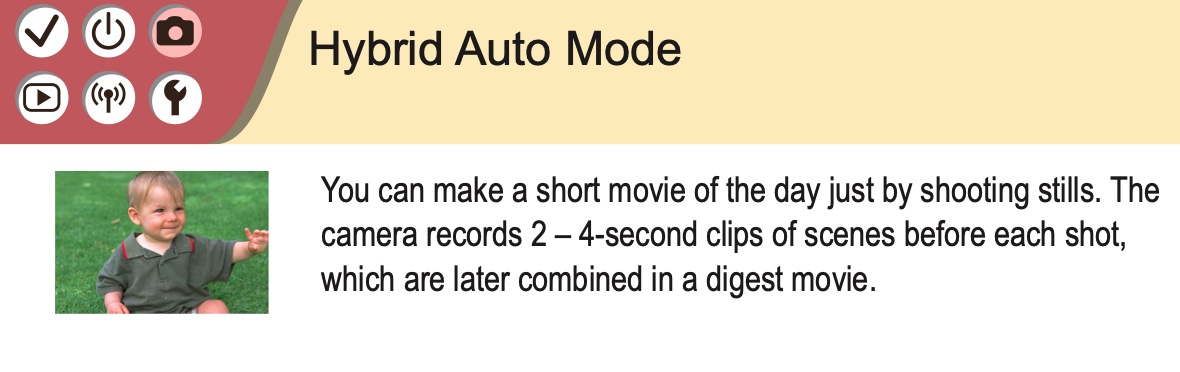
Seems pretty useless to me.
Options
- Mark as New
- Bookmark
- Subscribe
- Mute
- Subscribe to RSS Feed
- Permalink
- Report Inappropriate Content
06-12-2021 07:24 PM
Yes, I did read the manual and I understand the video precedes that pressing of the shutter. I am curious if the M50 is capturing video constantly in anticipation of my pressing the shutter. Seems litle a power drain?
Options
- Mark as New
- Bookmark
- Subscribe
- Mute
- Subscribe to RSS Feed
- Permalink
- Report Inappropriate Content
06-13-2021 12:55 AM
Hi there,
Yes, it is anticipating and basically "buffering" the video as long as the camera's meter is active which happens anytime you half-press the shutter button and stays active for as long as you set in the menu, between 3 and 15-ish seconds. This feature does use more power so if you wont be using those clips or especially want to conserve battery then using the automatic or P mode would be better.
Options
- Mark as New
- Bookmark
- Subscribe
- Mute
- Subscribe to RSS Feed
- Permalink
- Report Inappropriate Content
06-13-2021 09:54 AM
Thank you. Your explanation was the answer I was looking for!

Announcements
07/22/2026: New firmware updates are available.
EOS R6 Mark III - Version 1.1.0
05/13/2026: New firmware updates are available.
EOS R5 Mark II - Version 1.3.0
EOS R6 Mark II - Version 1.7.0
04/28/2026: Service Notice: Caution Concerning use of Lithium Batteries
03/17/2026: New firmware updates are available.
SELPHY CP1500 - Version 1.0.7.0
02/23/2026: New firmware update is available for EOS C50- Version 1.0.3.1
01/23/2026: New firmware update is available for RF 24-105mm F4 IS USM- Version 2.0.7
01/20/2026: New firmware updates are available.
10/21/2025: Service Notice: To Users of the Compact Digital Camera PowerShot V1
10/15/2025: New firmware updates are available.
Speedlite EL-5 - Version 1.2.0
Speedlite EL-1 - Version 1.1.0
Speedlite Transmitter ST-E10 - Version 1.2.0
07/28/2025: Notice of Free Repair Service for the Mirrorless Camera EOS R50 (Black)
05/21/2025: New firmware update available for EOS C500 Mark II - Version 1.1.5.1
Related Content
- EOS R5 Mark II - 4K60 “Fine” upgrade request in EOS DSLR & Mirrorless Cameras
- EOS R5 Mark II shutter priority during video in EOS DSLR & Mirrorless Cameras
- EOS R5 Mark II wish list - 4K/60p using oversampling and more in EOS DSLR & Mirrorless Cameras
- EOS R5 Mark II - Video in Photo Mode in EOS DSLR & Mirrorless Cameras
- EOS R5 compatibility with RF200-800mm lens in EOS DSLR & Mirrorless Cameras

Ⓒ 2026
Canon U.S.A Inc. All Rights Reserved. Reproduction in whole or part without permission is prohibited.
