09-17-2018 02:08 AM
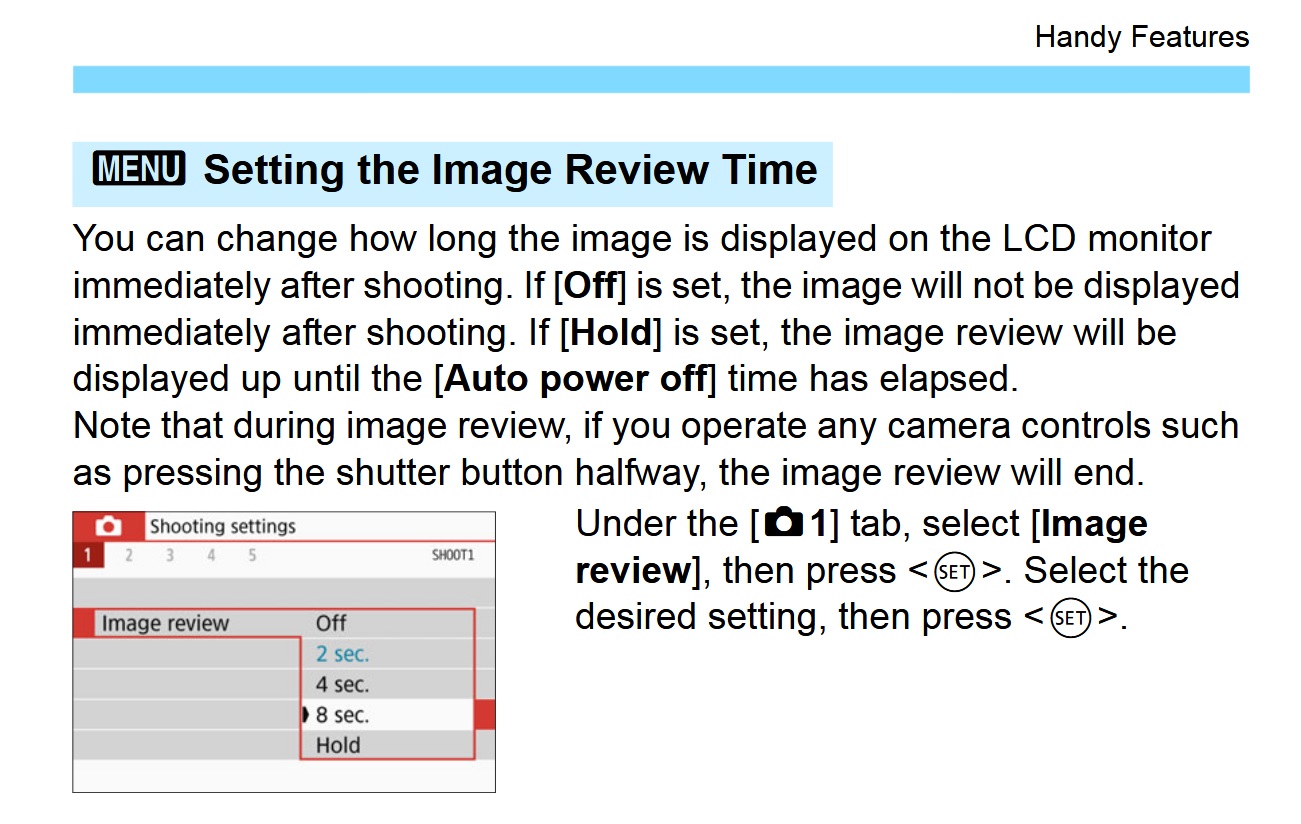
I'm shooting a series of stills for time-lapse photography, and I need a way to prevent the camera from displaying the image after each shot. I thought I could turn off the display using the DISP button, but that doesn't help.
09-17-2018 02:40 AM - edited 09-17-2018 04:05 AM
Did you have a look in the user manual on P313???
It shows you how to turn off image review right there! ![]()
11/20/2025: New firmware updates are available.
EOS R6 Mark III - Version 1.0.1
EOS R5 Mark II - Version 1.2.0
PowerShot G7 X Mark III - Version 1.4.0
PowerShot SX740 HS - Version 1.0.2
10/15/2025: New firmware updates are available.
Speedlite EL-5 - Version 1.2.0
Speedlite EL-1 - Version 1.1.0
Speedlite Transmitter ST-E10 - Version 1.2.0
07/24/2025: New firmware updates are available.
07/23/2025: New firmware updates are available.
7/17/2025: New firmware updates are available.
02/20/2025: New firmware updates are available.
RF70-200mm F2.8 L IS USM Z - Version 1.0.6
RF24-105mm F2.8 L IS USM Z - Version 1.0.9
RF100-300mm F2.8 L IS USM - Version 1.0.8
RF50mm F1.4 L VCM - Version 1.0.2
RF24mm F1.4 L VCM - Version 1.0.3
Canon U.S.A Inc. All Rights Reserved. Reproduction in whole or part without permission is prohibited.