Turn on suggestions
Auto-suggest helps you quickly narrow down your search results by suggesting possible matches as you type.
- Canon Community
- Discussions & Help
- Camera
- EOS DSLR & Mirrorless Cameras
- Re: EOS R6 Mark II doesn’t connect with lens
Options
- Subscribe to RSS Feed
- Mark Topic as New
- Mark Topic as Read
- Float this Topic for Current User
- Bookmark
- Subscribe
- Mute
- Printer Friendly Page
EOS R6 Mark II doesn’t connect with lens, Error 01

Options
- Mark as New
- Bookmark
- Subscribe
- Mute
- Subscribe to RSS Feed
- Permalink
- Report Inappropriate Content
10-11-2025
06:22 PM
- last edited on
10-14-2025
09:39 AM
by
 Danny
Danny
Hello
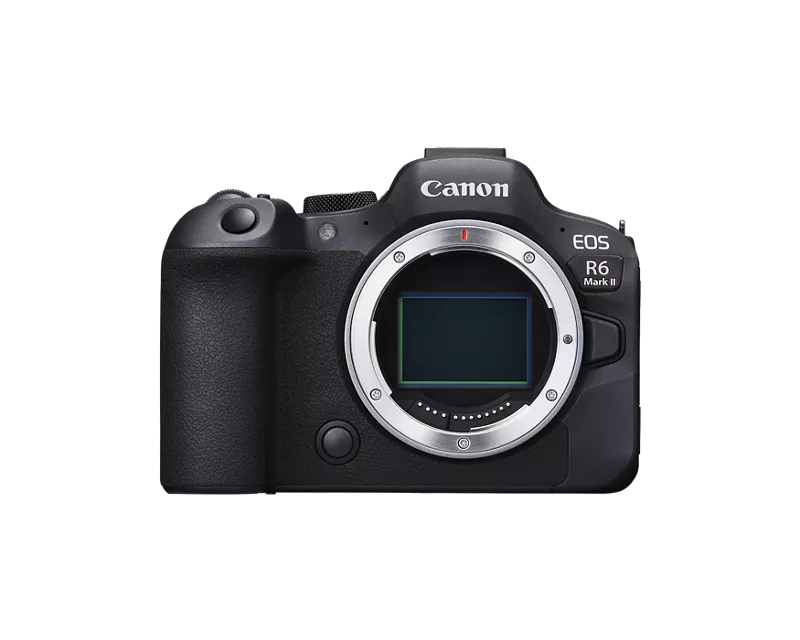
I recently bought canon EOS R6 mark ii. Now my camera doesn’t communicate with Canon RF 24-240, and Canon RF 100-400 lenses. Camera doesn’t show automatic focus option. Error 01 is popping up and it says “communication between devices is faulty. Check the camera lens or other mount adapter contacts. I am able to take pictures. Please help me to resolve this. Thanks.
3 REPLIES 3


Options
- Mark as New
- Bookmark
- Subscribe
- Mute
- Subscribe to RSS Feed
- Permalink
- Report Inappropriate Content
10-11-2025 08:09 PM
I would test both those lenses on a different RF Mount camera. It doesn’t have to be the same camera. All RF Mount lenses are natively compatible with all EOS R series cameras.
-Demetrius
Bodies: EOS 5D Mark IV
Lenses: EF F/2.8 Holy Trinity
Speedlites: 420EX, 470EX-AI, 550EX & 600EX II-RT
Bodies: EOS 5D Mark IV
Lenses: EF F/2.8 Holy Trinity
Speedlites: 420EX, 470EX-AI, 550EX & 600EX II-RT

Options
- Mark as New
- Bookmark
- Subscribe
- Mute
- Subscribe to RSS Feed
- Permalink
- Report Inappropriate Content
10-11-2025 08:23 PM
anan...,
A couple of questions:
1) Do those two lenses work on any other camera?
2) Does your new camera work with any other lenses besides those two?
It's possible that the contacts on your new camera got damaged or dirty. Have you tried cleaning them?
Steve Thomas

Options
- Mark as New
- Bookmark
- Subscribe
- Mute
- Subscribe to RSS Feed
- Permalink
- Report Inappropriate Content
10-12-2025 07:25 AM
“ I recently bought canon EOS R6 mark ii. Now my camera doesn’t communicate with Canon RF 24-240, and Canon RF 100-400 lenses. Camera doesn’t show automatic focus option. Error 01 is popping up and it says “communication between devices is faulty. Check the camera lens or other mount adapter contacts. I am able to take pictures. Please help me to resolve this. Thanks. “
Did you buy a new or used camera. Did the camera ever work properly?
Are you using a Canon mount adapter? The first generation of third party adapters seemed to damage many cameras.
--------------------------------------------------------
"Enjoying photography since 1972."
"Enjoying photography since 1972."


Announcements
07/22/2026: New firmware updates are available.
EOS R6 Mark III - Version 1.1.0
05/13/2026: New firmware updates are available.
EOS R5 Mark II - Version 1.3.0
EOS R6 Mark II - Version 1.7.0
04/28/2026: Service Notice: Caution Concerning use of Lithium Batteries
03/17/2026: New firmware updates are available.
SELPHY CP1500 - Version 1.0.7.0
02/23/2026: New firmware update is available for EOS C50- Version 1.0.3.1
01/23/2026: New firmware update is available for RF 24-105mm F4 IS USM- Version 2.0.7
01/20/2026: New firmware updates are available.
10/21/2025: Service Notice: To Users of the Compact Digital Camera PowerShot V1
10/15/2025: New firmware updates are available.
Speedlite EL-5 - Version 1.2.0
Speedlite EL-1 - Version 1.1.0
Speedlite Transmitter ST-E10 - Version 1.2.0
07/28/2025: Notice of Free Repair Service for the Mirrorless Camera EOS R50 (Black)
05/21/2025: New firmware update available for EOS C500 Mark II - Version 1.1.5.1
Related Content
- So frustrated: New EOS R50 stopped taking pictures in EOS DSLR & Mirrorless Cameras
- PowerShot G16 stop motion use with computer in Point & Shoot Digital Cameras
- My EF 24-70 1:4 L IS USM keeps making error noise and won't connect to my camera in EF & RF Lenses
- Which adapter to connect canon RF 75-300mm lens (not EF lens) to canon eos m50 mark ii in Camera Accessories
- Camera Connect app stripping exposure info from EOS 80D RAW files in Camera Software

Ⓒ 2026
Canon U.S.A Inc. All Rights Reserved. Reproduction in whole or part without permission is prohibited.
