Turn on suggestions
Auto-suggest helps you quickly narrow down your search results by suggesting possible matches as you type.
- Canon Community
- Discussions & Help
- Camera
- EOS DSLR & Mirrorless Cameras
- EOS R6 Mark II - Fast recording
Options
- Subscribe to RSS Feed
- Mark Topic as New
- Mark Topic as Read
- Float this Topic for Current User
- Bookmark
- Subscribe
- Mute
- Printer Friendly Page
EOS R6 Mark II - Fast recording

Options
- Mark as New
- Bookmark
- Subscribe
- Mute
- Subscribe to RSS Feed
- Permalink
- Report Inappropriate Content
12-01-2024
10:09 PM
- last edited on
12-07-2024
12:10 PM
by
 SamanthaW
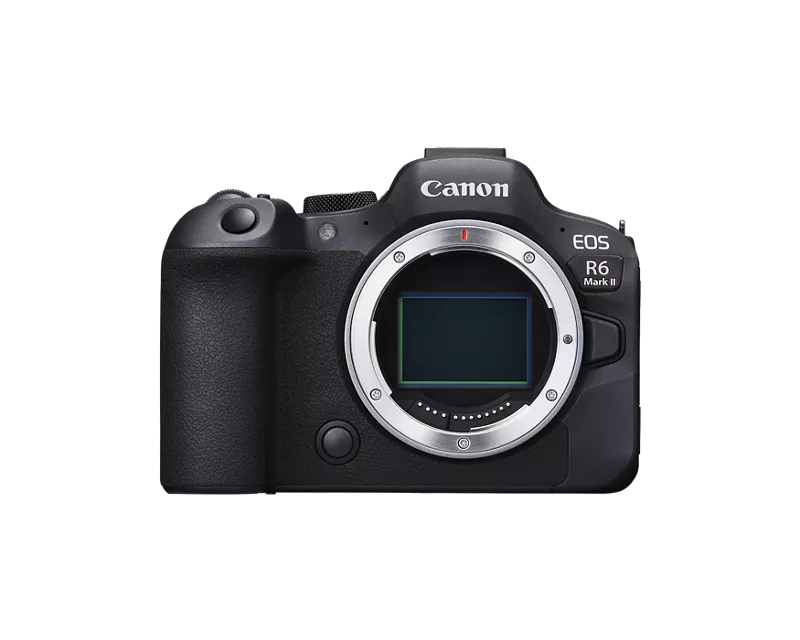
Hello, i was taking a video on 4k 60fps - and the camera was heated little up. when i retrive the video to my laptop or view it on the camera there are parts of the video are speed up like X2 or x3? what could be the main issue of that and how to solve it.
Using canon R6 II with RF 100mm Lens F2.8
4 REPLIES 4


Options
- Mark as New
- Bookmark
- Subscribe
- Mute
- Subscribe to RSS Feed
- Permalink
- Report Inappropriate Content
12-02-2024 04:29 AM
You haven't given us much information to work with, so I'm not going to be able to help much.
For example, were you playing with the slow&fast mode in the camera? In which case, yes, the playback will be sped up: that's exactly the point.
Or, how did you view it on the laptop? If you dropped it into a 24FPS timeline in a video editor, then again, it may be that your editor has sped it up, and again, this would be quite normal. But you haven't told us what software you're using.
Bottom line, this is very unlikely to be a fault in your camera. Learn about slow-motion, and learn how your camera's modes work, particularly the slow&fast modes. Probably you will find the issue that way.

Options
- Mark as New
- Bookmark
- Subscribe
- Mute
- Subscribe to RSS Feed
- Permalink
- Report Inappropriate Content
12-02-2024 04:58 AM
Greetings ,
If you provide the model of your camera and the software that you're using for editing, we can probably provide more specific information about your issue.
~Rick
Bay Area - CA
~R5 C (1.1.3.1), ~RF Trinity, ~RF 100 Macro, ~RF 100~400, ~RF 100~500, ~RF 200-800, ~RF 1.4x TC, BG-R10, 430EX III-RT ~DxO PhotoLab Elite ~DaVinci Resolve Studio ~ImageClass MF644Cdw MF656Cdw ~Pixel 10 ~CarePaks Are Worth It
Options
- Mark as New
- Bookmark
- Subscribe
- Mute
- Subscribe to RSS Feed
- Permalink
- Report Inappropriate Content
12-10-2024 01:37 AM
Hello, sorry for the late reply :
- were you playing with the slow&fast mode in the camera? No since i'm using Clog this option is not available for me.
- Or, how did you view it on the laptop? on the camera preview itself it shows fast. + if i'm viewing it on laptop it shows the same speed without droppin or increasing FPS.
- i'm using Quicktime on my laptop and Davinci resolve for Post editing.
there are 2 concerns one of them might be the reason.
- camera was overheated.
- i fogured out that we i reopened the camera after i finished videoshooting that shutter speed was aroun 240, which it should be 120 as i used to use since i'm shooting 60FPS. but when i tried to do that at home back the same scenario it seems normal speed.
Options
- Mark as New
- Bookmark
- Subscribe
- Mute
- Subscribe to RSS Feed
- Permalink
- Report Inappropriate Content
12-10-2024 01:39 AM
Model of your camera : R6 II with RF lense 100mm.
and the software that you're using for editing : the propblem shows on the preview mood on the camera or the Media player of the laptop before any editing.

Announcements
07/22/2026: New firmware updates are available.
EOS R6 Mark III - Version 1.1.0
05/13/2026: New firmware updates are available.
EOS R5 Mark II - Version 1.3.0
EOS R6 Mark II - Version 1.7.0
04/28/2026: Service Notice: Caution Concerning use of Lithium Batteries
03/17/2026: New firmware updates are available.
SELPHY CP1500 - Version 1.0.7.0
02/23/2026: New firmware update is available for EOS C50- Version 1.0.3.1
01/23/2026: New firmware update is available for RF 24-105mm F4 IS USM- Version 2.0.7
01/20/2026: New firmware updates are available.
10/21/2025: Service Notice: To Users of the Compact Digital Camera PowerShot V1
10/15/2025: New firmware updates are available.
Speedlite EL-5 - Version 1.2.0
Speedlite EL-1 - Version 1.1.0
Speedlite Transmitter ST-E10 - Version 1.2.0
07/28/2025: Notice of Free Repair Service for the Mirrorless Camera EOS R50 (Black)
05/21/2025: New firmware update available for EOS C500 Mark II - Version 1.1.5.1
Related Content
- EOS R5 Mark II "Card 1 Full" Error in EOS DSLR & Mirrorless Cameras
- New Features Added For The C80 & C400 And Updates For The C50, C70 & R5C in Camera Software
- EOS R6 Mark III Firmware Request: Allow Manual (M) Exposure in PHOTO Mode When S&F Is Selected in EOS DSLR & Mirrorless Cameras
- EOS R6 Mark III Firmware Version 1.1.0 available for download in Camera Software
- EOS R5 Mark II minor Firmware Update, Version 1.3.1 in Camera Software

Ⓒ 2026
Canon U.S.A Inc. All Rights Reserved. Reproduction in whole or part without permission is prohibited.
