Turn on suggestions
Auto-suggest helps you quickly narrow down your search results by suggesting possible matches as you type.
- Canon Community
- Discussions & Help
- Camera
- EOS DSLR & Mirrorless Cameras
- EOS R50V Quick control dial malfunctioning
Options
- Subscribe to RSS Feed
- Mark Topic as New
- Mark Topic as Read
- Float this Topic for Current User
- Bookmark
- Subscribe
- Mute
- Printer Friendly Page
EOS R50V Quick control dial malfunctioning

Options
- Mark as New
- Bookmark
- Subscribe
- Mute
- Subscribe to RSS Feed
- Permalink
- Report Inappropriate Content
10-31-2025 12:00 AM
Hello,
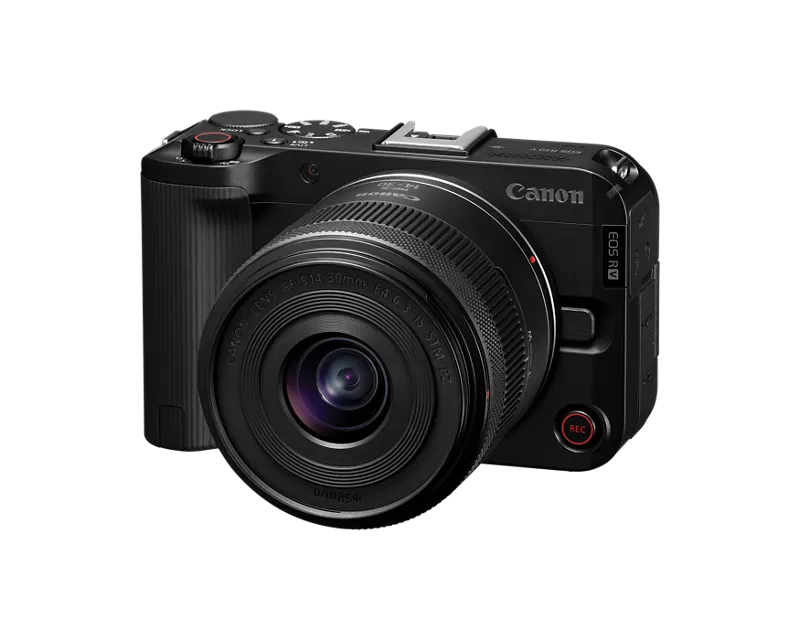
Just got this camera about a month ago in late September. Im running into a problem where the quick control dial when turned left, goes both left and right erratically even though I’m only turning left. A temporary fix I found is lifting up the dial a little bit with my finger nails and it works as should but will go back to the problem shortly after.
Obviously this is a problem because this controls the aperture control as well as navigating the menus.
I haven’t done any shots where dirt would seep in there, is this an issue that’s common or should I send it to canon to fix it? I imagine it would be under warranty
9 REPLIES 9


Options
- Mark as New
- Bookmark
- Subscribe
- Mute
- Subscribe to RSS Feed
- Permalink
- Report Inappropriate Content
10-31-2025 01:17 PM
@Depressedsalmon wrote:
Hello,
Just got this camera about a month ago in late September. Im running into a problem where the quick control dial when turned left, goes both left and right erratically even though I’m only turning left. A temporary fix I found is lifting up the dial a little bit with my finger nails and it works as should but will go back to the problem shortly after.
Obviously this is a problem because this controls the aperture control as well as navigating the menus.
I haven’t done any shots where dirt would seep in there, is this an issue that’s common or should I send it to canon to fix it? I imagine it would be under warranty
One year warranty (assuming it was purchased new and isn't grey market). Register your product and request service.
John Hoffman
Conway, NH
R6 Mark III, M200 (converted to infrared), RF lenses, Pixma PRO-100, Pixma TR8620a, Lr Classic
Conway, NH
R6 Mark III, M200 (converted to infrared), RF lenses, Pixma PRO-100, Pixma TR8620a, Lr Classic
Options
- Mark as New
- Bookmark
- Subscribe
- Mute
- Subscribe to RSS Feed
- Permalink
- Report Inappropriate Content
12-23-2025 06:44 AM
Experiencing the same issues above and will follow this advice. The problem started soon after I bought the camera and thought it was related to a Farmwear update as the problem coincided with the update soon after.
Options
- Mark as New
- Bookmark
- Subscribe
- Mute
- Subscribe to RSS Feed
- Permalink
- Report Inappropriate Content
07-03-2026 07:16 AM
Have you resolved yours? I'm experiencing the same issue with ours.
Options
- Mark as New
- Bookmark
- Subscribe
- Mute
- Subscribe to RSS Feed
- Permalink
- Report Inappropriate Content
07-03-2026 09:25 AM - edited 07-03-2026 09:45 AM
I wasn't able to resolve the issue on my own. I sent the camera in for a warranty repair. It's a known issue that some of the cameras have faulty dial sensors. There are a few things you could try first, like a firmware update, resetting the settings on your camera, removing the battery completely, you can try lifting the dial gently with your fingernail and rotating it, or spraying pressurized air underneath the dial. Whatever you do, just ensure that you don't break anything because you will not be under warranty at that point. The other common causes of the problem that I have read about is people have pushed too hard on the dial and fractured the mounting system, or using the camera in excessively dirty environment resulting in debris getting into the sensor. Either of those are not underwarranty, but are repairable.

Options
- Mark as New
- Bookmark
- Subscribe
- Mute
- Subscribe to RSS Feed
- Permalink
- Report Inappropriate Content
07-03-2026 10:23 AM
Greetings,
Important enough to mention.
Firmware updates should never be performed on a camera that is malfunctioning or exhibiting unexpected behavior. This is a huge misconception. The only time it would be applicable is if it specifically addresses a problem or issue. It would have to be called out specifically in the newer firmware which it's not in this case. The first troubleshooting step is always to reset the device to defaults. This is helpful and allows you to confirm problems starting from a known good configuration. Applying firmware to a malfunctioning product can actually result in further loss of function.
I'm not sure where this belief comes from 🤔 it appears all over the Internet as a magic bullet. It's not and is actually a very bad suggestion/choice. Please don't risk further compounding issues. 😉
I just let my R50v go after a year. My camera did not exhibit this behavior. The quick control dial responded as expected. While I've not heard of this issue, the camera should be sent to Canon for inspection/repair as @jrhoffman75 suggests. As of this writing, FW v1.2.0 is the latest and it does not correct errant camera operation in any way. Let Canon address the issue for you. 👍
~Rick
Bay Area - CA
~R5 C (1.1.3.1), ~RF Trinity, ~RF 100 Macro, ~RF 100~400, ~RF 100~500, ~RF 200-800, ~RF 1.4x TC, BG-R10, 430EX III-RT ~DxO PhotoLab Elite ~DaVinci Resolve Studio ~ImageClass MF644Cdw MF656Cdw ~Pixel 10 ~CarePaks Are Worth It
Options
- Mark as New
- Bookmark
- Subscribe
- Mute
- Subscribe to RSS Feed
- Permalink
- Report Inappropriate Content
07-03-2026 10:27 AM - edited 07-03-2026 10:28 AM
The firmware update was suggested to me by cannon tech support. It was also stated to me from tech support that this is a known issue that some of the cameras have a faulty sensor on the dial.
Options
- Mark as New
- Bookmark
- Subscribe
- Mute
- Subscribe to RSS Feed
- Permalink
- Report Inappropriate Content
07-03-2026 10:35 AM
I hope they recommended a settings reset first?
Clearly the advice you received was from someone who was throwing everything against the wall and hoping something would stick. This is very disappointing information. Thank you for sharing it. 🫣
~Rick
Bay Area - CA
~R5 C (1.1.3.1), ~RF Trinity, ~RF 100 Macro, ~RF 100~400, ~RF 100~500, ~RF 200-800, ~RF 1.4x TC, BG-R10, 430EX III-RT ~DxO PhotoLab Elite ~DaVinci Resolve Studio ~ImageClass MF644Cdw MF656Cdw ~Pixel 10 ~CarePaks Are Worth It
Options
- Mark as New
- Bookmark
- Subscribe
- Mute
- Subscribe to RSS Feed
- Permalink
- Report Inappropriate Content
07-03-2026 10:38 AM
Heyo!
So ideally, it’s easier to get it sent to canon for repair especially if it’s under warranty. If not, I’ve seen suggestions of the pressurized air, I’ve tried it before, it’s a temporary solution.
my best bet was to get it repaired by canon and part ways with the R50V and upgraded to a second hand R8. I’ve also seen people have luck selling it to one of the big companies that buy used cameras and they were able to get a good buck even with the faulty dial. Nonetheless, canon doesn’t seem to have made it a publicly known issue, so I don’t fully trust the dial every time I happen to use and R50V
Options
- Mark as New
- Bookmark
- Subscribe
- Mute
- Subscribe to RSS Feed
- Permalink
- Report Inappropriate Content
07-03-2026 10:53 AM - edited 07-03-2026 10:55 AM
A rocket blower or an air puffer is preferred to canned air. Canned air is powerful but if you hold the can at the wrong angle it can actually expel chemical residue some of which might not evaporate. Using the corner of a business card very gently is also ok. In the end, however, this sounds like a sensor failure that required replacement.
I sold my R50v privately in under 2 weeks. Using sites like keh, Adorama or MPB is a great way to turn your gear into cash or value towards other gear purchases.
~Rick
Bay Area - CA
~R5 C (1.1.3.1), ~RF Trinity, ~RF 100 Macro, ~RF 100~400, ~RF 100~500, ~RF 200-800, ~RF 1.4x TC, BG-R10, 430EX III-RT ~DxO PhotoLab Elite ~DaVinci Resolve Studio ~ImageClass MF644Cdw MF656Cdw ~Pixel 10 ~CarePaks Are Worth It

Announcements
07/22/2026: New firmware updates are available.
EOS R6 Mark III - Version 1.1.0
05/13/2026: New firmware updates are available.
EOS R5 Mark II - Version 1.3.0
EOS R6 Mark II - Version 1.7.0
04/28/2026: Service Notice: Caution Concerning use of Lithium Batteries
03/17/2026: New firmware updates are available.
SELPHY CP1500 - Version 1.0.7.0
02/23/2026: New firmware update is available for EOS C50- Version 1.0.3.1
01/23/2026: New firmware update is available for RF 24-105mm F4 IS USM- Version 2.0.7
01/20/2026: New firmware updates are available.
10/21/2025: Service Notice: To Users of the Compact Digital Camera PowerShot V1
10/15/2025: New firmware updates are available.
Speedlite EL-5 - Version 1.2.0
Speedlite EL-1 - Version 1.1.0
Speedlite Transmitter ST-E10 - Version 1.2.0
07/28/2025: Notice of Free Repair Service for the Mirrorless Camera EOS R50 (Black)
05/21/2025: New firmware update available for EOS C500 Mark II - Version 1.1.5.1
Related Content
- power off by usb for R series in Camera Software
- Methods of exposure bracketing in EOS DSLR & Mirrorless Cameras
- EOS R5 Mark II firmware 1.30 notes in Camera Software
- RF-s 18-150mm control ring doesn't 'control' on EOS R7 in EF & RF Lenses
- Updating firmware on your R series Body or Lens in Camera Software

Ⓒ 2026
Canon U.S.A Inc. All Rights Reserved. Reproduction in whole or part without permission is prohibited.
