Turn on suggestions
Auto-suggest helps you quickly narrow down your search results by suggesting possible matches as you type.
- Canon Community
- Discussions & Help
- Camera
- Camera Software
- power off by usb for R series
Options
- Subscribe to RSS Feed
- Mark Topic as New
- Mark Topic as Read
- Float this Topic for Current User
- Bookmark
- Subscribe
- Mute
- Printer Friendly Page
power off by usb for R series

Options
- Mark as New
- Bookmark
- Subscribe
- Mute
- Subscribe to RSS Feed
- Permalink
- Report Inappropriate Content
07-02-2026 02:19 PM - edited 07-02-2026 02:21 PM

Canon
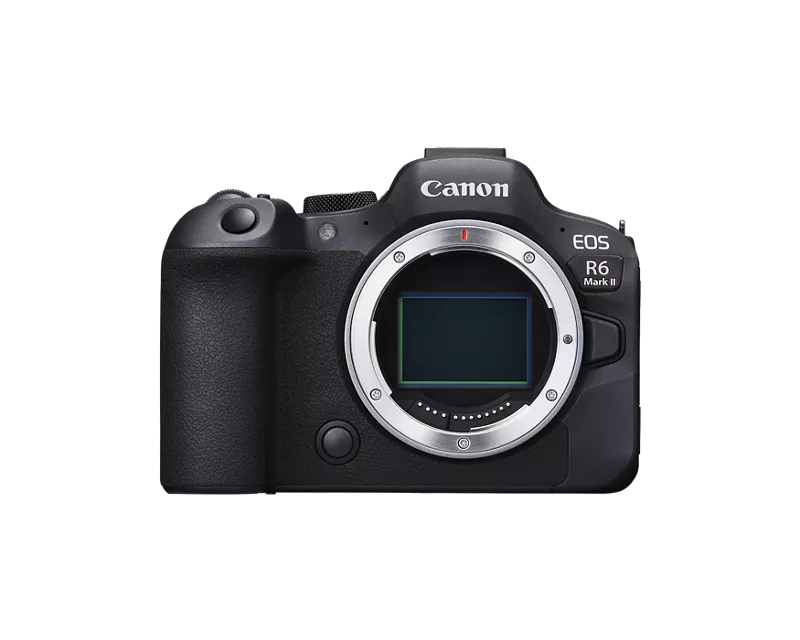
Hello. Please make the "power off by usb" function for the R series, in particular I have r6 mark II. The fact is that when the camera is connected via cable to the DJI RS5 stabilizer, the camera begins to be powered by the stabilizer and it acts as a power bank, thus quickly discharging. For 4 hours of shooting, the bundle of r6m2 and dji rs5, the camera did not lose a single division of the battery, and only 20% remained on the stabilizer. It's a very quick discharge. You need a USB power-off function so that the camera can be powered by its batteries, not by a stabilizer. This function is implemented on Sony cameras. Please do it too. In Bluetooth connection mode, it is not possible to control the iso, shutter, aperture functions through the ring on the stabilizer, which allows you to adjust the exposure without touching the camera.
They are available only when connected via cable. But in this case, the stabilizer starts to receive power to the camera and quickly discharges it. Thank you #r6m2 #poweroffusb
2 REPLIES 2


Options
- Mark as New
- Bookmark
- Subscribe
- Mute
- Subscribe to RSS Feed
- Permalink
- Report Inappropriate Content
07-02-2026 04:13 PM - edited 07-02-2026 04:39 PM
Requests in this form may, or may not, be passed along to Canon. The way to pass your request directly to Canon is to provide feedback using the "Feedback" button on the primary Canon USA (assuming you are in the US) web site. Screen shot and highlighted below.

>> Owns/Owned both Canon EOS mirrorless full-frame and APS-C cameras and associated RF, RF-S and EF adapted lenses - inventory tends to change on short notice. Same for flashes, tripods, bags, straps, etc.
Plus>> Canon imagePROGRAF PRO-1100 Printer. My photos are edited using no Adobe products.
>>The opinions and assistance are my own. Please don't blame Canon for any mistakes on my part.

Options
- Mark as New
- Bookmark
- Subscribe
- Mute
- Subscribe to RSS Feed
- Permalink
- Report Inappropriate Content
07-02-2026 04:15 PM
Greetings,
In order to leave product suggestions and feature requests, please visit the Canon USA homepage and click on the [+]Feedback button. There's a feedback button in the top right or bottom left of the home page. Note, if you're using a mobile browser, it is only available at the bottom of the page.
~Rick
Bay Area - CA
~R5 C (1.1.3.1), ~RF Trinity, ~RF 100 Macro, ~RF 100~400, ~RF 100~500, ~RF 200-800, ~RF 1.4x TC, BG-R10, 430EX III-RT ~DxO PhotoLab Elite ~DaVinci Resolve Studio ~ImageClass MF644Cdw MF656Cdw ~Pixel 10 ~CarePaks Are Worth It


Announcements
07/22/2026: New firmware updates are available.
EOS R6 Mark III - Version 1.1.0
05/13/2026: New firmware updates are available.
EOS R5 Mark II - Version 1.3.0
EOS R6 Mark II - Version 1.7.0
04/28/2026: Service Notice: Caution Concerning use of Lithium Batteries
03/17/2026: New firmware updates are available.
SELPHY CP1500 - Version 1.0.7.0
02/23/2026: New firmware update is available for EOS C50- Version 1.0.3.1
01/23/2026: New firmware update is available for RF 24-105mm F4 IS USM- Version 2.0.7
01/20/2026: New firmware updates are available.
10/21/2025: Service Notice: To Users of the Compact Digital Camera PowerShot V1
10/15/2025: New firmware updates are available.
Speedlite EL-5 - Version 1.2.0
Speedlite EL-1 - Version 1.1.0
Speedlite Transmitter ST-E10 - Version 1.2.0
07/28/2025: Notice of Free Repair Service for the Mirrorless Camera EOS R50 (Black)
05/21/2025: New firmware update available for EOS C500 Mark II - Version 1.1.5.1
Related Content
- PowerShot A590 IS how to transfer photos in Point & Shoot Digital Cameras
- PowerShot SX740 HS Err 60, lens won't retract, now no power - covered under the service notice after in Point & Shoot Digital Cameras
- Will there be another firmware update for the R5 Mark 2 that includes Micro-adjustment of focus? in EOS DSLR & Mirrorless Cameras
- RF 70-200 blurry edges on some images in EF & RF Lenses
- USB-C not charging my EOS R50 V in EOS DSLR & Mirrorless Cameras

Ⓒ 2026
Canon U.S.A Inc. All Rights Reserved. Reproduction in whole or part without permission is prohibited.
