Turn on suggestions
Auto-suggest helps you quickly narrow down your search results by suggesting possible matches as you type.
- Canon Community
- Discussions & Help
- Camera
- EOS DSLR & Mirrorless Cameras
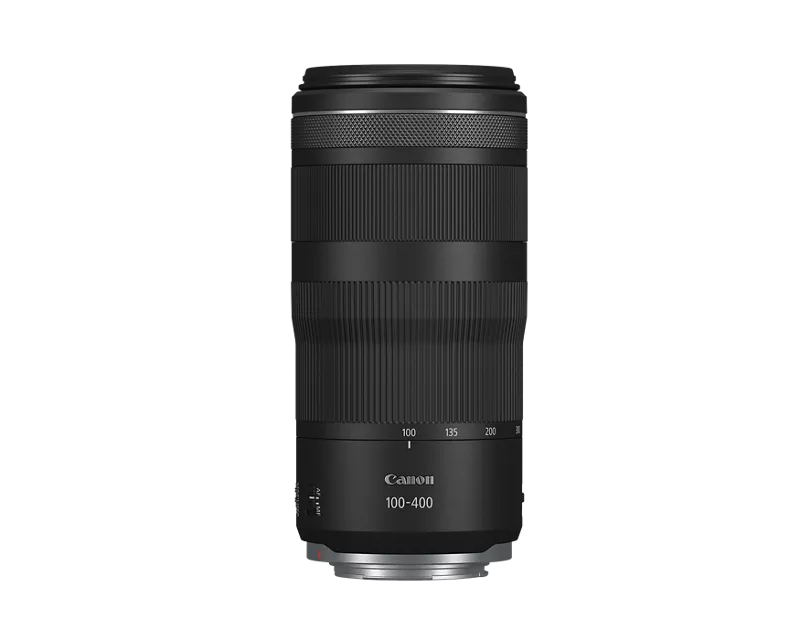
- EOS R5 Mark II with lens RF100-400mm F5.6-8 IS USM...
Options
- Subscribe to RSS Feed
- Mark Topic as New
- Mark Topic as Read
- Float this Topic for Current User
- Bookmark
- Subscribe
- Mute
- Printer Friendly Page

Options
- Mark as New
- Bookmark
- Subscribe
- Mute
- Subscribe to RSS Feed
- Permalink
- Report Inappropriate Content
04-05-2025
10:33 AM
- last edited on
04-06-2025
08:32 AM
by
 James_C
Camera: R5 Mark II ( Camera Firmware Ver 1.0.2)
Lens: RF 100 - 400mm F5.6 - 8 IS USM (Lens Firmware Ver 1.0.3)
Every now and then, this Camera/Lens combination fails to achieve AF.
I'm using AF-ON back button with the following settings:
AF start position : Manual selection
AF operation : SERVO
AF Area : Around
Whole area tracking servo AF : ON
Subject to detect : Animal
Eye detection : AUTO
Servo AF characteristics : M
I can't say for sure, but it may be getting in to this situation after the camera goes through an auto power off (not consistently)
One way I have been able correct this situation is by turning the camera OFF and ON.
Anyone has experienced this? Any suggestions on how I can prevent this from happening.
Thanks.
Solved! Go to Solution.

11 REPLIES 11


Options
- Mark as New
- Bookmark
- Subscribe
- Mute
- Subscribe to RSS Feed
- Permalink
- Report Inappropriate Content
04-07-2025 12:51 PM
Thanks again, for your replies.
When you press the [AF-ON] button, do you keep it pressed until you complete the shot?
--------------------------------------------------------
"Enjoying photography since 1972."
"Enjoying photography since 1972."
Options
- Mark as New
- Bookmark
- Subscribe
- Mute
- Subscribe to RSS Feed
- Permalink
- Report Inappropriate Content
05-22-2025 06:00 PM
I have used the camera with "Lens Drive when AF is Impossible" Enabled for some time now and haven't seen the issue I encountered with focusing. So, I have accepted this as the solution.
Thank you everyone for your input and suggestions.

- « Previous
-
- 1
- 2
- Next »
- « Previous
-
- 1
- 2
- Next »

Announcements
05/13/2026: New firmware updates are available.
EOS R5 Mark II - Version 1.3.0
EOS R6 Mark II - Version 1.7.0
04/28/2026: Service Notice: Caution Concerning use of Lithium Batteries
03/17/2026: New firmware updates are available.
SELPHY CP1500 - Version 1.0.7.0
02/23/2026: New firmware update is available for EOS C50- Version 1.0.3.1
01/23/2026: New firmware update is available for RF 24-105mm F4 IS USM- Version 2.0.7
01/20/2026: New firmware updates are available.
12/22/2025: New firmware update is available for EOS R6 Mark III- Version 1.0.2
10/21/2025: Service Notice: To Users of the Compact Digital Camera PowerShot V1
10/15/2025: New firmware updates are available.
Speedlite EL-5 - Version 1.2.0
Speedlite EL-1 - Version 1.1.0
Speedlite Transmitter ST-E10 - Version 1.2.0
07/28/2025: Notice of Free Repair Service for the Mirrorless Camera EOS R50 (Black)
05/21/2025: New firmware update available for EOS C500 Mark II - Version 1.1.5.1
Related Content
- EOS R5 Mark II stopped sending photos to computer while tether capturing. in EOS DSLR & Mirrorless Cameras
- Canon R5 Mk II EVF is giving me problems as it isn;t accurate and natural in EOS DSLR & Mirrorless Cameras
- EOS T5 shutter randomly misfires in EOS DSLR & Mirrorless Cameras
- EOS R6 Mark III fails to keep focus on subject moving towards me. in EOS DSLR & Mirrorless Cameras
- R6 MkII Won't Display Shooting Info- Firmware Update Failed in EOS DSLR & Mirrorless Cameras

Ⓒ 2026
Canon U.S.A Inc. All Rights Reserved. Reproduction in whole or part without permission is prohibited.
