Turn on suggestions
Auto-suggest helps you quickly narrow down your search results by suggesting possible matches as you type.
- Canon Community
- Discussions & Help
- Camera
- EOS DSLR & Mirrorless Cameras
- EOS R5 Mark II Firmware 1.0.3 focus issues
Options
- Subscribe to RSS Feed
- Mark Topic as New
- Mark Topic as Read
- Float this Topic for Current User
- Bookmark
- Subscribe
- Mute
- Printer Friendly Page
EOS R5 Mark II Firmware 1.0.3 focus issues

Options
- Mark as New
- Bookmark
- Subscribe
- Mute
- Subscribe to RSS Feed
- Permalink
- Report Inappropriate Content
04-24-2025
01:56 PM
- last edited on
04-24-2025
01:57 PM
by
 James_C
After updating to firmware 1.0.3 I noticed I was missing shots where I knew the focus spot was correct. This seemed to happen more times then in the past. Then I came across this Youtube video in which he noticed the same thing.
Unfortunately one can't re-install 1.0.2 so have others seen this issue?
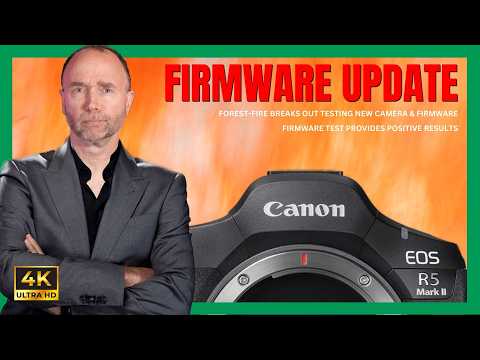
Firmware 1.0.2 Wins-But You'll Never Guess What Happened Next Deals of the YEAR 🛒$3,999 for the Canon R5 II at B&H: https://bhpho.to/3y7lGEv * 🛒$3,999 for the Canon R5 II at Adorama: https://howl.link/x1q5lmiq1ycd5 * 🛒$2,999 for the Canon R5 I at B&H: https://bhpho.to/3STyhRJ * 🛒$2,999 for th...
23 REPLIES 23

Options
- Mark as New
- Bookmark
- Subscribe
- Mute
- Subscribe to RSS Feed
- Permalink
- Report Inappropriate Content
06-17-2025 10:39 AM
Didn't experience any of these issues on 1.0.3 except one photo 2 nights ago which I KNEW was in focus when in viewfinder, snapped the shot (Servo AF, back button focus, with external trigger for strobes) and upon review it was completely out of focus. This was with the 35mm f/1.4 L VCM.
Only happened on one shot out of the 30 or so I took in that sequence. Not sure if attributed to 1.0.3 or just a fluke. Will keep testing. Was not using subject detection AF, no Eye control AF this time. Only using expanded points autofocus.
Past Gear:
1DX, 1DXII, 1DIV, 7D, EF 2.8 Trinity, EF-500mm f/4L IS USM, EF 50mm f/1,2L II USM
Current Gear:
R5C, R5M2, RF15-35mm f/2.8L IS USM, RF24-105mm f/2.8L IS USM Z, RF70-200mm f/2.8L IS USM Z, RF24-105mm f/4L IS USM, RF50mm f/1.2L USM, RF35mm f/1.4L VCM, RF100mm f/2.8L IS Macro USM, 4x 600EX-II-RT Speedlites, 2x EL-5 Speedlites, 1x EL-1 Speedlite

Options
- Mark as New
- Bookmark
- Subscribe
- Mute
- Subscribe to RSS Feed
- Permalink
- Report Inappropriate Content
06-24-2025 10:31 AM
A firmware update is need to fix this issue. I bought this camera to complement my R3 and everyone said it was as good or better than the R3. Maybe time to go look at Nikon, as they seem to issue new features and firmware updates. This camera looses focus very quickly while tracking. I have been a Canon user since the 70's and have own many pro bodies starting with the Mark II, III, IV, 1Dx, 1Dx II, R, R5, R3 and R5II. I know what the camera should do and there is and issue. I will most definitely sell if a firmware fix is not issued and move on. Great camera, with a few issues. And 1.0.3 was the kicker.
Options
- Mark as New
- Bookmark
- Subscribe
- Mute
- Subscribe to RSS Feed
- Permalink
- Report Inappropriate Content
07-04-2025 07:25 AM
Jeez, thought this was only me. R5 Mii coupled with RF 50mm F1.2 lens. Taking perfect shots for months until last weekend when everything went blurry. Equipment is immaculately clean. No change to settings. Tried with 70-200mm lens, same issue. Checked settings over and over. Eventually factory reset the camera and installed 1.0.3. Still blurry. My editing time has increased 25-30% having to look hard for at least 1 clear shot and my trash folder can be seen from space. What is going on Canon???

Options
- Mark as New
- Bookmark
- Subscribe
- Mute
- Subscribe to RSS Feed
- Permalink
- Report Inappropriate Content
07-08-2025 07:42 PM
Hello hummer01,
I'm sorry to hear that you are having issues with focus at this point. It sounds as though it may be a camera issue being that you are having the same issue with multiple lenses. You may want to have the camera evaluated at one of our service centers.
For factory service, please forward your camera to one of the Factory Service Centers shown below. If it has been less than one year since the camera was purchased, we ask that you also include proof of warranty in the form of a copy of your sales receipt.
Please follow the link below to access our online repair portal to arrange for service:
https://mycanon.usa.canon.com/signin
If you already have a My Canon Account and your product is already registered, simply click on the “Get Repair Services” link on the left menu and follow the onscreen instructions to arrange for service for your product.
If you have a My Canon Account and your product is not registered, you must register your product first. Click on the “Get Repair Services” link on the left menu, then click on the “Register Product” link on the right. After your product is registered, click on the “Get Repair Service” link on the left menu and follow the onscreen instructions to arrange for service for your product.
If you do not have a My Canon Account, you will need to create one. After you create your account, click on the “Add Product” link to register your first product. After your product is registered, click on the “Get Repair Service” link on the left menu and follow the onscreen instructions to arrange for service for your product.
Once you have completed the repair request, you will have an opportunity to print a copy of the request for your records. This request form will also contain shipping instructions and an address label that you will attach to the outside of your shipping box when mailing your equipment for repair.
When shipping your camera, please be sure to remove the memory card and batteries. You are not required to send any accessories or manuals when shipping the camera. Be sure to include your name, street address (no P.O. boxes, please), telephone number, email address, and a letter describing the issue with the product.
Alternately, you may fill out an online repair request form at the following link to setup your repair using our online service. Scroll down the page and look for [Request Forms & Service Programs].
https://www.usa.canon.com/internet/portal/us/home/support/service-repair
As we do not provide RMA numbers for service, we suggest using a trackable and insurable service (i.e. UPS, FedEx, Priority Mail) to ship your camera. Please package the camera very securely in a sturdy shipping box to prevent damage during shipment.
Upon arrival at the Factory Service Center, your camera will be logged in to our repair database and assigned a repair number. Next, the camera will be visually inspected, and you will be advised of the findings. If the required repairs are covered by the warranty, the repairs will begin immediately, and you will not be contacted. When the repairs are complete, the camera will be shipped back to you via Federal Express. The length of time for the repair will be dependent upon the nature of the repair and availability of parts, if needed. Usually, warranted repairs are completed within approximately five to seven business days of the camera's arrival at the Factory Service Center.
All decisions regarding warranty coverage are made by the Factory Service Center at the time of repair. If the repair entails something that is not covered in warranty, a written estimate will be sent to you at the address that you have provided. The repairs to your camera will not begin until you approve this estimate and make payment arrangements. If, after receiving the estimate, you do not wish to have the camera repaired, please inform the Factory Service Center of your decision as soon as possible. If you decline the estimate, the camera will be shipped back to you unrepaired.
Please note that our U.S. Factory Service Centers are unable to accept packages from or return equipment to addresses outside the United States.
Please send your camera to one of the Factory Service Centers below:
Canon Factory Service Center
12022 Canon Boulevard
Newport News, VA 23606
Or:
Canon Factory Service Center
123 Paularino Ave.
Costa Mesa, CA 92626-3311

- « Previous
- Next »
- « Previous
- Next »
Announcements
07/22/2026: New firmware updates are available.
EOS R6 Mark III - Version 1.1.0
05/13/2026: New firmware updates are available.
EOS R5 Mark II - Version 1.3.0
EOS R6 Mark II - Version 1.7.0
04/28/2026: Service Notice: Caution Concerning use of Lithium Batteries
03/17/2026: New firmware updates are available.
SELPHY CP1500 - Version 1.0.7.0
02/23/2026: New firmware update is available for EOS C50- Version 1.0.3.1
01/23/2026: New firmware update is available for RF 24-105mm F4 IS USM- Version 2.0.7
01/20/2026: New firmware updates are available.
10/21/2025: Service Notice: To Users of the Compact Digital Camera PowerShot V1
10/15/2025: New firmware updates are available.
Speedlite EL-5 - Version 1.2.0
Speedlite EL-1 - Version 1.1.0
Speedlite Transmitter ST-E10 - Version 1.2.0
07/28/2025: Notice of Free Repair Service for the Mirrorless Camera EOS R50 (Black)
05/21/2025: New firmware update available for EOS C500 Mark II - Version 1.1.5.1
Related Content
- Canon R6V AF grayed out. in EOS DSLR & Mirrorless Cameras
- CFexpress 128GB capacity error on Canon R6 V – Shows "Full" but only 6GB are used in EOS DSLR & Mirrorless Cameras
- RF24-70mm f2.8 L IS USM does not focus reliably with my R5 Mark II in EF & RF Lenses
- EOS R5 Mark II minor Firmware Update, Version 1.3.1 in Camera Software
- EOS R5 + EF-EOS R Adapter: RF lenses work perfectly, but no AF and no shutter with any EF lenses in EOS DSLR & Mirrorless Cameras

Ⓒ 2026
Canon U.S.A Inc. All Rights Reserved. Reproduction in whole or part without permission is prohibited.
