Turn on suggestions
Auto-suggest helps you quickly narrow down your search results by suggesting possible matches as you type.
- Canon Community
- Discussions & Help
- Camera
- EOS DSLR & Mirrorless Cameras
- Re: EOS R100 not able to use Manual focus
Options
- Subscribe to RSS Feed
- Mark Topic as New
- Mark Topic as Read
- Float this Topic for Current User
- Bookmark
- Subscribe
- Mute
- Printer Friendly Page

Options
- Mark as New
- Bookmark
- Subscribe
- Mute
- Subscribe to RSS Feed
- Permalink
- Report Inappropriate Content
01-05-2025 05:49 PM
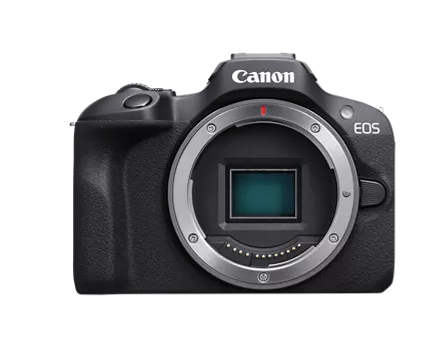
I've looked at videos on using the manual focus and it don't have the option that they do. I have updated to the 1.1.0 Firmware.

I am using an EF 75-300mm lens with an Urth EF-RF adapter.

It displays this odd jumble of symbols at the top and says F00.

Solved! Go to Solution.
1 ACCEPTED SOLUTION
Accepted Solutions


Options
- Mark as New
- Bookmark
- Subscribe
- Mute
- Subscribe to RSS Feed
- Permalink
- Report Inappropriate Content
01-06-2025 03:54 PM
Hello, M1_Legend, and welcome to the forum!
After looking at the Urth web site, it looks like they have two (maybe more) types of EF-RF adapters. I suspect, from looking at the image you posted, the one you bought is the one they sell that has no contacts for communication between camera and lens. That is why you are getting the F00 error, the camera can't see the lens to set the aperture or AF on the 75-300. They have another that claims "with Electronics" that may work, but it is more expensive than the basic Canon brand adapter without the control ring. Without an adapter with contacts, the EF 75-300 III lens you have pictured, will not work, or any other lens that isn't fully manual for that matter.
As Rick suggested, if you have fully manual lenses, set the camera to release shutter without lens. As I mentioned, this won't help with the pictured 75-300. The best option, if it's still available, is to return the Urth adapter and follow Brian's advice and go full Canon gear. It will be more reliable.
Newton
6 REPLIES 6

Options
- Mark as New
- Bookmark
- Subscribe
- Mute
- Subscribe to RSS Feed
- Permalink
- Report Inappropriate Content
01-05-2025 05:56 PM
Are you using a Canon brand EF-RF mount adapter. If not the camera doesn’t know a lens is attached. Also 3rd Party mount adapters cause all sorts of problems. Also MF is selected on the lens for EF lenses. Some RF lenses have a switch others rely on the cameras menu system to select such choices.
-Demetrius
Bodies: EOS 5D Mark IV
Lenses: EF F/2.8 Holy Trinity
Speedlites: 420EX, 470EX-AI, 550EX & 600EX II-RT
Bodies: EOS 5D Mark IV
Lenses: EF F/2.8 Holy Trinity
Speedlites: 420EX, 470EX-AI, 550EX & 600EX II-RT
Options
- Mark as New
- Bookmark
- Subscribe
- Mute
- Subscribe to RSS Feed
- Permalink
- Report Inappropriate Content
01-05-2025 06:04 PM
I also have a minolta lens that uses the sony A mounting system, but canon doesn't sell Sony A - RF. Am I just SOL with that?
Options
- Mark as New
- Bookmark
- Subscribe
- Mute
- Subscribe to RSS Feed
- Permalink
- Report Inappropriate Content
01-05-2025 06:23 PM
If you're using a Minolta A Mount lens nothing will be automatic. The lens in the picture is a Canon EF 75-300mm F/4-5.6 III lens. That's not a Minolta (now Sony) A Mount lens in the picture above. On a Minolta (now Sony) A Mount lens the aperture is controlled via a lever that engages with the camera body. Then AF is carried out by a motor in the camera body. Or if its a newer lens the motor in the lens AF the lens.
-Demetrius
Bodies: EOS 5D Mark IV
Lenses: EF F/2.8 Holy Trinity
Speedlites: 420EX, 470EX-AI, 550EX & 600EX II-RT
Bodies: EOS 5D Mark IV
Lenses: EF F/2.8 Holy Trinity
Speedlites: 420EX, 470EX-AI, 550EX & 600EX II-RT

Options
- Mark as New
- Bookmark
- Subscribe
- Mute
- Subscribe to RSS Feed
- Permalink
- Report Inappropriate Content
01-06-2025 04:51 AM
Greetings,
One last setting you can try. On your camera, open the custom function menu. C.Fn4
Look for a setting called Release Shutter without lens attached. Set to enable. Re-Atempt manual photography.
The Urth adapter does not appear to be known for its reliability or quality.
~Rick
Bay Area - CA
~R5 C (1.1.3.1), ~RF Trinity, ~RF 100 Macro, ~RF 100~400, ~RF 100~500, ~RF 200-800, ~RF 1.4x TC, BG-R10, 430EX III-RT ~DxO PhotoLab Elite ~DaVinci Resolve Studio ~ImageClass MF644Cdw MF656Cdw ~Pixel 10 ~CarePaks Are Worth It

Options
- Mark as New
- Bookmark
- Subscribe
- Mute
- Subscribe to RSS Feed
- Permalink
- Report Inappropriate Content
01-06-2025 04:54 AM
If you need assurance that this works, you need to use Canon lens > Canon lens adapter > Canon camera. If that works - and that is what Canon would test - then the problem is any part that is not Canon. Third party lens adapters are known to cause problems.
Brian
EOS specialist trainer, photographer and author
-- Note: my spell checker is set for EN-GB, not EN-US --
Options
- Mark as New
- Bookmark
- Subscribe
- Mute
- Subscribe to RSS Feed
- Permalink
- Report Inappropriate Content
01-06-2025 03:54 PM
Hello, M1_Legend, and welcome to the forum!
After looking at the Urth web site, it looks like they have two (maybe more) types of EF-RF adapters. I suspect, from looking at the image you posted, the one you bought is the one they sell that has no contacts for communication between camera and lens. That is why you are getting the F00 error, the camera can't see the lens to set the aperture or AF on the 75-300. They have another that claims "with Electronics" that may work, but it is more expensive than the basic Canon brand adapter without the control ring. Without an adapter with contacts, the EF 75-300 III lens you have pictured, will not work, or any other lens that isn't fully manual for that matter.
As Rick suggested, if you have fully manual lenses, set the camera to release shutter without lens. As I mentioned, this won't help with the pictured 75-300. The best option, if it's still available, is to return the Urth adapter and follow Brian's advice and go full Canon gear. It will be more reliable.
Newton


Announcements
07/22/2026: New firmware updates are available.
EOS R6 Mark III - Version 1.1.0
05/13/2026: New firmware updates are available.
EOS R5 Mark II - Version 1.3.0
EOS R6 Mark II - Version 1.7.0
04/28/2026: Service Notice: Caution Concerning use of Lithium Batteries
03/17/2026: New firmware updates are available.
SELPHY CP1500 - Version 1.0.7.0
02/23/2026: New firmware update is available for EOS C50- Version 1.0.3.1
01/23/2026: New firmware update is available for RF 24-105mm F4 IS USM- Version 2.0.7
01/20/2026: New firmware updates are available.
10/21/2025: Service Notice: To Users of the Compact Digital Camera PowerShot V1
10/15/2025: New firmware updates are available.
Speedlite EL-5 - Version 1.2.0
Speedlite EL-1 - Version 1.1.0
Speedlite Transmitter ST-E10 - Version 1.2.0
07/28/2025: Notice of Free Repair Service for the Mirrorless Camera EOS R50 (Black)
05/21/2025: New firmware update available for EOS C500 Mark II - Version 1.1.5.1
Related Content
- EOS Canon R6 mkIII Image write failure in EOS DSLR & Mirrorless Cameras
- EOS R1 Eye Detection and Focus issues in EOS DSLR & Mirrorless Cameras
- EOS R6 V "Touch to Focus" via external monitor? in Camera Accessories
- Canon AF35M II/Autoboy 2 flash not working in Point & Shoot Digital Cameras
- Canon 24-70mm F2.8 II stopped focusing in EF & RF Lenses

Ⓒ 2026
Canon U.S.A Inc. All Rights Reserved. Reproduction in whole or part without permission is prohibited.
