Turn on suggestions
Auto-suggest helps you quickly narrow down your search results by suggesting possible matches as you type.
- Canon Community
- Discussions & Help
- Camera
- EOS DSLR & Mirrorless Cameras
- Canon R5 Live View not Reflecting Aperture Changes...
Options
- Subscribe to RSS Feed
- Mark Topic as New
- Mark Topic as Read
- Float this Topic for Current User
- Bookmark
- Subscribe
- Mute
- Printer Friendly Page
Canon R5 Live View not Reflecting Aperture Changes in Still Mode; Connection Issue with Laptop

Options
- Mark as New
- Bookmark
- Subscribe
- Mute
- Subscribe to RSS Feed
- Permalink
- Report Inappropriate Content
05-16-2023 08:14 AM
Hello, photography enthusiasts!
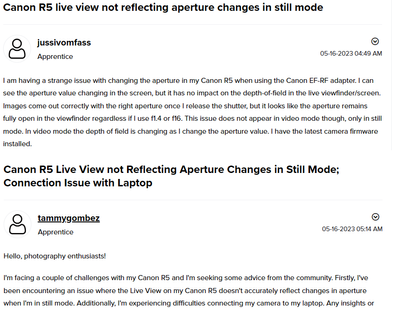
I'm facing a couple of challenges with my Canon R5 and I'm seeking some advice from the community. Firstly, I've been encountering an issue where the Live View on my Canon R5 doesn't accurately reflect changes in aperture when I'm in still mode. Additionally, I'm experiencing difficulties connecting my camera to my laptop. Any insights or suggestions would be greatly appreciated.
Here are the details of the problems I'm facing:
Live View and Aperture Changes: When I adjust the aperture settings on my Canon R5 while in still mode, the Live View display on the camera fails to reflect the changes accurately. This poses a challenge because it makes it difficult to preview the depth of field before capturing an image. I have tried adjusting the aperture through both the camera's control dial and the lens' aperture ring, but the Live View image remains unchanged. However, once I take a photo, the resulting image does reflect the correct depth of field based on the selected aperture.
Connection Issue with Laptop: In addition to the aperture problem, I'm also unable to establish a connection between my Canon R5 and my laptop. I've tried using different USB cables, ensuring that the camera is in the correct mode for file transfer, and updating the necessary drivers on my laptop. Despite these efforts, my laptop does not recognize the camera when connected, and I'm unable to transfer images or control the camera remotely.
I'm wondering if these issues could be related to each other or if they are separate problems altogether. It's worth mentioning that I'm using an Ryzen AMD processor on my laptop, and I'm unsure if there could be any compatibility issues with the camera's firmware.
If anyone has experienced similar issues or has any suggestions or insights, I would be extremely grateful for your assistance. It's frustrating to encounter these problems, especially when they hinder the camera's functionality and my ability to work efficiently.
Thank you all in advance for your time and support!
Tammy Gombez
2 REPLIES 2


Options
- Mark as New
- Bookmark
- Subscribe
- Mute
- Subscribe to RSS Feed
- Permalink
- Report Inappropriate Content
05-16-2023 10:21 AM - edited 05-16-2023 10:34 AM
Greetings,
This is expected behavior. The camera does not "stop down" until the photo is actually taken.
See this:
Canon Knowledge Base - Aperture-Priority AE on the EOS R5.
You can use Depth of Field Preview just like the old days.
Depth of field preview and computer connectivity issues are separate / unrelated issues. If you are trying to shoot tethered, the same applies. If you use Av mode and press the Depth of Field preview button, this will be reflected on the tethered device.
Canon software is developed and designed for intel based hardware. It can work on AMD based systems, but sometimes with unexpected or undesirable behavior. I recommend Intel for the best experience.
Note. Watching your post. 2 new users and 2 nearly identical posts within 25 min of one another. I'll edit my post if I find its just a coincidence. Please don't take this personally. Its probably just a coincidence. This is an inclusive environment, but we do get a lot of SPAM. Your questions are valid and ones we are happy to help you with.
~Rick
Bay Area - CA
~R5 C (1.1.3.1), ~RF Trinity, ~RF 100 Macro, ~RF 100~400, ~RF 100~500, ~RF 200-800, ~RF 1.4x TC, BG-R10, 430EX III-RT ~DxO PhotoLab Elite ~DaVinci Resolve Studio ~ImageClass MF644Cdw MF656Cdw ~Pixel 10 ~CarePaks Are Worth It
Options
- Mark as New
- Bookmark
- Subscribe
- Mute
- Subscribe to RSS Feed
- Permalink
- Report Inappropriate Content
04-10-2024 05:24 PM
I realize this is an old thread, but just wanted to add that you may want to try removing your memory cards when trying to tether to your computer.


Announcements
07/22/2026: New firmware updates are available.
EOS R6 Mark III - Version 1.1.0
05/13/2026: New firmware updates are available.
EOS R5 Mark II - Version 1.3.0
EOS R6 Mark II - Version 1.7.0
04/28/2026: Service Notice: Caution Concerning use of Lithium Batteries
03/17/2026: New firmware updates are available.
SELPHY CP1500 - Version 1.0.7.0
02/23/2026: New firmware update is available for EOS C50- Version 1.0.3.1
01/23/2026: New firmware update is available for RF 24-105mm F4 IS USM- Version 2.0.7
01/20/2026: New firmware updates are available.
10/21/2025: Service Notice: To Users of the Compact Digital Camera PowerShot V1
10/15/2025: New firmware updates are available.
Speedlite EL-5 - Version 1.2.0
Speedlite EL-1 - Version 1.1.0
Speedlite Transmitter ST-E10 - Version 1.2.0
07/28/2025: Notice of Free Repair Service for the Mirrorless Camera EOS R50 (Black)
05/21/2025: New firmware update available for EOS C500 Mark II - Version 1.1.5.1
Related Content
- power off by usb for R series in Camera Software
- So frustrated: New EOS R50 stopped taking pictures in EOS DSLR & Mirrorless Cameras
- EOS M100 Almost all buttons stopped working for no apparent reason in EOS DSLR & Mirrorless Cameras
- ControlRing Mount Adapter EF-EOS R Stops working in Camera Accessories

Ⓒ 2026
Canon U.S.A Inc. All Rights Reserved. Reproduction in whole or part without permission is prohibited.
