- Meet Our Illuminaries
- Discussions & Help
- Gallery
- Learn With Canon
- About Our Community
- Discussions & Help
- Gallery
- Learn With Canon
- About Our Community
Turn on suggestions
Auto-suggest helps you quickly narrow down your search results by suggesting possible matches as you type.
- Canon Community
- Discussions & Help
- Printer
- Desktop Inkjet Printers
- G3270 print head installation not working
Options
- Subscribe to RSS Feed
- Mark Topic as New
- Mark Topic as Read
- Float this Topic for Current User
- Bookmark
- Subscribe
- Mute
- Printer Friendly Page
G3270 print head installation not working

Options
- Mark as New
- Bookmark
- Subscribe
- Mute
- Subscribe to RSS Feed
- Permalink
- Report Inappropriate Content
07-05-2026 02:16 PM
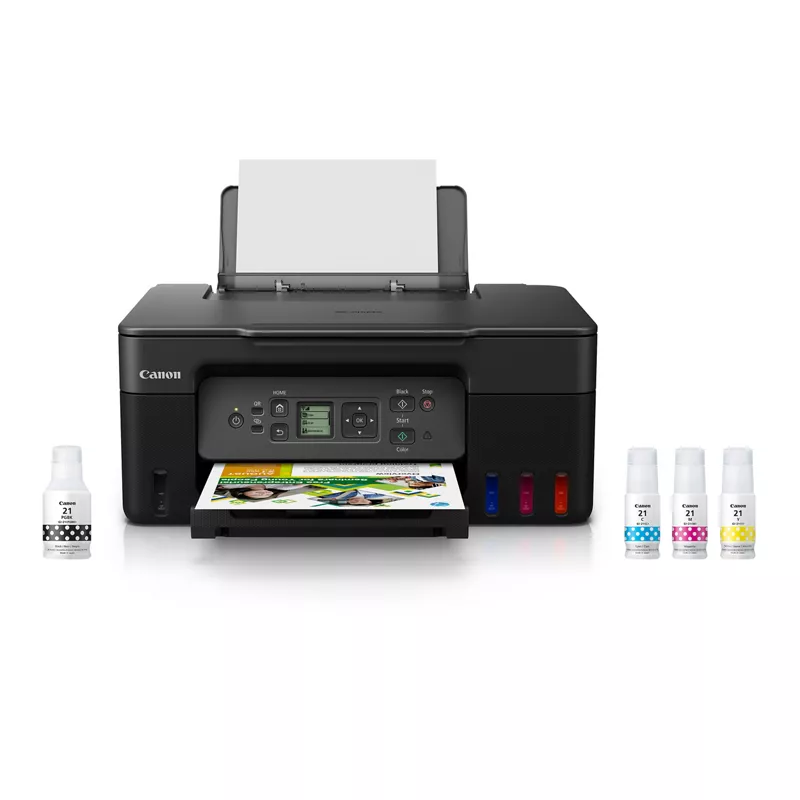
Just bought a PIXMA G3270 Wireless MegaTank All-In-One Printer. I installed the print heads and ink according to the instructions, but after I close the lid, the installation basically starts again with: "Install the print head and ink tanks. Open the cover." I've tried reseating the print heads, but nothing seems to work. Any suggestions? Thanks
2 REPLIES 2


Options
- Mark as New
- Bookmark
- Subscribe
- Mute
- Subscribe to RSS Feed
- Permalink
- Report Inappropriate Content
07-05-2026 02:25 PM
Oh no, that sounds super frustrating when you're just trying to get your new PIXMA G3270 up and running! It's definitely not ideal for the setup to loop like that.
Since you've already tried reseating the print heads, here are a couple of other things that sometimes help with this kind of issue:
- Check for any packing material: Double-check inside the printer to make sure all orange protective tapes or packing materials have been removed. Sometimes a small piece can prevent the sensor from registering the lid as closed properly.
- Power Cycle: With the printer on, unplug it from the wall, wait about 30 seconds, and then plug it back in. Sometimes a hard reset can clear temporary glitches.
- Firmware Update: While unlikely to be the cause of a brand-new setup loop, ensuring the printer has the latest firmware can sometimes resolve unexpected behavior. You can check for updates at https://canon.us/g3270.
If none of those do the trick, it might be best to reach out directly to Canon's support team. They can walk you through more specific diagnostics and help get that printer properly installed. You can find contact options on the Canon USA contact page.
Hope this helps get you printing soon!


Options
- Mark as New
- Bookmark
- Subscribe
- Mute
- Subscribe to RSS Feed
- Permalink
- Report Inappropriate Content
07-06-2026 11:39 AM
Number one reason for Super Tank printer head issues is the head is not locked down properly

Announcements
07/22/2026: New firmware updates are available.
EOS R6 Mark III - Version 1.1.0
05/13/2026: New firmware updates are available.
EOS R5 Mark II - Version 1.3.0
EOS R6 Mark II - Version 1.7.0
04/28/2026: Service Notice: Caution Concerning use of Lithium Batteries
03/17/2026: New firmware updates are available.
SELPHY CP1500 - Version 1.0.7.0
02/23/2026: New firmware update is available for EOS C50- Version 1.0.3.1
01/23/2026: New firmware update is available for RF 24-105mm F4 IS USM- Version 2.0.7
01/20/2026: New firmware updates are available.
10/21/2025: Service Notice: To Users of the Compact Digital Camera PowerShot V1
10/15/2025: New firmware updates are available.
Speedlite EL-5 - Version 1.2.0
Speedlite EL-1 - Version 1.1.0
Speedlite Transmitter ST-E10 - Version 1.2.0
07/28/2025: Notice of Free Repair Service for the Mirrorless Camera EOS R50 (Black)
05/21/2025: New firmware update available for EOS C500 Mark II - Version 1.1.5.1
Related Content
- ImageCLASS MF733cdw Airprint issue - Windows 11 in Office Printers
- Cartridge recognition error on Canon PIXMA G6020 in Desktop Inkjet Printers
- My imageCLASS MF641Cw isn't working properly, not printing reds and oranges correctly in Office Printers
- MG3620 can’t connect my phone through wifi in Printer Software & Networking
- Prograf PRO 1100 - Professional Print and Layout Error in Printer Software & Networking

Ⓒ 2026
Canon U.S.A Inc. All Rights Reserved. Reproduction in whole or part without permission is prohibited.
