Turn on suggestions
Auto-suggest helps you quickly narrow down your search results by suggesting possible matches as you type.
- Canon Community
- Discussions & Help
- Printer
- Desktop Inkjet Printers
- Re: . Black boxes appear on scanner
Options
- Subscribe to RSS Feed
- Mark Topic as New
- Mark Topic as Read
- Float this Topic for Current User
- Bookmark
- Subscribe
- Mute
- Printer Friendly Page
. Black boxes appear on scanner
Options
- Mark as New
- Bookmark
- Subscribe
- Mute
- Subscribe to RSS Feed
- Permalink
- Report Inappropriate Content
07-10-2021 03:07 PM
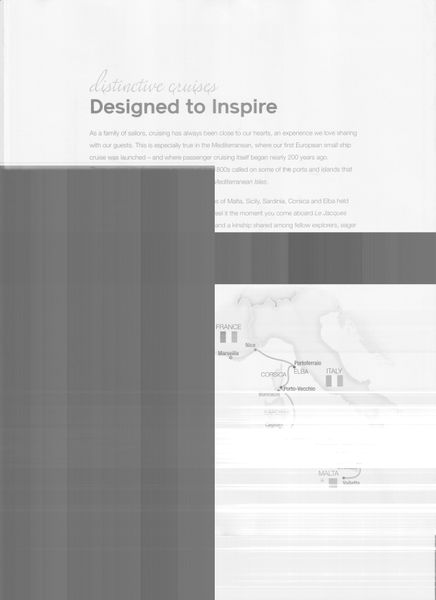
All of a sudden when I try to scan a doc on my flatbed of TR8520 printer, Black boxes appear and I can't get rid of them. When i try to scan, they appear on the scan.
7 REPLIES 7


Options
- Mark as New
- Bookmark
- Subscribe
- Mute
- Subscribe to RSS Feed
- Permalink
- Report Inappropriate Content
07-11-2021 10:59 AM - edited 07-11-2021 11:02 AM
Greetings,
How abou a photo or screenshot of the behavior please.
Are you scanning from the printer or an application?
What OS are you using the printer with?
How is the printer connected?
~Rick
Bay Area - CA
~R5 C (1.1.3.1), ~RF Trinity, ~RF 100 Macro, ~RF 100~400, ~RF 100~500, ~RF 200-800, ~RF 1.4x TC, BG-R10, 430EX III-RT ~DxO PhotoLab Elite ~DaVinci Resolve Studio ~ImageClass MF644Cdw MF656Cdw ~Pixel 10 ~CarePaks Are Worth It
Options
- Mark as New
- Bookmark
- Subscribe
- Mute
- Subscribe to RSS Feed
- Permalink
- Report Inappropriate Content
07-11-2021 11:16 AM
How do I post a picture of the problem here?
Options
- Mark as New
- Bookmark
- Subscribe
- Mute
- Subscribe to RSS Feed
- Permalink
- Report Inappropriate Content
07-11-2021 02:32 PM
More info:
I uploaded a pic of the issue on my avatar.
Scanning from the printer.
Windows 10
HDMI connectors
It only happens when I use flat bed for scanning
When I select preview separate files...the black boxes appear as serparate files.
How do I get rid of them?


Options
- Mark as New
- Bookmark
- Subscribe
- Mute
- Subscribe to RSS Feed
- Permalink
- Report Inappropriate Content
07-11-2021 02:42 PM - edited 07-11-2021 02:43 PM
@cliffm wrote:More info:
I uploaded a pic of the issue on my avatar.
Scanning from the printer.
Windows 10
HDMI connectors
It only happens when I use flat bed for scanning
When I select preview separate files...the black boxes appear as serparate files.
How do I get rid of them?
To insert an image, click 
Here is your image:
Options
- Mark as New
- Bookmark
- Subscribe
- Mute
- Subscribe to RSS Feed
- Permalink
- Report Inappropriate Content
07-11-2021 02:47 PM
@cliffm wrote:More info:
I uploaded a pic of the issue on my avatar.
Scanning from the printer.
Windows 10
HDMI connectors
It only happens when I use flat bed for scanning
When I select preview separate files...the black boxes appear as serparate files.
How do I get rid of them?
What software are you using to scan your image? Do you have the most up-to-date software installed on your computer from the Canon site? You can double-check here: https://canon.us/36resty
Options
- Mark as New
- Bookmark
- Subscribe
- Mute
- Subscribe to RSS Feed
- Permalink
- Report Inappropriate Content
07-11-2021 02:49 PM
Yes, I reinstalled from Canon yesterday.
Interestingly, if I use the feeder vs flatbed, it works.

Options
- Mark as New
- Bookmark
- Subscribe
- Mute
- Subscribe to RSS Feed
- Permalink
- Report Inappropriate Content
08-25-2021 02:07 PM
Hi cliffm,
Please contact one of Canon's Technical Support Representatives via phone or chat. To contact a Technical Support Representative, please use the link below:
https://mycanon.usa.canon.com


Announcements
07/22/2026: New firmware updates are available.
EOS R6 Mark III - Version 1.1.0
05/13/2026: New firmware updates are available.
EOS R5 Mark II - Version 1.3.0
EOS R6 Mark II - Version 1.7.0
04/28/2026: Service Notice: Caution Concerning use of Lithium Batteries
03/17/2026: New firmware updates are available.
SELPHY CP1500 - Version 1.0.7.0
02/23/2026: New firmware update is available for EOS C50- Version 1.0.3.1
01/23/2026: New firmware update is available for RF 24-105mm F4 IS USM- Version 2.0.7
01/20/2026: New firmware updates are available.
10/21/2025: Service Notice: To Users of the Compact Digital Camera PowerShot V1
10/15/2025: New firmware updates are available.
Speedlite EL-5 - Version 1.2.0
Speedlite EL-1 - Version 1.1.0
Speedlite Transmitter ST-E10 - Version 1.2.0
07/28/2025: Notice of Free Repair Service for the Mirrorless Camera EOS R50 (Black)
05/21/2025: New firmware update available for EOS C500 Mark II - Version 1.1.5.1
Related Content
- imagePROGRAF iPF770 MFP L36 - Error 17 When Scanning in Office Printers
- MF Toolbox can't connect to scanner over the network, but printing works: registry fix MF210 in Printer Software & Networking
- RS40 Scanner driver installation error on Windows 11 in Scanners
- Lide 220 Disappointment - How do I get my pictures to scan without fading out. in Scanners
- MacBook M5 Pro Suddenly Stopped Recognizing Canon Pixma MX922 scanner - but printer works fine in Desktop Inkjet Printers

Ⓒ 2026
Canon U.S.A Inc. All Rights Reserved. Reproduction in whole or part without permission is prohibited.
