Turn on suggestions
Auto-suggest helps you quickly narrow down your search results by suggesting possible matches as you type.
- Canon Community
- Discussions & Help
- Camera
- Camera Software
- Re: Software installation sequence for 20D without...
Options
- Subscribe to RSS Feed
- Mark Topic as New
- Mark Topic as Read
- Float this Topic for Current User
- Bookmark
- Subscribe
- Mute
- Printer Friendly Page
Software installation sequence for 20D without CD
Options
- Mark as New
- Bookmark
- Subscribe
- Mute
- Subscribe to RSS Feed
- Permalink
- Report Inappropriate Content
01-04-2019 04:37 PM
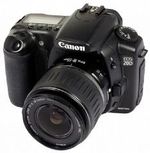
I just picked up a 20D body only in excellent condition as an upgrade to my Rebel 300D. Price was fantastic, it was free. I want to utilize tethering for the 20D as well as change the owners name in the firmware. I have already installed Oracle VM VirtualBox with Windows XP onto my Win10 laptop. I do not have the original software CD for the 20D, however I have downloaded all of the latest software apps for the 20D and WinXP. Does anyone know if there is a certain order I should install the software apps?
2 REPLIES 2

Options
- Mark as New
- Bookmark
- Subscribe
- Mute
- Subscribe to RSS Feed
- Permalink
- Report Inappropriate Content
01-05-2019 12:37 PM
Looking at the contents of a 40D CD I doubt you need the TWAIN driver but you can install it, then maybe EOS Utility, Zoombrowser & then DPP if you intend to shoot in RAW. Zoombrowser seems rather useless if you already have a photo library system you use but you can always uninstall anything you find useless.
"A skill is developed through constant practice with a passion to improve, not bought."
Options
- Mark as New
- Bookmark
- Subscribe
- Mute
- Subscribe to RSS Feed
- Permalink
- Report Inappropriate Content
01-05-2019 01:42 PM
Thanks for the response. I know I will need the WIA driver since I will be running in WinXP. All I plan to use in the virtual machine of XP is the capability for tethered shooting. so I think all I will install is EOS Viewer Utility and EOS Capture. Any digital darkroom work I plan to do will be in Windows 10 and will either use Adobe PE or Canon DPP.


Announcements
07/22/2026: New firmware updates are available.
EOS R6 Mark III - Version 1.1.0
05/13/2026: New firmware updates are available.
EOS R5 Mark II - Version 1.3.0
EOS R6 Mark II - Version 1.7.0
04/28/2026: Service Notice: Caution Concerning use of Lithium Batteries
03/17/2026: New firmware updates are available.
SELPHY CP1500 - Version 1.0.7.0
02/23/2026: New firmware update is available for EOS C50- Version 1.0.3.1
01/23/2026: New firmware update is available for RF 24-105mm F4 IS USM- Version 2.0.7
01/20/2026: New firmware updates are available.
10/21/2025: Service Notice: To Users of the Compact Digital Camera PowerShot V1
10/15/2025: New firmware updates are available.
Speedlite EL-5 - Version 1.2.0
Speedlite EL-1 - Version 1.1.0
Speedlite Transmitter ST-E10 - Version 1.2.0
07/28/2025: Notice of Free Repair Service for the Mirrorless Camera EOS R50 (Black)
05/21/2025: New firmware update available for EOS C500 Mark II - Version 1.1.5.1
Related Content
- EOS R5 Mark II minor Firmware Update, Version 1.3.1 in Camera Software
- R5 Mark II Owners Update Your Firmware to Version 1.3.1 in EOS DSLR & Mirrorless Cameras
- Digital Camera Software v7.1: "Could not connect to internet" on install in Camera Software
- Need EOS Utility 2 for T2i remote live shooting in Camera Software
- Mac OS Sequoia 15.6 can't install any Canon software using their dirty code installer in Camera Software

Ⓒ 2026
Canon U.S.A Inc. All Rights Reserved. Reproduction in whole or part without permission is prohibited.
