Turn on suggestions
Auto-suggest helps you quickly narrow down your search results by suggesting possible matches as you type.
- Canon Community
- Discussions & Help
- Camera
- Camera Software
- Re: Playing With DPP and 2 Questions
Options
- Subscribe to RSS Feed
- Mark Topic as New
- Mark Topic as Read
- Float this Topic for Current User
- Bookmark
- Subscribe
- Mute
- Printer Friendly Page
Playing With DPP and 2 Questions

Options
- Mark as New
- Bookmark
- Subscribe
- Mute
- Subscribe to RSS Feed
- Permalink
- Report Inappropriate Content
06-28-2019 04:04 PM
Hi folks,
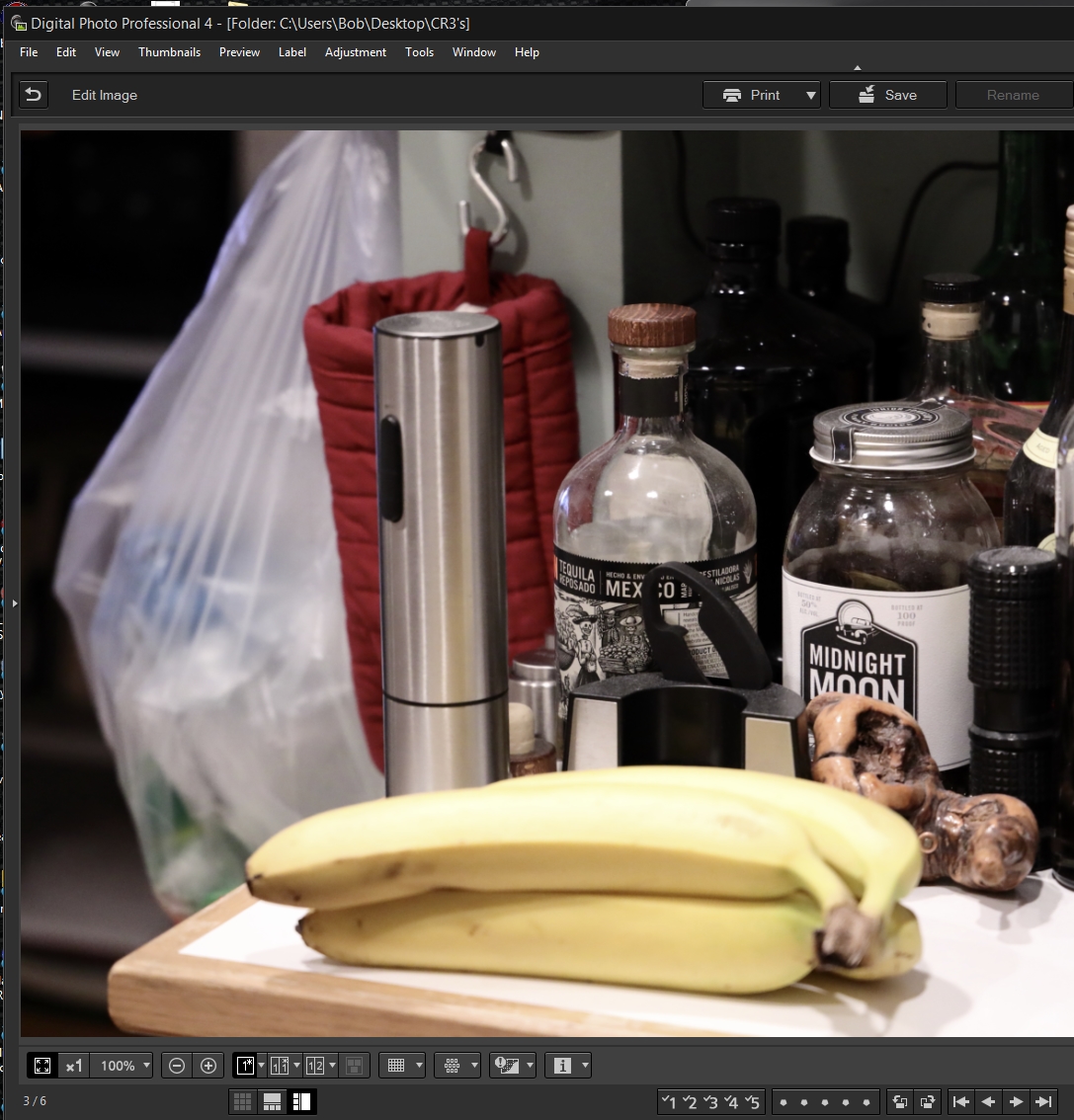
Have never used DPP but now with CR3 I am testing DPP and learning. Two questions please:
1. I'd like to double click a thumbnail or group of selected thumbnails and go to the Edit Window instead of the floating window. How can I set that?
2. I see nothing like the Post Crop Vignetting in LR which I use often. Am I missing that?
Thanks.
~Bob
13 REPLIES 13


Options
- Mark as New
- Bookmark
- Subscribe
- Mute
- Subscribe to RSS Feed
- Permalink
- Report Inappropriate Content
06-28-2019 05:21 PM
No on both counts. The only customizing of DPP is in the Preferences section.
John Hoffman
Conway, NH
R6 Mark III, M200 (converted to infrared), RF lenses, Pixma PRO-100, Pixma TR8620a, Lr Classic
Conway, NH
R6 Mark III, M200 (converted to infrared), RF lenses, Pixma PRO-100, Pixma TR8620a, Lr Classic
Options
- Mark as New
- Bookmark
- Subscribe
- Mute
- Subscribe to RSS Feed
- Permalink
- Report Inappropriate Content
06-28-2019 05:41 PM
Thanks for the reply.
But unfortunate.
Options
- Mark as New
- Bookmark
- Subscribe
- Mute
- Subscribe to RSS Feed
- Permalink
- Report Inappropriate Content
06-28-2019 05:55 PM
Is there any way to display the file name while editing? Not seeing that eother if I select several images to edit and move betwen images.
Thanks again.
Options
- Mark as New
- Bookmark
- Subscribe
- Mute
- Subscribe to RSS Feed
- Permalink
- Report Inappropriate Content
06-28-2019 09:02 PM
If you select multiple images they show in the thumbnails and the selected image is highlighted. Does this do what you want?

John Hoffman
Conway, NH
R6 Mark III, M200 (converted to infrared), RF lenses, Pixma PRO-100, Pixma TR8620a, Lr Classic
Conway, NH
R6 Mark III, M200 (converted to infrared), RF lenses, Pixma PRO-100, Pixma TR8620a, Lr Classic
Options
- Mark as New
- Bookmark
- Subscribe
- Mute
- Subscribe to RSS Feed
- Permalink
- Report Inappropriate Content
06-28-2019 09:20 PM
Thanks, but no. Prefer to hide the thumbnails and make use of the screen real estate. But no indication what image I am on. Would be nice in the title bar or elsewhere.

Options
- Mark as New
- Bookmark
- Subscribe
- Mute
- Subscribe to RSS Feed
- Permalink
- Report Inappropriate Content
06-29-2019 09:49 AM
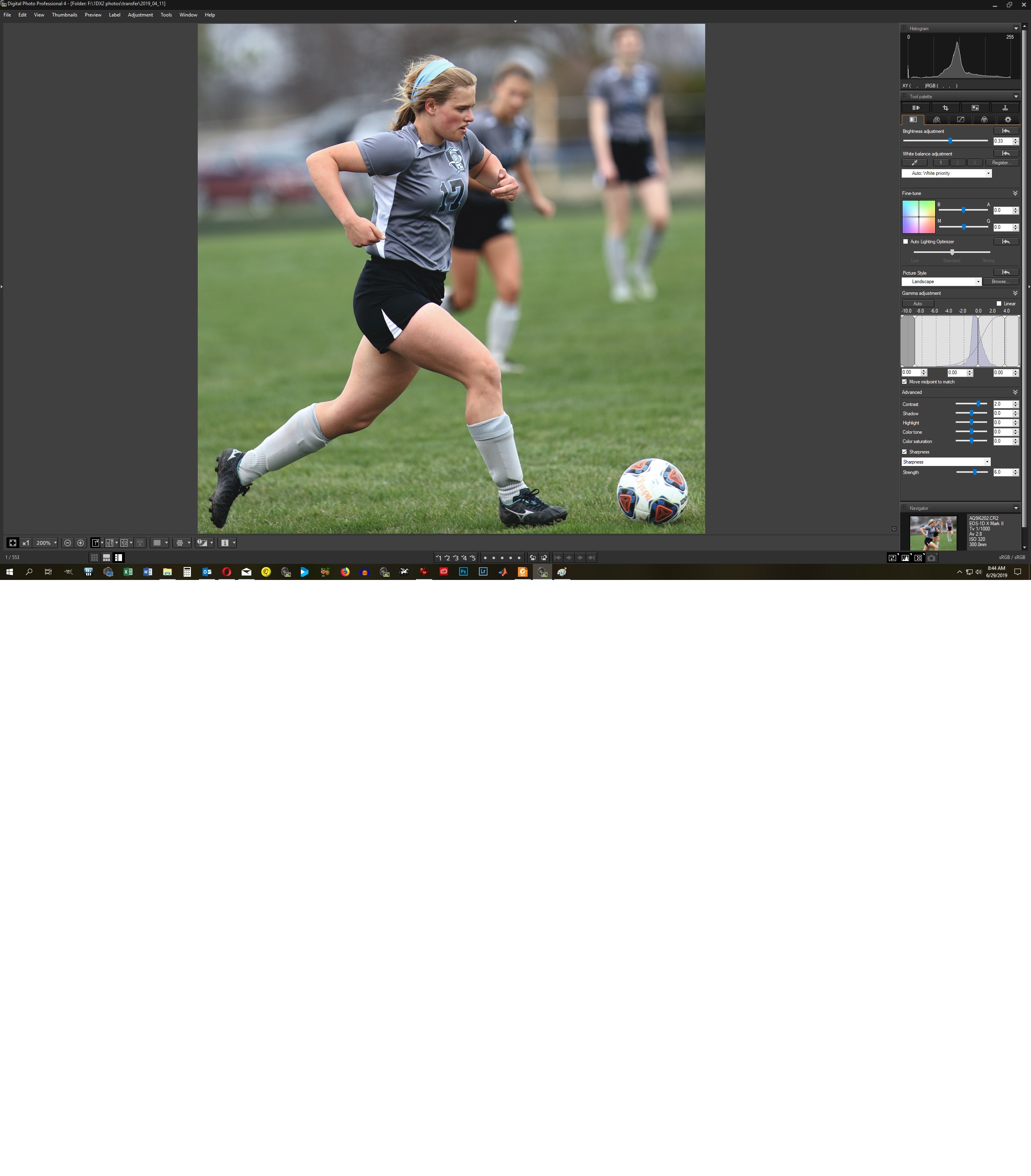
It probably depends upon operating system and monitor/driver resolution but in my DPP setup the file name is visible in the Navigator pane in the lower right corner below the selected set of image tools. I agree it would be nice to have the file name displayed at the top as part of the directory (or even instead of when in edit mode).
Rodger
EOS 1DX M3, 1DX M2, 1DX, 5DS R, M6 Mark II, 1D M2, EOS 650 (film), many lenses, XF400 video
Options
- Mark as New
- Bookmark
- Subscribe
- Mute
- Subscribe to RSS Feed
- Permalink
- Report Inappropriate Content
06-29-2019 11:25 AM
Thanks, but unless I am wrong you have only one image selected or the arrows would be live. Can you go to browse, select three or four, hit CTL-Right Arrow for Edit and see if that is still there? That is what would be useful for me so I can see which of the selected images I am working on without giving up all the real estate the film strip takes.
~Bob
Options
- Mark as New
- Bookmark
- Subscribe
- Mute
- Subscribe to RSS Feed
- Permalink
- Report Inappropriate Content
06-29-2019 11:56 AM - edited 06-29-2019 11:58 AM
Bob,
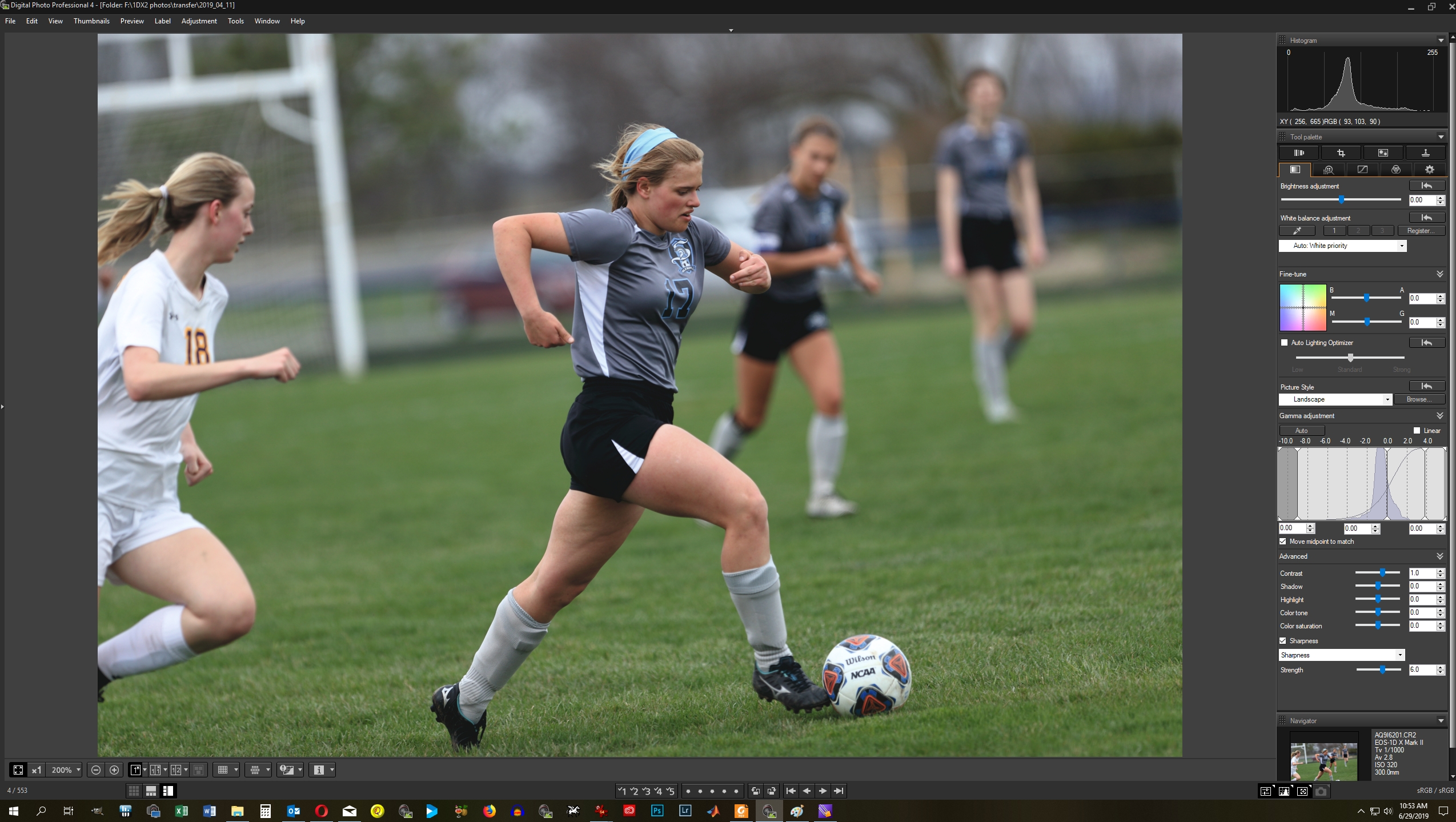
That portion of the navigation window does remain with multiple images selected for editing, 4 selected in this case as indicated by the counter on the left bottom of the DPP screen.
Rodger
EOS 1DX M3, 1DX M2, 1DX, 5DS R, M6 Mark II, 1D M2, EOS 650 (film), many lenses, XF400 video
Options
- Mark as New
- Bookmark
- Subscribe
- Mute
- Subscribe to RSS Feed
- Permalink
- Report Inappropriate Content
06-29-2019 12:14 PM
Thanks again. Exactly what I would like, but does not do that for me.


Announcements
07/22/2026: New firmware updates are available.
EOS R6 Mark III - Version 1.1.0
05/13/2026: New firmware updates are available.
EOS R5 Mark II - Version 1.3.0
EOS R6 Mark II - Version 1.7.0
04/28/2026: Service Notice: Caution Concerning use of Lithium Batteries
03/17/2026: New firmware updates are available.
SELPHY CP1500 - Version 1.0.7.0
02/23/2026: New firmware update is available for EOS C50- Version 1.0.3.1
01/23/2026: New firmware update is available for RF 24-105mm F4 IS USM- Version 2.0.7
01/20/2026: New firmware updates are available.
10/21/2025: Service Notice: To Users of the Compact Digital Camera PowerShot V1
10/15/2025: New firmware updates are available.
Speedlite EL-5 - Version 1.2.0
Speedlite EL-1 - Version 1.1.0
Speedlite Transmitter ST-E10 - Version 1.2.0
07/28/2025: Notice of Free Repair Service for the Mirrorless Camera EOS R50 (Black)
05/21/2025: New firmware update available for EOS C500 Mark II - Version 1.1.5.1
Related Content
- PowerShot V1 file name numbers? in Point & Shoot Digital Cameras
- EOS R1 Eye Detection and Focus issues in EOS DSLR & Mirrorless Cameras
- Just bought Canon R100- questions about using bluetooth to transfer images to smartphone in EOS DSLR & Mirrorless Cameras
- PowerShot SX620 HS Zoom and other functions limited via Canon Connect in Point & Shoot Digital Cameras
- EOS 7D Mark II - will not connect to laptop in EOS DSLR & Mirrorless Cameras

Ⓒ 2026
Canon U.S.A Inc. All Rights Reserved. Reproduction in whole or part without permission is prohibited.
