Turn on suggestions
Auto-suggest helps you quickly narrow down your search results by suggesting possible matches as you type.
- Canon Community
- Discussions & Help
- Camera
- Camera Software
- Re: Raw file of EOS R6 Mark II
Options
- Subscribe to RSS Feed
- Mark Topic as New
- Mark Topic as Read
- Float this Topic for Current User
- Bookmark
- Subscribe
- Mute
- Printer Friendly Page
Photoshop Elements 2023 won't open CR3 files from EOS R6 Mark II

Options
- Mark as New
- Bookmark
- Subscribe
- Mute
- Subscribe to RSS Feed
- Permalink
- Report Inappropriate Content
10-13-2023
12:19 AM
- last edited on
10-17-2023
09:25 AM
by
 Danny
Danny
I recently purchased EOS R6 Mark II. I usually process my photos using Photoshop Element 2023.
It seems the Photoshop Element 2023 is not able to open the Raw file. It keeps asking me to install
the plug-in for raw file. I had EOS R and I used the same Photoshop Element 2023 to process the raw
file without any problem. They both CR3 files. Are there differences between the two cameras' raw files?
17 REPLIES 17


Options
- Mark as New
- Bookmark
- Subscribe
- Mute
- Subscribe to RSS Feed
- Permalink
- Report Inappropriate Content
10-13-2023 01:14 AM
Each camera's raw file is decoded in a unique way, so even though they are CR3's, Adobe must specifically support the camera. Check for an update. If it is not supported yet, you can use Canon's DPP.

Options
- Mark as New
- Bookmark
- Subscribe
- Mute
- Subscribe to RSS Feed
- Permalink
- Report Inappropriate Content
10-13-2023 09:47 AM - edited 10-13-2023 10:00 AM
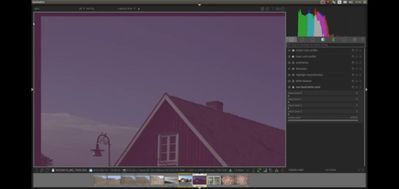
Even if the raw files use the same CR3 format, the raw data may differ. Optical black area on the left side of a picture can be used to determine the black level. For M50 that field is 260 columns. For R6 it is 72 columns. Using non masked pixels will be bad for the final image.
Colour matrices for your cameras also differ:
EOS R [8293, -1789, -1094, -5025, 12925, 2327, -1199, 2769, 6108]
EOS R6 II [9539, -2795, -1224, -4175, 11998, 2458, -465, 1755, 6048]
Sample from my 6D including the optical black area/masked pixels to the left and above.

Options
- Mark as New
- Bookmark
- Subscribe
- Mute
- Subscribe to RSS Feed
- Permalink
- Report Inappropriate Content
10-13-2023 10:21 AM
Greetings,
The guys are both correct. Based on what I read, you need to update PSE 2023. You should be able to do that from its help menu.
If that doesn't help. here is a link for Camera Raw 16.0. Close Adobe, unpack/unzip and run the installer.
~Rick
Bay Area - CA
~R5 C (1.1.3.1), ~RF Trinity, ~RF 100 Macro, ~RF 100~400, ~RF 100~500, ~RF 200-800, ~RF 1.4x TC, BG-R10, 430EX III-RT ~DxO PhotoLab Elite ~DaVinci Resolve Studio ~ImageClass MF644Cdw MF656Cdw ~Pixel 10 ~CarePaks Are Worth It

Options
- Mark as New
- Bookmark
- Subscribe
- Mute
- Subscribe to RSS Feed
- Permalink
- Report Inappropriate Content
10-13-2023 11:08 AM
" It keeps asking me to install the plug-in for raw file. "
I wonder why you just didn't do that? 🤔
EB
EOS 1DX and many lenses.
EOS 1DX and many lenses.
Options
- Mark as New
- Bookmark
- Subscribe
- Mute
- Subscribe to RSS Feed
- Permalink
- Report Inappropriate Content
10-13-2023 01:58 PM
I did. I did every time it asked me to install the plug-in utility. After I did that, it still asked me to do that.

Options
- Mark as New
- Bookmark
- Subscribe
- Mute
- Subscribe to RSS Feed
- Permalink
- Report Inappropriate Content
10-13-2023 03:50 PM
What computer and operating system are you using? Sounds like the installation is failing (perhaps silently).
--
Ricky
Camera: EOS R5 II, RF 50mm f/1.2L, RF 135mm f/1.8L
Lighting: Profoto Lights & Modifiers
Ricky
Camera: EOS R5 II, RF 50mm f/1.2L, RF 135mm f/1.8L
Lighting: Profoto Lights & Modifiers
Options
- Mark as New
- Bookmark
- Subscribe
- Mute
- Subscribe to RSS Feed
- Permalink
- Report Inappropriate Content
10-13-2023 04:48 PM
This is a question for Adobe.
Options
- Mark as New
- Bookmark
- Subscribe
- Mute
- Subscribe to RSS Feed
- Permalink
- Report Inappropriate Content
10-13-2023 08:38 PM
KVB,
Agree. I offered up the Camera RAW update suggestion with the hopes it might resolve his issue.
If it doesn't, I agree. Adobe is the best resource. 🤔
~Rick
Bay Area - CA
~R5 C (1.1.3.1), ~RF Trinity, ~RF 100 Macro, ~RF 100~400, ~RF 100~500, ~RF 200-800, ~RF 1.4x TC, BG-R10, 430EX III-RT ~DxO PhotoLab Elite ~DaVinci Resolve Studio ~ImageClass MF644Cdw MF656Cdw ~Pixel 10 ~CarePaks Are Worth It
Options
- Mark as New
- Bookmark
- Subscribe
- Mute
- Subscribe to RSS Feed
- Permalink
- Report Inappropriate Content
10-13-2023 10:31 PM
I have PC with Windows 11

Announcements
07/22/2026: New firmware updates are available.
EOS R6 Mark III - Version 1.1.0
05/13/2026: New firmware updates are available.
EOS R5 Mark II - Version 1.3.0
EOS R6 Mark II - Version 1.7.0
04/28/2026: Service Notice: Caution Concerning use of Lithium Batteries
03/17/2026: New firmware updates are available.
SELPHY CP1500 - Version 1.0.7.0
02/23/2026: New firmware update is available for EOS C50- Version 1.0.3.1
01/23/2026: New firmware update is available for RF 24-105mm F4 IS USM- Version 2.0.7
01/20/2026: New firmware updates are available.
10/21/2025: Service Notice: To Users of the Compact Digital Camera PowerShot V1
10/15/2025: New firmware updates are available.
Speedlite EL-5 - Version 1.2.0
Speedlite EL-1 - Version 1.1.0
Speedlite Transmitter ST-E10 - Version 1.2.0
07/28/2025: Notice of Free Repair Service for the Mirrorless Camera EOS R50 (Black)
05/21/2025: New firmware update available for EOS C500 Mark II - Version 1.1.5.1
Related Content
- Experience with the Kiwifotos long Eyecup for the R5 Mark II in EOS DSLR & Mirrorless Cameras
- EOS R5 Mark II How and Why to Use Picture Style settings and In-Camera Sharpening in EOS DSLR & Mirrorless Cameras
- Best way to transfer/back up photo and video files to external SSD in EOS DSLR & Mirrorless Cameras
- Canon 24-70mm F2.8 II stopped focusing in EF & RF Lenses
- Vertical banding on LCD when articulating screen — Canon R6 Mark II in EOS DSLR & Mirrorless Cameras

Ⓒ 2026
Canon U.S.A Inc. All Rights Reserved. Reproduction in whole or part without permission is prohibited.
