cancel
Showing results for 
Show  only  | Search instead for 
Did you mean: 

How to remove shadows on faces with DPP 4

Stocktsi
Contributor

After some discussion on this forum, I got a Sigma 150-600 lense for my Canon and I love it.  The detail towards the long end of the zoom are amazing! 


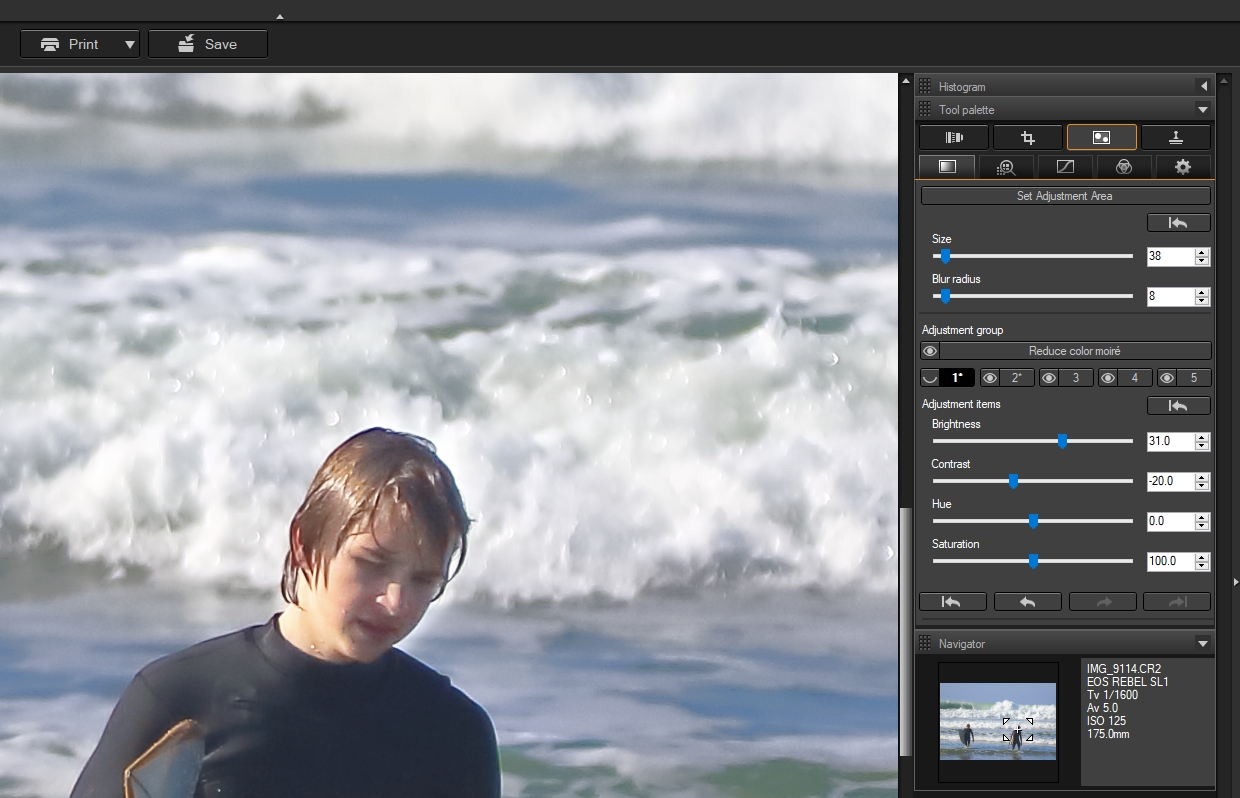
I'm trying to take things to the next level with my pictures and get into post processing but feel completely lost even after watching the DPP training videos.  A common issue I'm trying to address is faces in shadows.  If there are multiple focal points, or a lot of background whites, I lose the detail on the faces and the rest of the body (example below). I've started taking L+raw so I have the raw version so I have those to edit in DPP as well (but too big to upload of course).  I've tried overall shadow/highlight as well as selecting their faces as the adjustment areas and haven't had much success.


Any suggestions for how I can get some of the detail back, either in post processing or adjusting how I'm taking the original pics?


Thanks for your help.
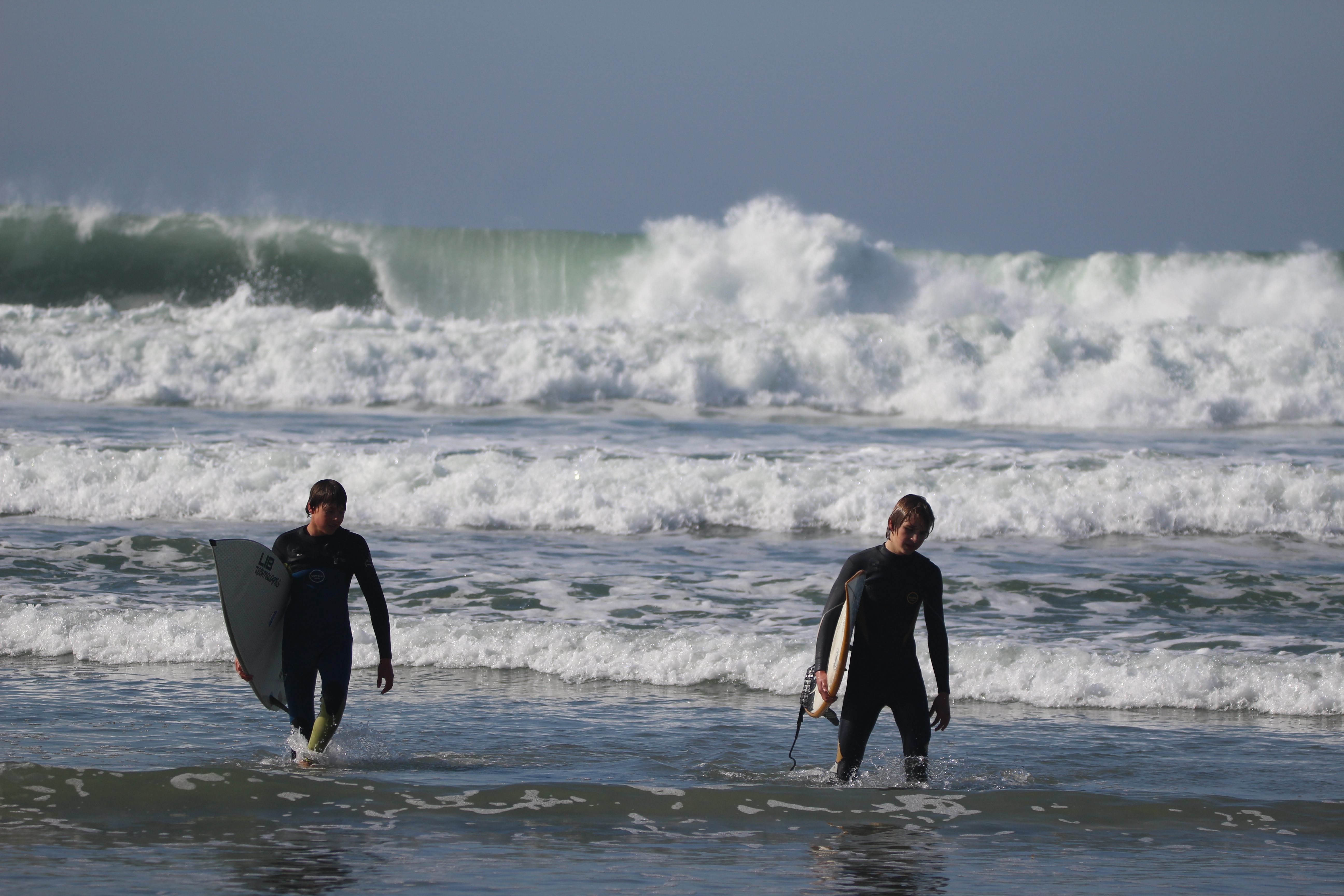
 

IMG_9114 -3.JPG

10 REPLIES 10

FloridaDrafter
Authority
Authority

The "Adjust Specific Area" tool is actually very effective to be so simplistic. The hardest part is getting your mask brush set up. You can apply 5 separate masks and adjust them accordingly. I would like an eraser tool, like in some of my other image editors, just to cleanup when I go a little too far with the mask. It's a challenge to get fine detail or a nice clean edge in DPP4, but I use a Wacom Intuos medium sized tablet which makes it a little easier to get precision


This is what you get.

DPP 4 Masking.jpg

Holiday
Announcements

12/18/2025: New firmware updates are available.

EOS C400 - Version 1.0.4.1

EOS C80 - Version 1.0.4.1

XF605 - Version 1.0.7.1


12/15/2025: New firmware update available for EOS C50 - Version 1.0.1.1

11/20/2025: New firmware updates are available.

EOS R6 Mark III - Version 1.0.1

EOS R3 - Version 2.0.0

EOS R1 - Version 1.2.0

EOS R5 Mark II - Version 1.2.0

EOS R5 - Version 2.2.1

PowerShot G7 X Mark III - Version 1.4.0

PowerShot SX740 HS - Version 1.0.2


10/21/2025: Service Notice: To Users of the Compact Digital Camera PowerShot V1

10/15/2025: New firmware updates are available.

Speedlite EL-5 - Version 1.2.0

Speedlite EL-1 - Version 1.1.0

Speedlite Transmitter ST-E10 - Version 1.2.0


07/28/2025: Notice of Free Repair Service for the Mirrorless Camera EOS R50 (Black)

7/17/2025: New firmware updates are available.

EOS R7 - Version 1.7.1

EOS R10 - Version 1.7.0

EOS R8 - Version 1.5.0

EOS R50 - Version 1.4.0

Powershot V10 - Version 1.4.0

Powershot V1 - Version 1.1.0

EOS R50V - Version 1.1.1


05/21/2025: New firmware update available for EOS C500 Mark II - Version 1.1.5.1

02/20/2025: New firmware updates are available.

RF70-200mm F2.8 L IS USM Z - Version 1.0.6

RF24-105mm F2.8 L IS USM Z - Version 1.0.9

RF100-300mm F2.8 L IS USM - Version 1.0.8

RF50mm F1.4 L VCM - Version 1.0.2

RF24mm F1.4 L VCM - Version 1.0.3


01/22/2024: Canon Supports Disaster Relief Efforts in California
01/14/2025: Steps to resolve still image problem when using certain SanDisk SD cards with the Canon EOS R5 Mark II