cancel
Showing results for 
Show  only  | Search instead for 
Did you mean: 

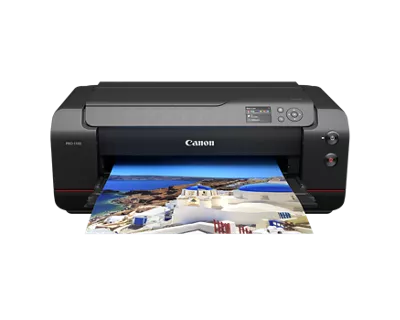
imagePROGRAF PRO-1100 not changing paper size

Juzzell
Apprentice

Hello,

I purchased my Pro-1100 a few weeks ago, and it's been great apart from one issue: the print size doesn't always adjust when I change paper settings.

When I change sizes, I do the following:
On the printer: Various Settings > Printer Settings > Paper-related Settings > then change both the top feed and manual feed settings.
In Lightroom: Printer > Properties > Basic Settings > and change both Page Size and Printer Paper Size.
When I load the paper into the manual feed tray and it asks to select the paper type, I double-check it's set correctly and hit register.

All the correct drivers are installed (I've double-checked and reinstalled them twice), and I'm printing from Lightroom over USB. When I change the paper size from, for example, A4 to A3+, it will continue to print in A4. Eventually it will switch to printing the correct size (without me adjusting any extra settings), but it can take anywhere from 2-3 prints before it switches, which wastes a lot of paper and ink.

I'm at my wits' end with this thing. I've gone through all the settings multiple times, tried power cycling, running maintenance tasks, and even leaving it for a few hours between prints. Nothing seems to change the fact that it takes multiple prints to adjust to new paper settings.

If anyone has any recommendations for what I might be missing, they would be greatly appreciated by both me and my wallet.

1 REPLY 1

Patrick
Product Expert
Product Expert

Hi Juzzell,

Please contact one of Canon's Technical Support Representatives via phone or chat. To contact a Technical Support Representative, please use the link below to log into your My Canon account:

https://mycanon.usa.canon.com

Once logged in, click on your imagePROGRAF PRO-1100 and then click on the Product Support button. When that page loads, click on either the Phone Support button or the Chat Support button to access support.


Did this answer your question? If so, please click the Accept as Solution button below so that others may find the answer as well.

Holiday
Announcements

12/18/2025: New firmware updates are available.

EOS C400 - Version 1.0.4.1

EOS C80 - Version 1.0.4.1

XF605 - Version 1.0.7.1


12/15/2025: New firmware update available for EOS C50 - Version 1.0.1.1

11/20/2025: New firmware updates are available.

EOS R6 Mark III - Version 1.0.1

EOS R3 - Version 2.0.0

EOS R1 - Version 1.2.0

EOS R5 Mark II - Version 1.2.0

EOS R5 - Version 2.2.1

PowerShot G7 X Mark III - Version 1.4.0

PowerShot SX740 HS - Version 1.0.2


10/21/2025: Service Notice: To Users of the Compact Digital Camera PowerShot V1

10/15/2025: New firmware updates are available.

Speedlite EL-5 - Version 1.2.0

Speedlite EL-1 - Version 1.1.0

Speedlite Transmitter ST-E10 - Version 1.2.0


07/28/2025: Notice of Free Repair Service for the Mirrorless Camera EOS R50 (Black)

7/17/2025: New firmware updates are available.

EOS R7 - Version 1.7.1

EOS R10 - Version 1.7.0

EOS R8 - Version 1.5.0

EOS R50 - Version 1.4.0

Powershot V10 - Version 1.4.0

Powershot V1 - Version 1.1.0

EOS R50V - Version 1.1.1


05/21/2025: New firmware update available for EOS C500 Mark II - Version 1.1.5.1

02/20/2025: New firmware updates are available.

RF70-200mm F2.8 L IS USM Z - Version 1.0.6

RF24-105mm F2.8 L IS USM Z - Version 1.0.9

RF100-300mm F2.8 L IS USM - Version 1.0.8

RF50mm F1.4 L VCM - Version 1.0.2

RF24mm F1.4 L VCM - Version 1.0.3


01/22/2024: Canon Supports Disaster Relief Efforts in California
01/14/2025: Steps to resolve still image problem when using certain SanDisk SD cards with the Canon EOS R5 Mark II