01-23-2023
10:38 AM
- last edited on
01-24-2023
10:30 AM
by
Danny
Hello,
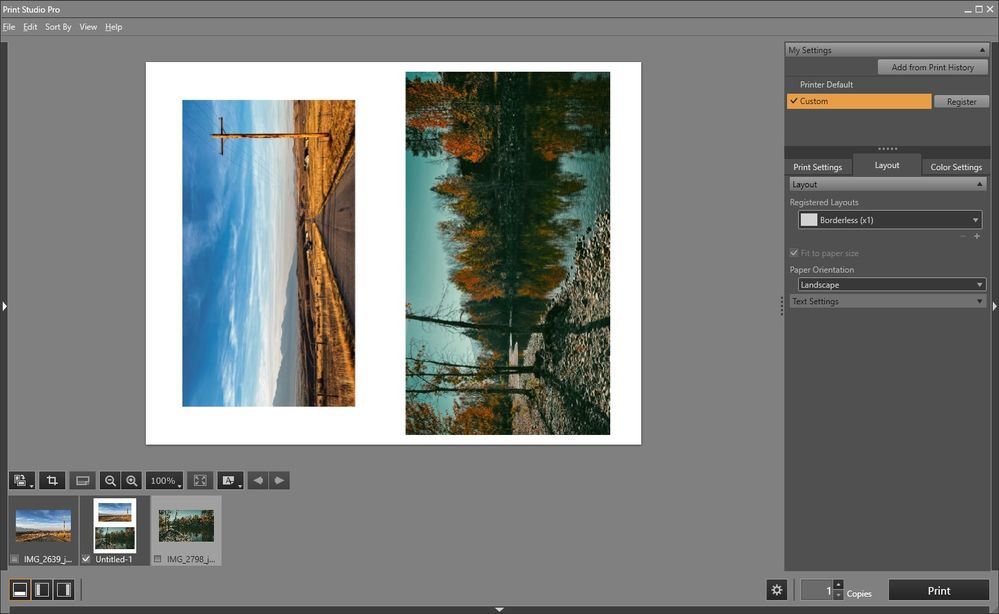
I just printed out a photoshop image using the Canon Print Studio Pro plugin. I started a new image in photo shop the size of a letter. I then copied to imagines onto it.
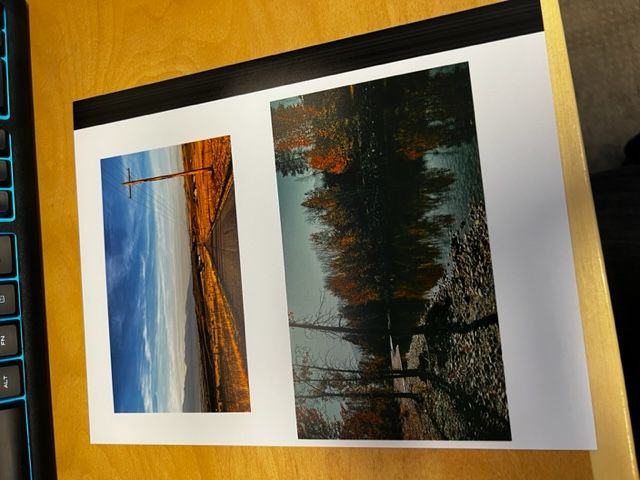
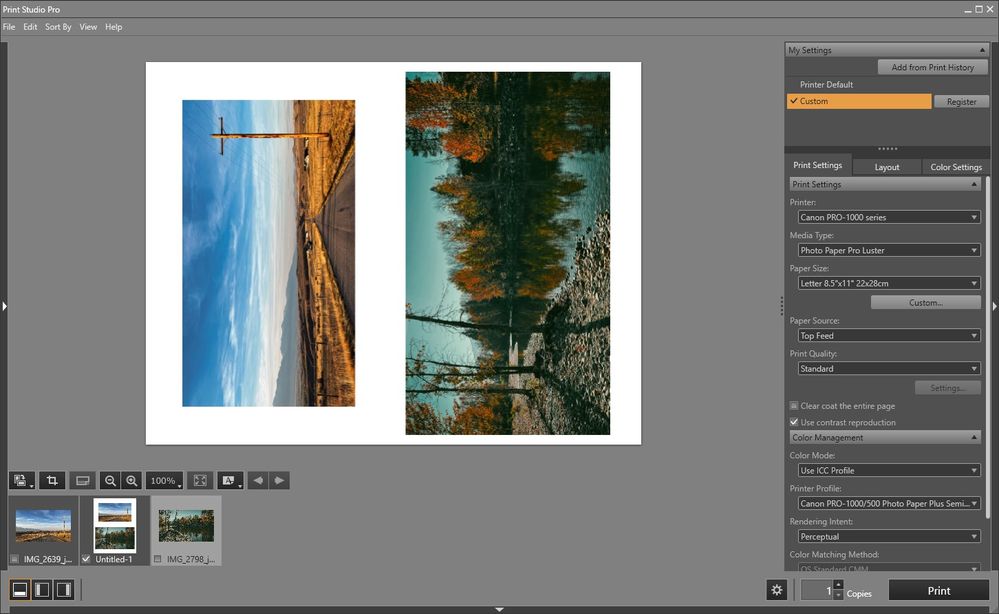
I opened the plug in through photoshop. Used the settings below and it printed with a large black band down the right side.
Was wondering how to prevent this.
Thanks
03/17/2026: New firmware updates are available.
SELPHY CP1500 - Version 1.0.7.0
01/20/2026: New firmware updates are available.
11/20/2025: New firmware updates are available.
EOS R5 Mark II - Version 1.2.0
PowerShot G7 X Mark III - Version 1.4.0
PowerShot SX740 HS - Version 1.0.2
10/15/2025: New firmware updates are available.
Speedlite EL-5 - Version 1.2.0
Speedlite EL-1 - Version 1.1.0
Speedlite Transmitter ST-E10 - Version 1.2.0
7/17/2025: New firmware updates are available.
Canon U.S.A Inc. All Rights Reserved. Reproduction in whole or part without permission is prohibited.