Turn on suggestions
Auto-suggest helps you quickly narrow down your search results by suggesting possible matches as you type.
- Canon Community
- Discussions & Help
- Printer
- Professional Photo Printers
- PIXMA PRO-200 lines across image, colors don't mat...
Options
- Subscribe to RSS Feed
- Mark Topic as New
- Mark Topic as Read
- Float this Topic for Current User
- Bookmark
- Subscribe
- Mute
- Printer Friendly Page
PIXMA PRO-200 lines across image, colors don't match profile

Options
- Mark as New
- Bookmark
- Subscribe
- Mute
- Subscribe to RSS Feed
- Permalink
- Report Inappropriate Content
10-27-2025
02:58 PM
- last edited on
10-28-2025
11:59 AM
by
 Danny
Danny
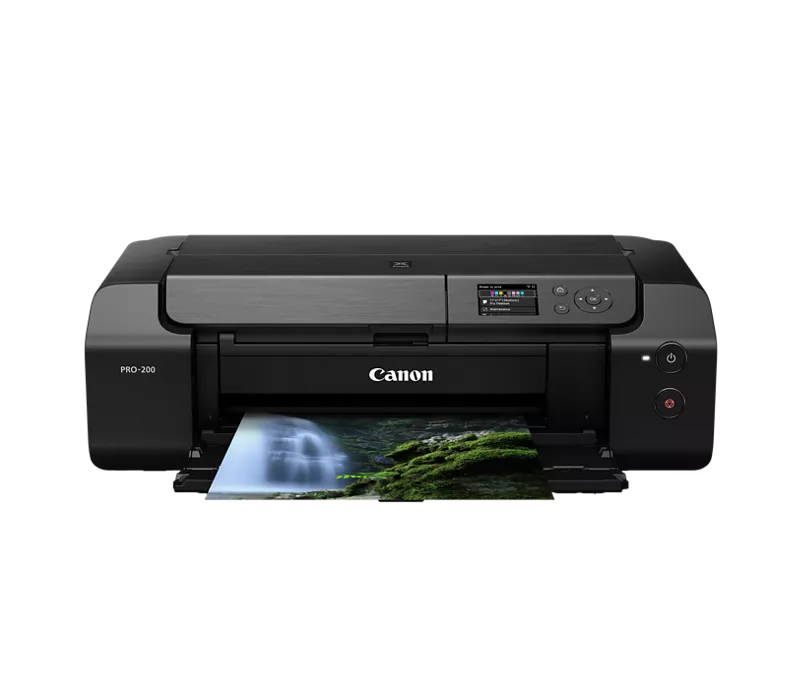
Hi all, hoping someone can help me with issues I'm having with my printer. It's recently started printing with horizontal lines across the image AND colors that don't match the profile I'm using. In the image, you can see a print from a few months ago on top with the print from today at bottom. The color rendering here isn't perfect, but the difference is fairly visible. I'm printing with Lightroom Classic, and have also tried Photoshop. I use the profiles for my paper from Red River, with printer color matching turned off.
What I've tried so far:
- All the maintenance options on the printer (nozzle alignment/check/roller and plate cleaning)
- Redownloaded printer drivers
- Tried both usb and wireless to print
- Tried a variety of profiles including the more generic Canon ones for different paper types
- Replaced every ink cartridge with a new one (official canon inks, not dupes)
Is there anything else I can try? Thank you for any help!

2 REPLIES 2

Options
- Mark as New
- Bookmark
- Subscribe
- Mute
- Subscribe to RSS Feed
- Permalink
- Report Inappropriate Content
10-29-2025 01:28 PM
HI Rollerkat,
Please contact one of Canon's Technical Support Representatives via phone or chat. To contact a Technical Support Representative, please use the link below to log into your My Canon account:
https://mycanon.usa.canon.com
Once logged in, click on your PIXMA PRO-200 and then click on the Product Support button for your available service options.
Did this answer your question? If so, please click the Accept as Solution button below so that others may find the answer as well.
Options
- Mark as New
- Bookmark
- Subscribe
- Mute
- Subscribe to RSS Feed
- Permalink
- Report Inappropriate Content
11-07-2025 11:15 PM
Since this response wasn't at all helpful, I'll post for others what I found. First, there's no agent supported help on this printer on the site anymore, for some reason. After testing, it seems that the only way for me to print accurately is to use the Canon PPL plug in rather than actual Lightroom. This is a problem, since all my templates are saved in LR and I'm not clear on how to set them in PPL, nor are there instructions for this. I'll be continuing to try and use this option, but thought others might want to know it seems to be a software compatibility issue that Canon hasn't fixed.

Announcements
12/22/2025: New firmware update is available for EOS R6 Mark III- Version 1.0.2
12/15/2025: New firmware update available for EOS C50 - Version 1.0.1.1
10/21/2025: Service Notice: To Users of the Compact Digital Camera PowerShot V1
07/28/2025: Notice of Free Repair Service for the Mirrorless Camera EOS R50 (Black)
05/21/2025: New firmware update available for EOS C500 Mark II - Version 1.1.5.1
12/18/2025: New firmware updates are available.
12/15/2025: New firmware update available for EOS C50 - Version 1.0.1.1
11/20/2025: New firmware updates are available.
EOS R5 Mark II - Version 1.2.0
PowerShot G7 X Mark III - Version 1.4.0
PowerShot SX740 HS - Version 1.0.2
10/21/2025: Service Notice: To Users of the Compact Digital Camera PowerShot V1
10/15/2025: New firmware updates are available.
Speedlite EL-5 - Version 1.2.0
Speedlite EL-1 - Version 1.1.0
Speedlite Transmitter ST-E10 - Version 1.2.0
07/28/2025: Notice of Free Repair Service for the Mirrorless Camera EOS R50 (Black)
7/17/2025: New firmware updates are available.
05/21/2025: New firmware update available for EOS C500 Mark II - Version 1.1.5.1
02/20/2025: New firmware updates are available.
RF70-200mm F2.8 L IS USM Z - Version 1.0.6
RF24-105mm F2.8 L IS USM Z - Version 1.0.9
RF100-300mm F2.8 L IS USM - Version 1.0.8
Related Content
- Color Imageclass MF663CDW not connecting to TP-Link D74B Router in Printer Software & Networking
- PIXMA PRO-100 Reds and oranges are off, prints are a bit muddy in Professional Photo Printers
- G3270 despite deep cleaning still printing single color in Desktop Inkjet Printers
- ImagePROGRAF PRO-2600 wont preform color calibration in Production Printing
- PIXMA GX7050 & Easy-PhotoPrint Editor: Trouble getting colors and sizes right in Printer Software & Networking

Ⓒ 2025
Canon U.S.A Inc. All Rights Reserved. Reproduction in whole or part without permission is prohibited.
