Turn on suggestions
Auto-suggest helps you quickly narrow down your search results by suggesting possible matches as you type.
- Canon Community
- Discussions & Help
- Printer
- Professional Photo Printers
- Re: Canon PIXMA Pro-200 suddenly printing with red...
Options
- Subscribe to RSS Feed
- Mark Topic as New
- Mark Topic as Read
- Float this Topic for Current User
- Bookmark
- Subscribe
- Mute
- Printer Friendly Page
PIXMA Pro-200 suddenly printing with red color cast

Options
- Mark as New
- Bookmark
- Subscribe
- Mute
- Subscribe to RSS Feed
- Permalink
- Report Inappropriate Content
01-24-2026
10:12 PM
- last edited on
02-02-2026
08:48 AM
by
 James_C
Hi everyone,
I’m hoping someone here can help me troubleshoot this.
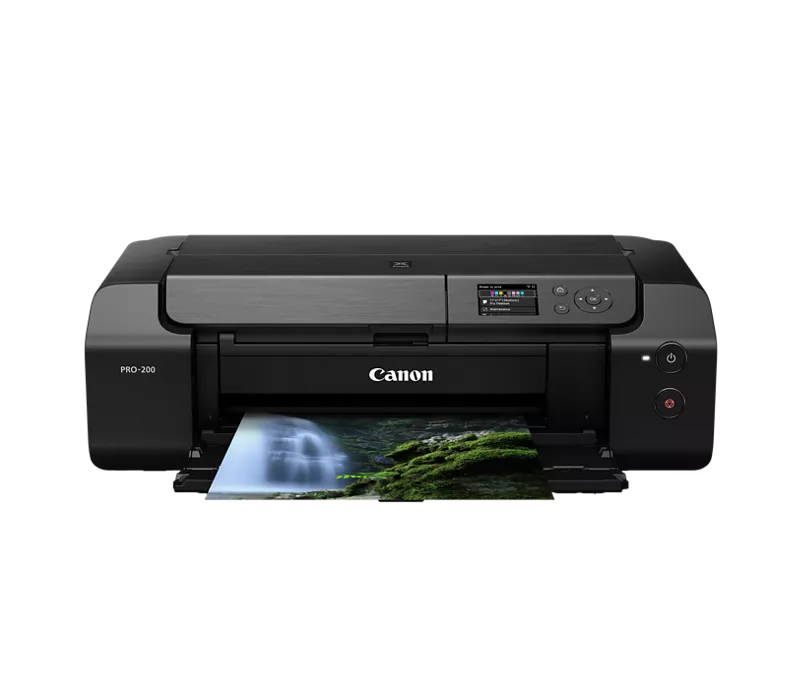
I’m using a Canon PIXMA Pro-200 and have been printing with Koala Glossy Thin Inkjet Photo Paper for over a year with no issues at all. Recently, all of my prints suddenly started coming out with a noticeable red tone. Every photo looks warmer or reddish, even though nothing has changed in my files.
I haven’t changed paper, ink, or settings (at least not intentionally), so I’m not sure what’s causing it. Has anyone experienced this before, or knows what I should check first?
Any help would be really appreciated. Thank you!
3 REPLIES 3


Options
- Mark as New
- Bookmark
- Subscribe
- Mute
- Subscribe to RSS Feed
- Permalink
- Report Inappropriate Content
01-25-2026 09:40 AM
Greetings,
Is what you're experiencing look something like this? If so its probably double color management.

Have you performed a nozzle test pattern?
~Rick
Bay Area - CA
~R5 C (1.1.3.1), ~RF Trinity, ~RF 100 Macro, ~RF 100~400, ~RF 100~500, ~RF 200-800, ~RF 1.4x TC, BG-R10, 430EX III-RT ~DxO PhotoLab Elite ~DaVinci Resolve Studio ~ImageClass MF644Cdw MF656Cdw ~Pixel 10 ~CarePaks Are Worth It
Options
- Mark as New
- Bookmark
- Subscribe
- Mute
- Subscribe to RSS Feed
- Permalink
- Report Inappropriate Content
02-01-2026 09:09 PM
Hi Rick,
Yes, that’s exactly what I’m seeing. The red/warm cast looks identical to your example so double color management makes a lot of sense.
I’ve already done a nozzle check and everything looks perfect. No missing lines or color issues there. I also fully uninstalled and reinstalled the printer driver, confirmed I’m not using AirPrint, and tested printing directly from Photoshop on both Mac and Windows. In Photoshop, I’m letting Photoshop manage colors and I’ve disabled color matching on the printer side.
The only thing I’m stuck on is ICC profiles.
I’m currently using Canon Photo Paper Plus Glossy (PP-301, 1432C003, Letter size), but I can’t seem to find the ICC profile for this paper anywhere. Neither macOS nor Windows shows a PP-301 ICC profile in Photoshop, and I’m not sure if Canon provides it separately or if it should install with the driver.

Options
- Mark as New
- Bookmark
- Subscribe
- Mute
- Subscribe to RSS Feed
- Permalink
- Report Inappropriate Content
02-02-2026 08:46 AM
The tech specs for the printer list that paper. The ICC profiles are installed with the driver.
If you are letting software manage color what ICC profile are you selecting?
Maybe try Printer manage color.
John Hoffman
Conway, NH
R6 Mark III, M200 (converted to infrared), RF lenses, Pixma PRO-100, Pixma TR8620a, Lr Classic
Conway, NH
R6 Mark III, M200 (converted to infrared), RF lenses, Pixma PRO-100, Pixma TR8620a, Lr Classic

Announcements
07/22/2026: New firmware updates are available.
EOS R6 Mark III - Version 1.1.0
05/13/2026: New firmware updates are available.
EOS R5 Mark II - Version 1.3.0
EOS R6 Mark II - Version 1.7.0
04/28/2026: Service Notice: Caution Concerning use of Lithium Batteries
03/17/2026: New firmware updates are available.
SELPHY CP1500 - Version 1.0.7.0
02/23/2026: New firmware update is available for EOS C50- Version 1.0.3.1
01/23/2026: New firmware update is available for RF 24-105mm F4 IS USM- Version 2.0.7
01/20/2026: New firmware updates are available.
10/21/2025: Service Notice: To Users of the Compact Digital Camera PowerShot V1
10/15/2025: New firmware updates are available.
Speedlite EL-5 - Version 1.2.0
Speedlite EL-1 - Version 1.1.0
Speedlite Transmitter ST-E10 - Version 1.2.0
07/28/2025: Notice of Free Repair Service for the Mirrorless Camera EOS R50 (Black)
05/21/2025: New firmware update available for EOS C500 Mark II - Version 1.1.5.1
Related Content
- Professional Print and Layout (ver1.6.1) stopped printing. Pixma Pro 200, Windows11 in Printer Software & Networking
- PRO-1100 is suddenly printing very slowly and color is off in Professional Photo Printers
- #MG5750 suddenly printing blank sheets. in Desktop Inkjet Printers
- imageCLASS MF753Cdw Not printing from iPhone suddenly in Office Printers
- PIXMA TS8150 fails to print the last 2-inches in Desktop Inkjet Printers

Ⓒ 2026
Canon U.S.A Inc. All Rights Reserved. Reproduction in whole or part without permission is prohibited.
