Turn on suggestions
Auto-suggest helps you quickly narrow down your search results by suggesting possible matches as you type.
- Canon Community
- Discussions & Help
- Printer
- Professional Photo Printers
- Re: Help with Pixma Pro 200s
Options
- Subscribe to RSS Feed
- Mark Topic as New
- Mark Topic as Read
- Float this Topic for Current User
- Bookmark
- Subscribe
- Mute
- Printer Friendly Page
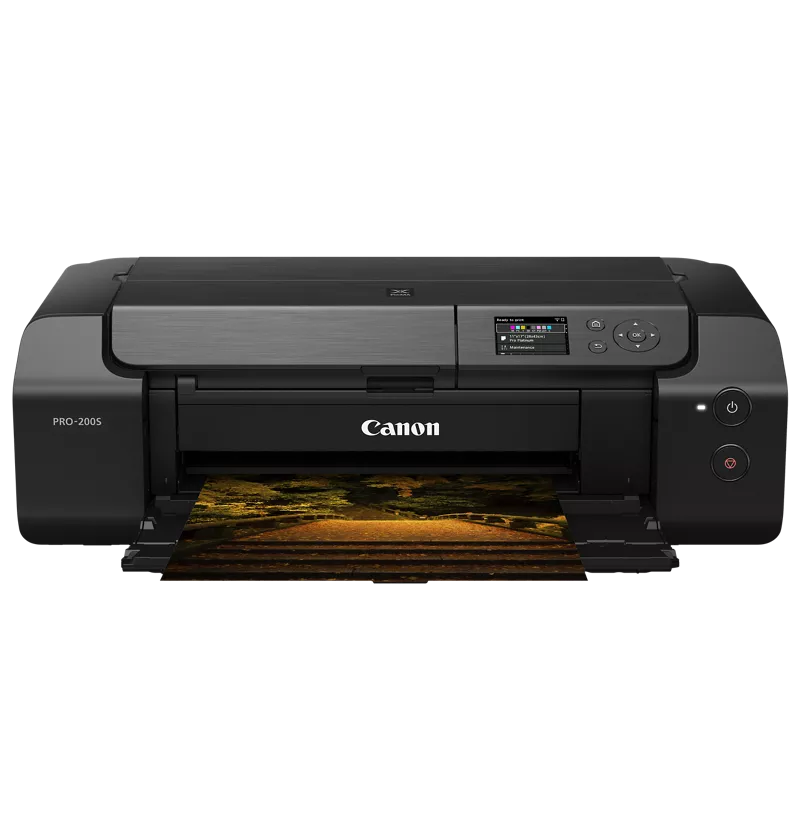
PIXMA PRO-200S Images getting cut off

Options
- Mark as New
- Bookmark
- Subscribe
- Mute
- Subscribe to RSS Feed
- Permalink
- Report Inappropriate Content
01-24-2026
09:06 AM
- last edited on
01-24-2026
09:15 AM
by
 Danny
Danny
3 REPLIES 3

Options
- Mark as New
- Bookmark
- Subscribe
- Mute
- Subscribe to RSS Feed
- Permalink
- Report Inappropriate Content
01-24-2026 09:08 AM
Thanks for joining the conversation, thelingster!
So that the Community can help you better, please let us know what kind of problem you're experiencing with your PIXMA PRO-200S. The more detail, the better!
If this is a time-sensitive matter, click HERE search our knowledge base or find additional support options HERE.
Thanks and have a great day!
Options
- Mark as New
- Bookmark
- Subscribe
- Mute
- Subscribe to RSS Feed
- Permalink
- Report Inappropriate Content
01-24-2026 09:11 AM
Hi All,
We're having problems with custom paper sizes and printing from Adobe illustrator, from a iMac running the lastest os
Trying to print to 130mm x 130mm card stock and whatever we seem to do, the printer will put a 10mm white boarder at the top, so it cuts off the bottom of the design.
We've reinstalled the printer drivers, used the media creator tool to create the card size in the printer menus.
But nothing we do seems to work, we're starting to think that we have a faulty printer that not calibrated in some way as very occassionally it will decide to work and print correctly, but then revert to chopping the top off the designs.
Any advice would be greatefully recieved.
Thanks.

Options
- Mark as New
- Bookmark
- Subscribe
- Mute
- Subscribe to RSS Feed
- Permalink
- Report Inappropriate Content
01-27-2026 05:27 PM
Hi thelingster,
Please contact one of Canon's Technical Support Representatives for assistance with this issue. To contact a Technical Support Representative, please use the link below to log into your My Canon account:
https://mycanon.usa.canon.com
Once logged in, click on your PRO-200S and then click on the Product Support button to access your available support options.
Did this answer your question? If so, please click the Accept as Solution button below so that others may find the answer as well.

Announcements
07/22/2026: New firmware updates are available.
EOS R6 Mark III - Version 1.1.0
05/13/2026: New firmware updates are available.
EOS R5 Mark II - Version 1.3.0
EOS R6 Mark II - Version 1.7.0
04/28/2026: Service Notice: Caution Concerning use of Lithium Batteries
03/17/2026: New firmware updates are available.
SELPHY CP1500 - Version 1.0.7.0
02/23/2026: New firmware update is available for EOS C50- Version 1.0.3.1
01/23/2026: New firmware update is available for RF 24-105mm F4 IS USM- Version 2.0.7
01/20/2026: New firmware updates are available.
10/21/2025: Service Notice: To Users of the Compact Digital Camera PowerShot V1
10/15/2025: New firmware updates are available.
Speedlite EL-5 - Version 1.2.0
Speedlite EL-1 - Version 1.1.0
Speedlite Transmitter ST-E10 - Version 1.2.0
07/28/2025: Notice of Free Repair Service for the Mirrorless Camera EOS R50 (Black)
05/21/2025: New firmware update available for EOS C500 Mark II - Version 1.1.5.1
Related Content
- PIXMA TR4700 subscription ink not reading in Mobile & Compact Printers
- Seeking PIXMA MX920/MX922 driver for MacBook Air running MacOS Tahoe 26+ in Desktop Inkjet Printers
- PIXMA TS6520 only shows black screen in Desktop Inkjet Printers
- PIXMA TR8622a connected to new modem and router but shows as offline in Printer Software & Networking
- PIXMA TS207 blinks green-orange-green-orange-green in Desktop Inkjet Printers

Ⓒ 2026
Canon U.S.A Inc. All Rights Reserved. Reproduction in whole or part without permission is prohibited.
