Turn on suggestions
Auto-suggest helps you quickly narrow down your search results by suggesting possible matches as you type.
- Canon Community
- Discussions & Help
- Printer
- Printer Software & Networking
- Re: installing toolbox a supported scanner is not ...
Options
- Subscribe to RSS Feed
- Mark Topic as New
- Mark Topic as Read
- Float this Topic for Current User
- Bookmark
- Subscribe
- Mute
- Printer Friendly Page
installing toolbox a supported scanner is not installed

Options
- Mark as New
- Bookmark
- Subscribe
- Mute
- Subscribe to RSS Feed
- Permalink
- Report Inappropriate Content
07-01-2019
12:25 PM
- last edited on
07-09-2019
09:16 AM
by
 Danny
Danny
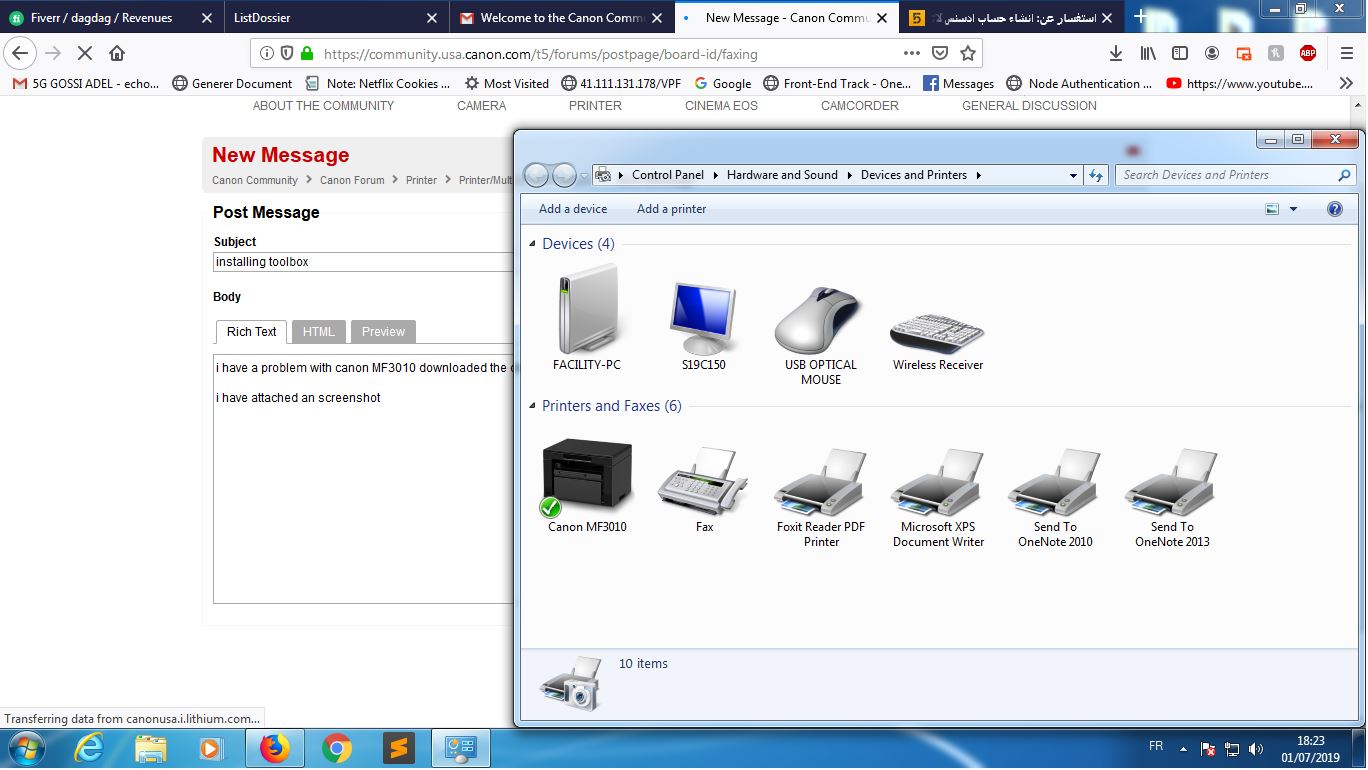
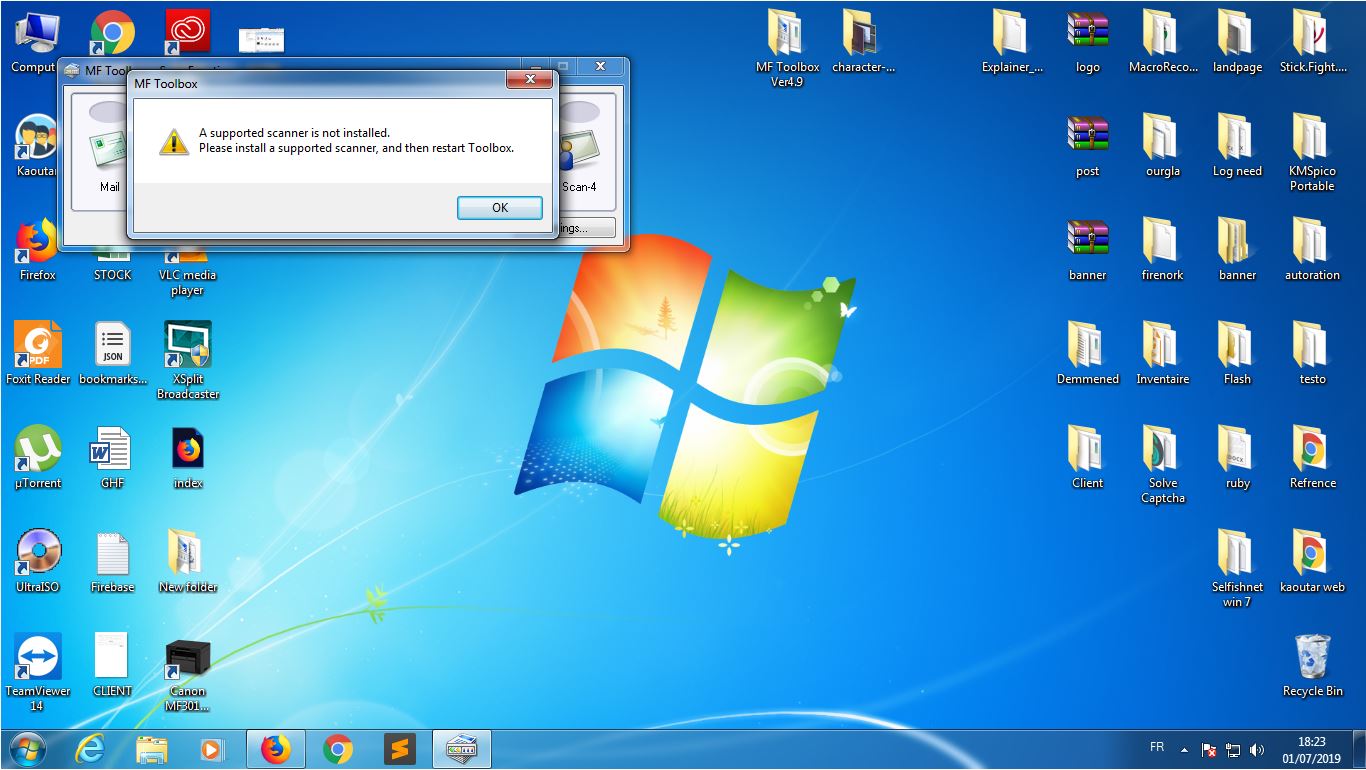
i have a problem with canon MF3010 downloaded the driver and all things that i need but the problem consist to show i have attached an screenshot
3 REPLIES 3
Options
- Mark as New
- Bookmark
- Subscribe
- Mute
- Subscribe to RSS Feed
- Permalink
- Report Inappropriate Content
07-07-2019 04:10 AM
no one ?
Options
- Mark as New
- Bookmark
- Subscribe
- Mute
- Subscribe to RSS Feed
- Permalink
- Report Inappropriate Content
07-07-2019 08:23 AM
The Canon Community Forum is not for immediate assistance. If this is a time-sensitive matter, click HERE search our knowledge base or find additional support options HERE. You can also contact technical support at 1-800-OK-CANON (1-800-652-2666) Monday-Friday 10:00 am to 6:30 pm, excluding holidays.
We hope this helps!

Options
- Mark as New
- Bookmark
- Subscribe
- Mute
- Subscribe to RSS Feed
- Permalink
- Report Inappropriate Content
05-01-2022 09:21 AM
Hi dagdag,
i think i found the solution to the problem. its because your temp folder is being blocked, probably by some expired antivirus software like bitdefender.
C:\Users\ [your user name] \AppData\Local\Temp
what i did was just to enable back full access to this Temp folder, restarted by pc and problem was gone.
Thank me later if it works.
-Merv


Announcements
07/22/2026: New firmware updates are available.
EOS R6 Mark III - Version 1.1.0
05/13/2026: New firmware updates are available.
EOS R5 Mark II - Version 1.3.0
EOS R6 Mark II - Version 1.7.0
04/28/2026: Service Notice: Caution Concerning use of Lithium Batteries
03/17/2026: New firmware updates are available.
SELPHY CP1500 - Version 1.0.7.0
02/23/2026: New firmware update is available for EOS C50- Version 1.0.3.1
01/23/2026: New firmware update is available for RF 24-105mm F4 IS USM- Version 2.0.7
01/20/2026: New firmware updates are available.
10/21/2025: Service Notice: To Users of the Compact Digital Camera PowerShot V1
10/15/2025: New firmware updates are available.
Speedlite EL-5 - Version 1.2.0
Speedlite EL-1 - Version 1.1.0
Speedlite Transmitter ST-E10 - Version 1.2.0
07/28/2025: Notice of Free Repair Service for the Mirrorless Camera EOS R50 (Black)
05/21/2025: New firmware update available for EOS C500 Mark II - Version 1.1.5.1
Related Content
- installing cord to wireless Pixima Printer TS 3720 in Office Printers
- RS40 Scanner driver installation error on Windows 11 in Scanners
- TS7720 I cannot print after installing Tahoe OS 26.6on my Mac Book Air in Desktop Inkjet Printers
- MF662Cdw Driver Install Pack for Windows Error in Printer Software & Networking
- PIXMA TS6520 cannot install ARM drivers in Printer Software & Networking

Ⓒ 2026
Canon U.S.A Inc. All Rights Reserved. Reproduction in whole or part without permission is prohibited.
