05-21-2014 11:29 PM
I have a Pizma 53320 which I have gone through the setup process multiple times, and cannot get ot print from my ipad or imac. I have followed the setup instructions, set up the printer via the Standard wireless LAN setup (it accepts the password for my router) but cannot get connected after installing the drivers. I have the printer in one room and my computer in another, but the router covers both easily. Am I missing something??? I get this screen on the printer...
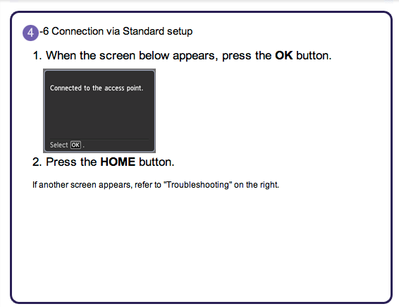
But the screen below when tryign to complete the setup after installing the drivers. HELP!!
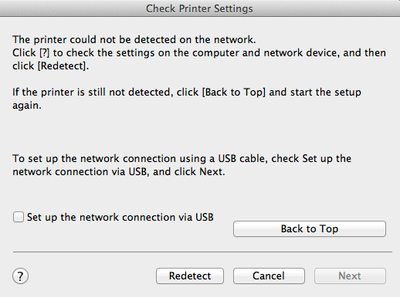
11/20/2025: New firmware updates are available.
EOS R6 Mark III - Version 1.0.1
EOS R5 Mark II - Version 1.2.0
PowerShot G7 X Mark III - Version 1.4.0
PowerShot SX740 HS - Version 1.0.2
10/15/2025: New firmware updates are available.
Speedlite EL-5 - Version 1.2.0
Speedlite EL-1 - Version 1.1.0
Speedlite Transmitter ST-E10 - Version 1.2.0
07/24/2025: New firmware updates are available.
07/23/2025: New firmware updates are available.
7/17/2025: New firmware updates are available.
02/20/2025: New firmware updates are available.
RF70-200mm F2.8 L IS USM Z - Version 1.0.6
RF24-105mm F2.8 L IS USM Z - Version 1.0.9
RF100-300mm F2.8 L IS USM - Version 1.0.8
RF50mm F1.4 L VCM - Version 1.0.2
RF24mm F1.4 L VCM - Version 1.0.3
Canon U.S.A Inc. All Rights Reserved. Reproduction in whole or part without permission is prohibited.

