Turn on suggestions
Auto-suggest helps you quickly narrow down your search results by suggesting possible matches as you type.
- Canon Community
- Discussions & Help
- Camera
- Point & Shoot Digital Cameras
- PowerShot G7 X Mark III - getting battery error me...
Options
- Subscribe to RSS Feed
- Mark Topic as New
- Mark Topic as Read
- Float this Topic for Current User
- Bookmark
- Subscribe
- Mute
- Printer Friendly Page

Options
- Mark as New
- Bookmark
- Subscribe
- Mute
- Subscribe to RSS Feed
- Permalink
- Report Inappropriate Content
09-26-2025 03:51 PM
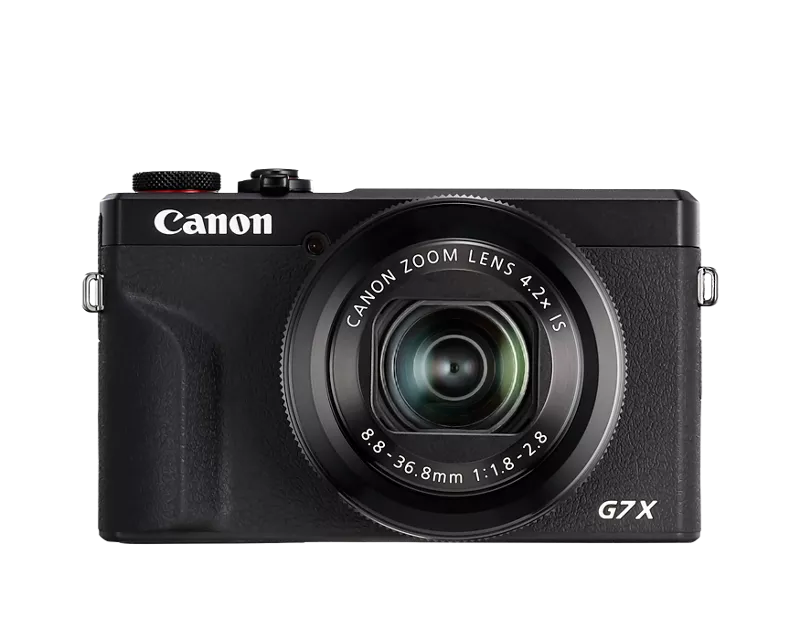
I've been using the camera with no issues with a 3rd party battery for a bit. However, recently, it won't let me even get into the camera.
Upon turning on, I am getting this
Battery communication error.
Does this battery/
do these batteries
display the Canon logo?
[No] [Yes]
So I click No, and it takes to this screen.
Canon does not guarantee the
performance or safety of
this battery/these batteries.
Continue use?
[No] [Yes]
Ok, fair enough, and I click Yes. But then it just retracts the lens and turns off.
Am I not able to use this camera with 3rd party batteries?
P.S. For reference I am using BM Premium NB-13L battery.


Solved! Go to Solution.
1 ACCEPTED SOLUTION
Accepted Solutions

Options
- Mark as New
- Bookmark
- Subscribe
- Mute
- Subscribe to RSS Feed
- Permalink
- Report Inappropriate Content
09-27-2025 02:07 AM
I use Canon and Watson brand batteries. They've treated me very well. I'm sure there are others also.
~Rick
Bay Area - CA
~R5 C (1.1.2.1), ~RF Trinity, ~RF 100 Macro, ~RF 100~400, ~RF 100~500, ~RF 200-800, ~RF 1.4x TC, BG-R10, 430EX III-RT ~DxO PhotoLab Elite ~DaVinci Resolve Studio ~ImageClass MF644Cdw MF656Cdw ~Pixel 10 ~CarePaks Are Worth It
3 REPLIES 3

Options
- Mark as New
- Bookmark
- Subscribe
- Mute
- Subscribe to RSS Feed
- Permalink
- Report Inappropriate Content
09-26-2025 04:40 PM
Greetings,
Batteries are not created equally. Some less expensive knockoffs are not manufactured and do not perform to the same standards as OEM batteries made by Canon. They may be manufactured using inferior materials or parts and some don't have built-in safety mechanisms. Others might also not be the same capacity.
One important feature is decoding. This is the battery's ability to correctly identify itself to the camera and provide correct status when installed and in use.
You can absolutely use 3rd party batteries with your camera, but I'd be cautious of the brand and type. Some are unsafe and basically junk. It sounds like the one you have isn't properly decoded. To receive the best experience, I'd stick with Canon brand batteries. Or at least ones that are verified to meet the camera's communication and power requirements.
~Rick
Bay Area - CA
~R5 C (1.1.2.1), ~RF Trinity, ~RF 100 Macro, ~RF 100~400, ~RF 100~500, ~RF 200-800, ~RF 1.4x TC, BG-R10, 430EX III-RT ~DxO PhotoLab Elite ~DaVinci Resolve Studio ~ImageClass MF644Cdw MF656Cdw ~Pixel 10 ~CarePaks Are Worth It
Options
- Mark as New
- Bookmark
- Subscribe
- Mute
- Subscribe to RSS Feed
- Permalink
- Report Inappropriate Content
09-26-2025 05:05 PM
Rick,
So then the message has nothing to do with non-Canon batteries. But all to do with the fact that the battery may have gone bad and can't identify itself properly to the camera?
You also mentioned that 3rd party batteries are fine as long as it's from a solid brand. Can you recommend some?
Options
- Mark as New
- Bookmark
- Subscribe
- Mute
- Subscribe to RSS Feed
- Permalink
- Report Inappropriate Content
09-27-2025 02:07 AM
I use Canon and Watson brand batteries. They've treated me very well. I'm sure there are others also.
~Rick
Bay Area - CA
~R5 C (1.1.2.1), ~RF Trinity, ~RF 100 Macro, ~RF 100~400, ~RF 100~500, ~RF 200-800, ~RF 1.4x TC, BG-R10, 430EX III-RT ~DxO PhotoLab Elite ~DaVinci Resolve Studio ~ImageClass MF644Cdw MF656Cdw ~Pixel 10 ~CarePaks Are Worth It


Announcements
07/22/2026: New firmware updates are available.
EOS R6 Mark III - Version 1.1.0
05/13/2026: New firmware updates are available.
EOS R5 Mark II - Version 1.3.0
EOS R6 Mark II - Version 1.7.0
04/28/2026: Service Notice: Caution Concerning use of Lithium Batteries
03/17/2026: New firmware updates are available.
SELPHY CP1500 - Version 1.0.7.0
02/23/2026: New firmware update is available for EOS C50- Version 1.0.3.1
01/23/2026: New firmware update is available for RF 24-105mm F4 IS USM- Version 2.0.7
01/20/2026: New firmware updates are available.
10/21/2025: Service Notice: To Users of the Compact Digital Camera PowerShot V1
10/15/2025: New firmware updates are available.
Speedlite EL-5 - Version 1.2.0
Speedlite EL-1 - Version 1.1.0
Speedlite Transmitter ST-E10 - Version 1.2.0
07/28/2025: Notice of Free Repair Service for the Mirrorless Camera EOS R50 (Black)
05/21/2025: New firmware update available for EOS C500 Mark II - Version 1.1.5.1
Related Content
- PowerShot G7 X "Card cannot be accessed" error message in Point & Shoot Digital Cameras
- PowerShot SX740 HS "Busy" message won't go away in Point & Shoot Digital Cameras
- Flash Not Working - BUSY Message from Powershot SX740 HS Camera in Point & Shoot Digital Cameras
- PowerShot D20 won't power on for photos, OK for menus and media in Point & Shoot Digital Cameras

Ⓒ 2026
Canon U.S.A Inc. All Rights Reserved. Reproduction in whole or part without permission is prohibited.
