![IMAG1006[1].jpg](https://community.usa.canon.com/t5/image/serverpage/image-id/7374iF25E1BD8B20F770E/image-size/original?v=mpbl-1&px=-1 "IMAG1006[1].jpg") Canon Power Shot S2 IS (PC 1130) not working . . .
Canon Power Shot S2 IS (PC 1130) not working . . .
All the menus work ok, but the screen is black, and looking through the lens it's black (lens cover is off).
Wheel setting is "Auto". When I click timer, the light blinks faster and faster, and seems to take a picture, but I don't see anything. Pictures are also being recorded today, but it fails when attempting to view them on the PC,
With the wheel is changed to movie camera and I press record, it seems to be recording, but screen is black. Files are being recorded on the memory card, but when playing them on my PC, there's an error.
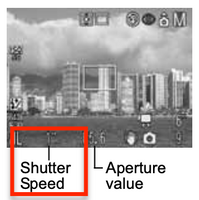
In it's resting state, there's a small hand with a "W" on top of it - is this "wait" ?
any ideas ?
![IMAG1004[1].jpg](https://community.usa.canon.com/t5/image/serverpage/image-id/7375iD3BBF47835DEA395/image-size/original?v=mpbl-1&px=-1 "IMAG1004[1].jpg")