Turn on suggestions
Auto-suggest helps you quickly narrow down your search results by suggesting possible matches as you type.
- Canon Community
- Discussions & Help
- Printer
- Office Printers
- Re: Paper jam in ImageClass MF733Cdw
Options
- Subscribe to RSS Feed
- Mark Topic as New
- Mark Topic as Read
- Float this Topic for Current User
- Bookmark
- Subscribe
- Mute
- Printer Friendly Page

Options
- Mark as New
- Bookmark
- Subscribe
- Mute
- Subscribe to RSS Feed
- Permalink
- Report Inappropriate Content
11-04-2023 01:15 PM
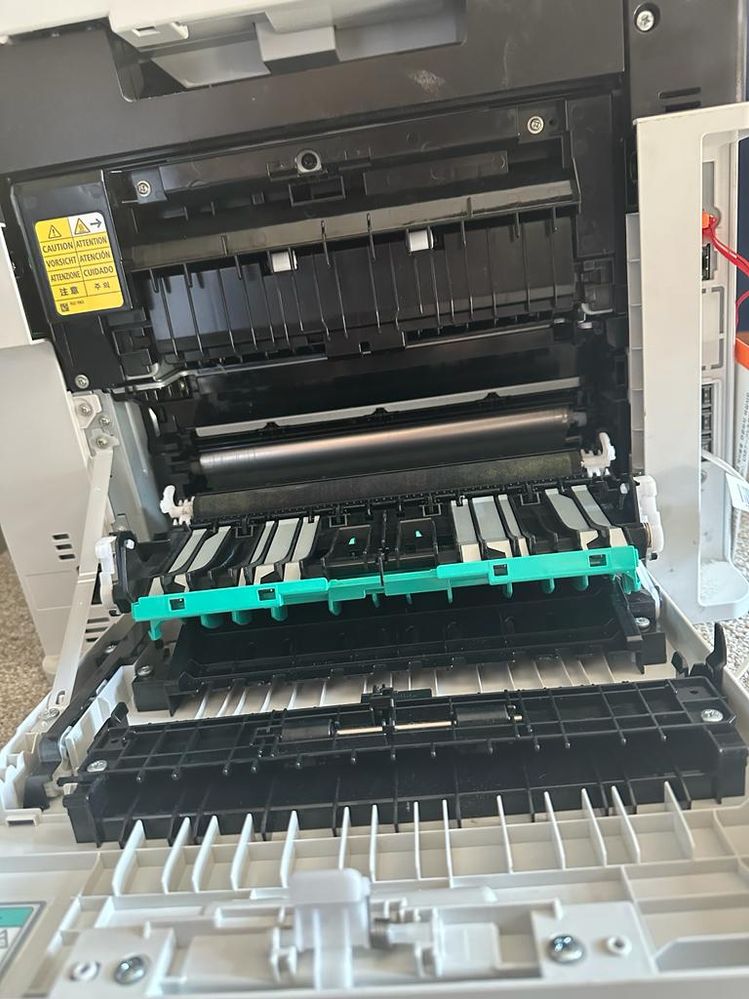
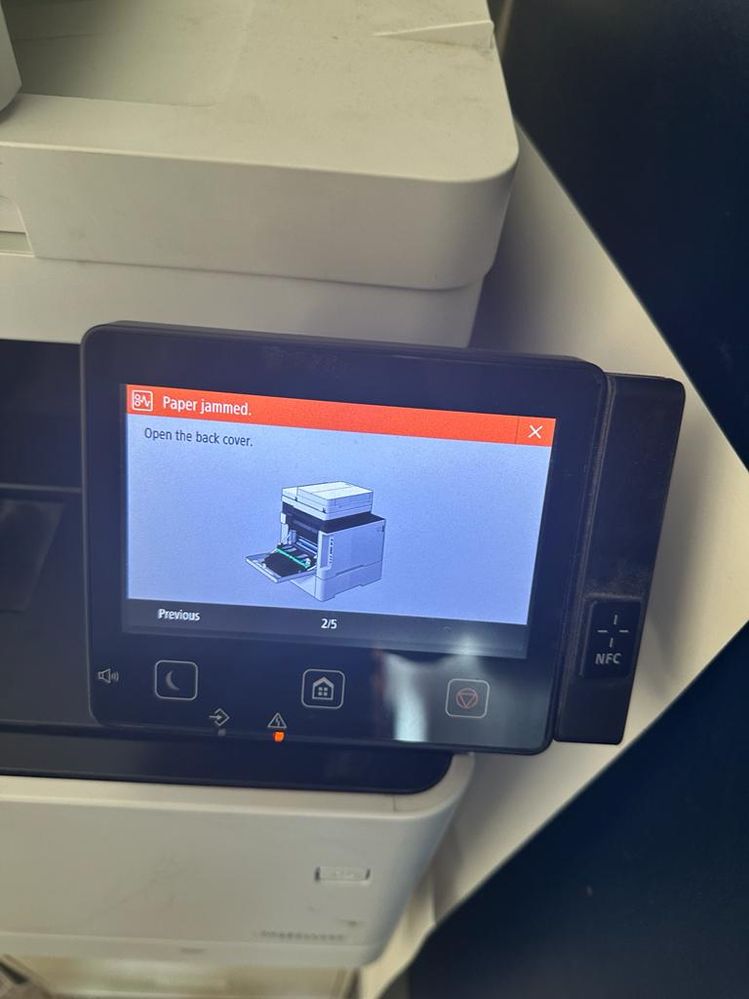
The message states to remove the jammed paper fom the back drawer. I have already done that and I don't see any more shreds of paper stuck. But it does not reset. I have recycled the printer power and the message won't go
away.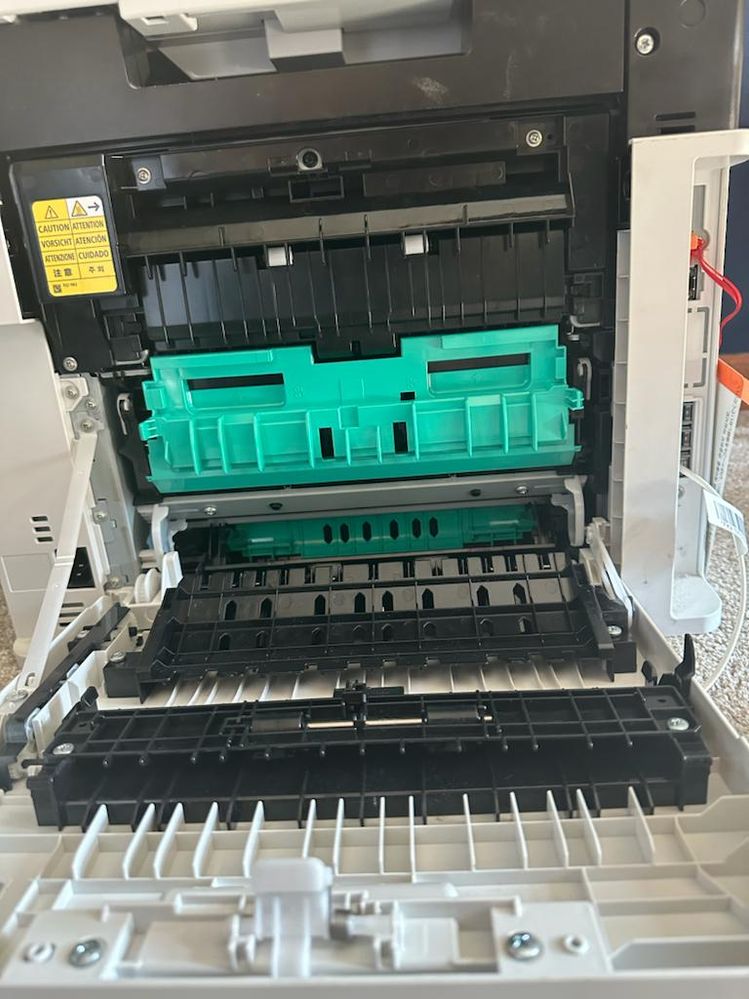
Solved! Go to Solution.
1 ACCEPTED SOLUTION
Accepted Solutions


Options
- Mark as New
- Bookmark
- Subscribe
- Mute
- Subscribe to RSS Feed
- Permalink
- Report Inappropriate Content
01-30-2024 04:42 PM
Hello,
If the paper ripped and the code will not clear, it looks like the hardware is damaged or a piece has been pulled into the paper path. If the code will not clear, you can try turning the printer off and on a few times with the toner out of the printer to see if any pieces are ejected. If that does not clear the code, it looks like the printer needs service. To check your service options, you can contact support over the phone at 1-800-652-2666 or log into your MyCanon.
6 REPLIES 6
Options
- Mark as New
- Bookmark
- Subscribe
- Mute
- Subscribe to RSS Feed
- Permalink
- Report Inappropriate Content
01-30-2024 04:42 PM
Hello,
If the paper ripped and the code will not clear, it looks like the hardware is damaged or a piece has been pulled into the paper path. If the code will not clear, you can try turning the printer off and on a few times with the toner out of the printer to see if any pieces are ejected. If that does not clear the code, it looks like the printer needs service. To check your service options, you can contact support over the phone at 1-800-652-2666 or log into your MyCanon.
Options
- Mark as New
- Bookmark
- Subscribe
- Mute
- Subscribe to RSS Feed
- Permalink
- Report Inappropriate Content
01-30-2024 07:12 PM
Hi did you get to fix this? I had a paper jam too and i cant get it out anymore. Hope you can help thanks
Options
- Mark as New
- Bookmark
- Subscribe
- Mute
- Subscribe to RSS Feed
- Permalink
- Report Inappropriate Content
01-30-2024 07:19 PM
No. It definitely required service, as confirmed by Hector above. Since I was out of warranty and Canon does not provide non warranty repair options, I ended up throwing it away.
Options
- Mark as New
- Bookmark
- Subscribe
- Mute
- Subscribe to RSS Feed
- Permalink
- Report Inappropriate Content
02-01-2024 09:56 AM
ugh ok, im out of warranty too so my fate will be the same 😞
Options
- Mark as New
- Bookmark
- Subscribe
- Mute
- Subscribe to RSS Feed
- Permalink
- Report Inappropriate Content
10-21-2025 07:35 PM
Ridiculous! Mine is basically new and I’m dealing with this rn it’s insane. There’s a tiny piece of paper shred I can’t get to it just needs to run and it will clear it but it refuses to do anything. I’m gonna have to tear the whole thing apart.
Options
- Mark as New
- Bookmark
- Subscribe
- Mute
- Subscribe to RSS Feed
- Permalink
- Report Inappropriate Content
10-21-2025 07:36 PM
How is there no way to clear the error programatically so that the printer will simply run and clear the tiny little spec of paper I can’t get out? This is insane I need to print!!

Announcements
07/22/2026: New firmware updates are available.
EOS R6 Mark III - Version 1.1.0
05/13/2026: New firmware updates are available.
EOS R5 Mark II - Version 1.3.0
EOS R6 Mark II - Version 1.7.0
04/28/2026: Service Notice: Caution Concerning use of Lithium Batteries
03/17/2026: New firmware updates are available.
SELPHY CP1500 - Version 1.0.7.0
02/23/2026: New firmware update is available for EOS C50- Version 1.0.3.1
01/23/2026: New firmware update is available for RF 24-105mm F4 IS USM- Version 2.0.7
01/20/2026: New firmware updates are available.
10/21/2025: Service Notice: To Users of the Compact Digital Camera PowerShot V1
10/15/2025: New firmware updates are available.
Speedlite EL-5 - Version 1.2.0
Speedlite EL-1 - Version 1.1.0
Speedlite Transmitter ST-E10 - Version 1.2.0
07/28/2025: Notice of Free Repair Service for the Mirrorless Camera EOS R50 (Black)
05/21/2025: New firmware update available for EOS C500 Mark II - Version 1.1.5.1
Related Content
- imageCLASS MF644Cdw - what paper type to select for printing transparency film in Office Printers
- imageCLASS MF273dw won't connect, unable to print test page, no paper error in Printer Software & Networking
- imageCLASS MF733Cdw Airprint issue - Windows 11 in Office Printers
- imageCLASS MF656Cdw Paper Jam even with no actual Paper Jam in Office Printers
- imageCLASS MF641Cw load paper error when printing in Office Printers

Ⓒ 2026
Canon U.S.A Inc. All Rights Reserved. Reproduction in whole or part without permission is prohibited.
