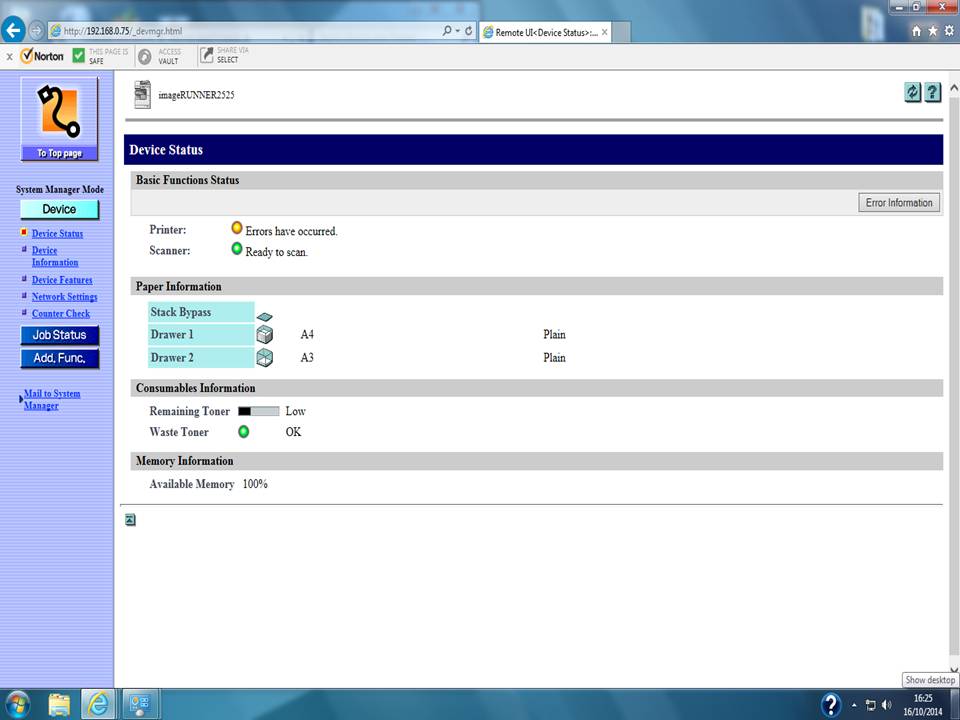
Hi, the general gist is i work in a small office and have been asked to set it up so that scanned documents go to a folder on my boss's computer.
I've set everything up except for registering new destination on the Remote UI I managed to log on in System Manger Mode but all that is shown on the left hand side is Device, Job Statues and Add Func. with no sign of the Address button, i've checked the Easy Operation Guide and User's Guide both of which show the address button plain as day is there any way to either get the Address button to appear or an alternative way to get to the same place.
The printer is IR2525 and using windows 7 i've tried on Crome and IE and still no address button.
Find below what i mean.
Thank.