04-01-2021 04:03 PM
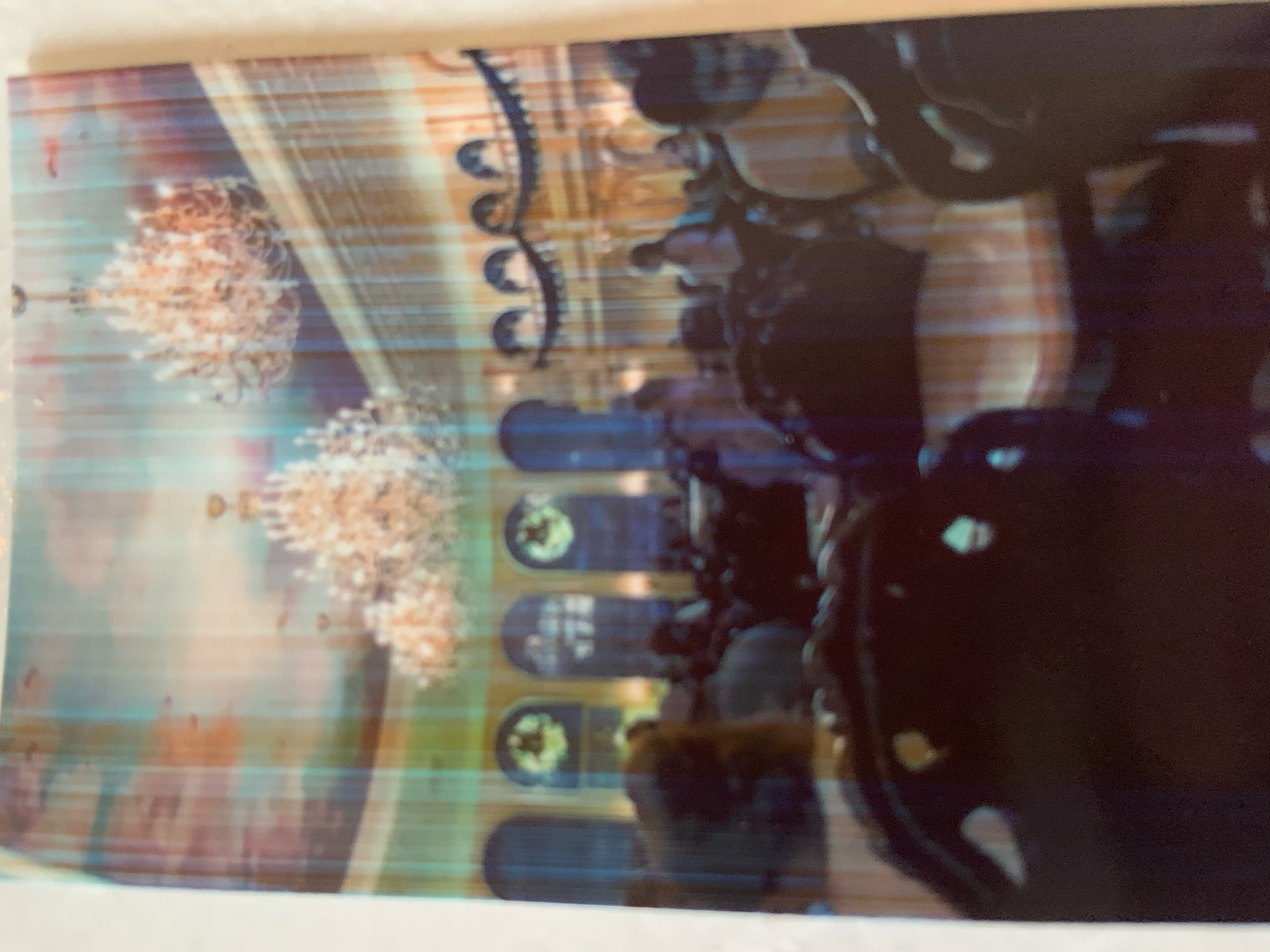
I have a Canon Ivy printer, and it started printing with lines on it I'll insert an image: . How do I fix this?
04-19-2021 03:55 PM
Hi flufspring,
There is a blue sheet that is packaged with the paper that you are using. Please open the cover to your printer and remove the paper. Place the blue sheet face down in your printer and then stack the paper on top of it. Once the cover is replaced, please attempt to print. The blue sheet is the calibration sheet and once it is fed through, your image will print and the issue should be resolved.

11/20/2025: New firmware updates are available.
EOS R6 Mark III - Version 1.0.1
EOS R5 Mark II - Version 1.2.0
PowerShot G7 X Mark III - Version 1.4.0
PowerShot SX740 HS - Version 1.0.2
10/15/2025: New firmware updates are available.
Speedlite EL-5 - Version 1.2.0
Speedlite EL-1 - Version 1.1.0
Speedlite Transmitter ST-E10 - Version 1.2.0
07/24/2025: New firmware updates are available.
07/23/2025: New firmware updates are available.
7/17/2025: New firmware updates are available.
02/20/2025: New firmware updates are available.
RF70-200mm F2.8 L IS USM Z - Version 1.0.6
RF24-105mm F2.8 L IS USM Z - Version 1.0.9
RF100-300mm F2.8 L IS USM - Version 1.0.8
RF50mm F1.4 L VCM - Version 1.0.2
RF24mm F1.4 L VCM - Version 1.0.3
Canon U.S.A Inc. All Rights Reserved. Reproduction in whole or part without permission is prohibited.