Turn on suggestions
Auto-suggest helps you quickly narrow down your search results by suggesting possible matches as you type.
- Canon Community
- Discussions & Help
- EOS Webcam Utility Pro
- EOS Webcam Utility Pro - Discussions
- EOS Webcam utility full version and MAC OS Big Sur
Options
- Subscribe to RSS Feed
- Mark Topic as New
- Mark Topic as Read
- Float this Topic for Current User
- Bookmark
- Subscribe
- Mute
- Printer Friendly Page

Options
- Mark as New
- Bookmark
- Subscribe
- Mute
- Subscribe to RSS Feed
- Permalink
- Report Inappropriate Content
11-17-2020 11:28 AM
I will like to know if anyone have the full version of Big Sur OS and EOS Webcam Utility full version working together. If theres any bug or trouble using both together. Thank you
Solved! Go to Solution.
74 REPLIES 74
Options
- Mark as New
- Bookmark
- Subscribe
- Mute
- Subscribe to RSS Feed
- Permalink
- Report Inappropriate Content
11-24-2020 09:35 AM
I know, the EOS Utility was not running.
Options
- Mark as New
- Bookmark
- Subscribe
- Mute
- Subscribe to RSS Feed
- Permalink
- Report Inappropriate Content
11-24-2020 09:37 AM
The 60D. Yes, I know, I turned off the EOS Utility but still it didn't work.


Options
- Mark as New
- Bookmark
- Subscribe
- Mute
- Subscribe to RSS Feed
- Permalink
- Report Inappropriate Content
11-24-2020 09:46 AM
@PDS wrote:
The 60D. Yes, I know, I turned off the EOS Utility but still it didn't work.
I don't think you understood what I was saying. Turning off the EOS Utlity is insufficient. You must also disable the service that launches the regular EOS Utlity I am certain there is a similar mechanism on an Apple.
Iff the EOS Utility opens up when power up the camera, then you need to figure out how to stop if from launching itself. The program that detects what type of camera that has been connected is in the way., and needs to be disabled.
--------------------------------------------------------
"Enjoying photography since 1972."
"Enjoying photography since 1972."
Options
- Mark as New
- Bookmark
- Subscribe
- Mute
- Subscribe to RSS Feed
- Permalink
- Report Inappropriate Content
11-24-2020 01:08 PM
Thank you. But I don't have the regular EOS utility. My EOS webcam works smoothly with catalina and I can selected in ZOOM for my meetings. I would like to upgrade to Big Sur and thats the latest Apple OS so you cant help me because you are windows.
Options
- Mark as New
- Bookmark
- Subscribe
- Mute
- Subscribe to RSS Feed
- Permalink
- Report Inappropriate Content
11-24-2020 01:15 PM
Check that Image Capture is off too.
Options
- Mark as New
- Bookmark
- Subscribe
- Mute
- Subscribe to RSS Feed
- Permalink
- Report Inappropriate Content
11-24-2020 02:46 PM
@Ssalmorejo wrote:Thank you. But I don't have the regular EOS utility. My EOS webcam works smoothly with catalina and I can selected in ZOOM for my meetings. I would like to upgrade to Big Sur and thats the latest Apple OS so you cant help me because you are windows.
I find that to be very amusing.
You cannot run the WebCam with Big Sur. What installation and setup instructions are you following?
What I told you about disabling other applicaions that seek out the camera is true for Windows, and even worse on Macs.
--------------------------------------------------------
"Enjoying photography since 1972."
"Enjoying photography since 1972."
Options
- Mark as New
- Bookmark
- Subscribe
- Mute
- Subscribe to RSS Feed
- Permalink
- Report Inappropriate Content
11-24-2020 03:02 PM
I don't have any trouble with the webcam utility. I think is fantastic and it works great in Catalina. I use it with OBS and zoom and I love it. I just want to know the compatibility with Big Sur. Thats it

Options
- Mark as New
- Bookmark
- Subscribe
- Mute
- Subscribe to RSS Feed
- Permalink
- Report Inappropriate Content
11-24-2020 03:03 PM
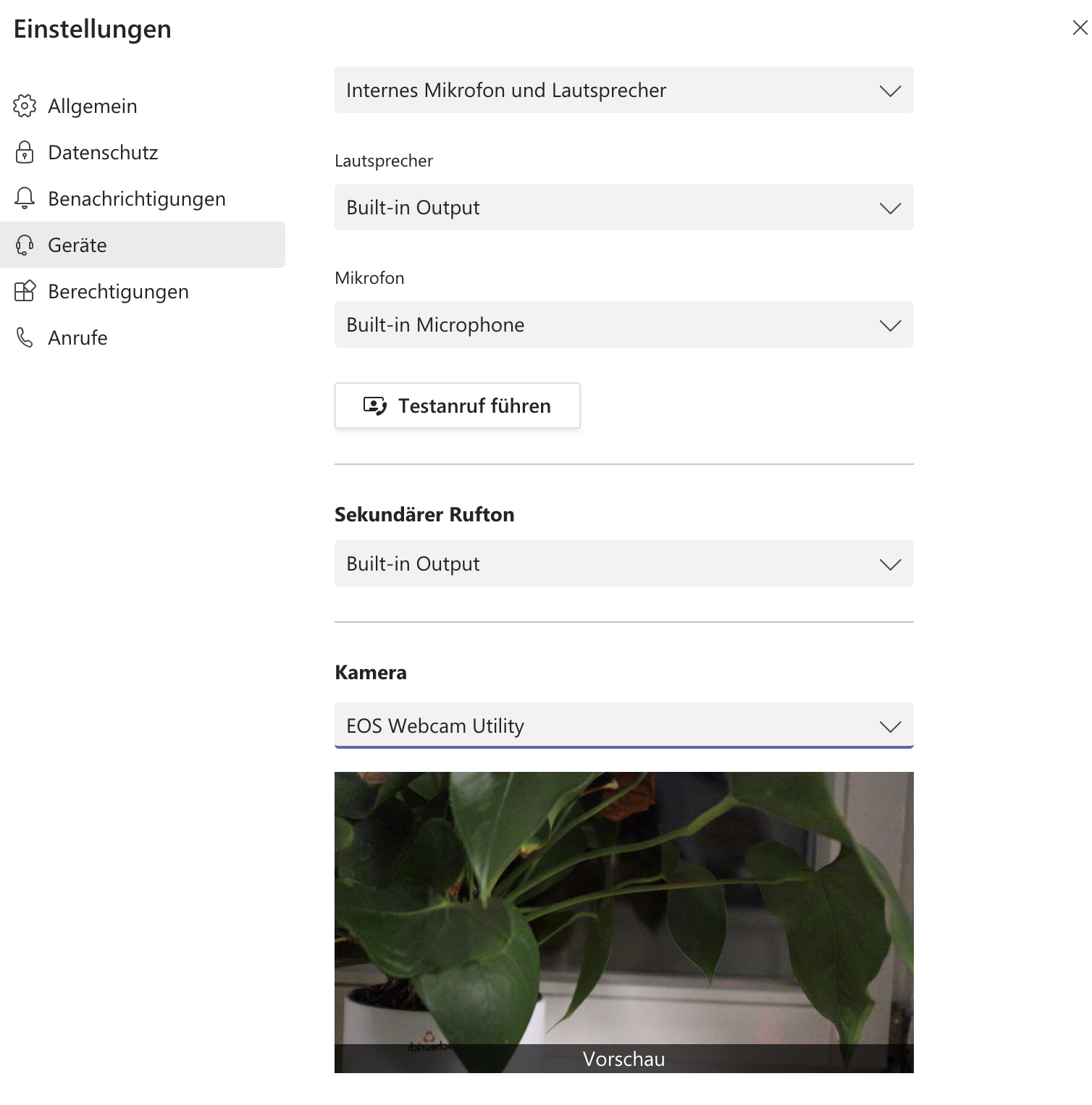
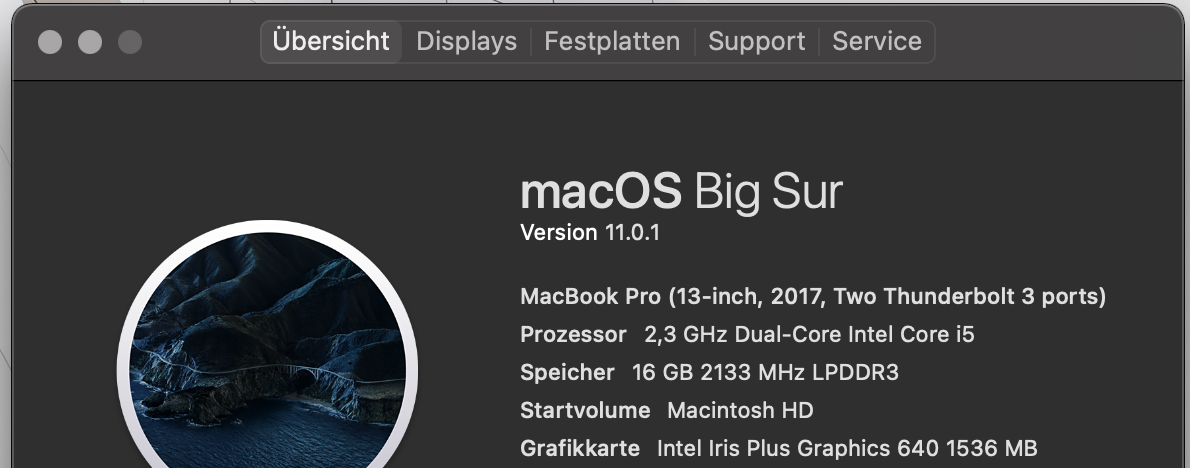
It works, see my screenshot below. As I said, I'm running it on my MacBook Pro 2017 with Big Sur.
Options
- Mark as New
- Bookmark
- Subscribe
- Mute
- Subscribe to RSS Feed
- Permalink
- Report Inappropriate Content
11-24-2020 03:06 PM
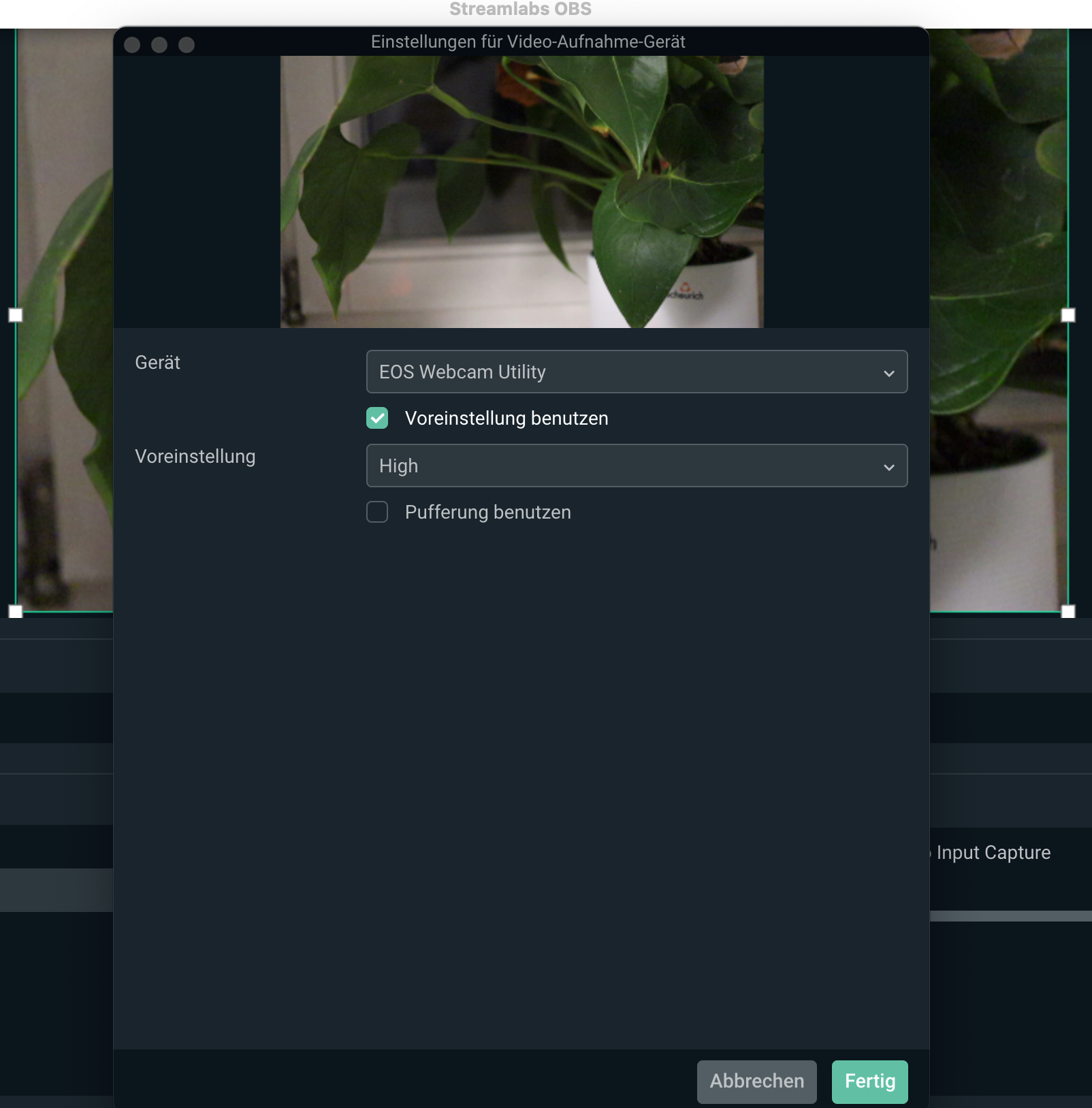
And also with Streamlabs.
Options
- Mark as New
- Bookmark
- Subscribe
- Mute
- Subscribe to RSS Feed
- Permalink
- Report Inappropriate Content
11-24-2020 03:06 PM
@Ssalmorejo wrote:
I don't have any trouble with the webcam utility. I think is fantastic and it works great in Catalina. I use it with OBS and zoom and I love it. I just want to know the compatibility with Big Sur. Thats it
My mistake. I thiought I was replying to soneone else. I had not noticed someone else had jumped into the conversation.
--------------------------------------------------------
"Enjoying photography since 1972."
"Enjoying photography since 1972."


Announcements
07/22/2026: New firmware updates are available.
EOS R6 Mark III - Version 1.1.0
05/13/2026: New firmware updates are available.
EOS R5 Mark II - Version 1.3.0
EOS R6 Mark II - Version 1.7.0
04/28/2026: Service Notice: Caution Concerning use of Lithium Batteries
03/17/2026: New firmware updates are available.
SELPHY CP1500 - Version 1.0.7.0
02/23/2026: New firmware update is available for EOS C50- Version 1.0.3.1
01/23/2026: New firmware update is available for RF 24-105mm F4 IS USM- Version 2.0.7
01/20/2026: New firmware updates are available.
10/21/2025: Service Notice: To Users of the Compact Digital Camera PowerShot V1
10/15/2025: New firmware updates are available.
Speedlite EL-5 - Version 1.2.0
Speedlite EL-1 - Version 1.1.0
Speedlite Transmitter ST-E10 - Version 1.2.0
07/28/2025: Notice of Free Repair Service for the Mirrorless Camera EOS R50 (Black)
05/21/2025: New firmware update available for EOS C500 Mark II - Version 1.1.5.1
Related Content
- eos webcam utility pro on windows 10 home not working in EOS Webcam Utility Pro - Discussions
- EOS Webcam Utility stopped working after a Windows Update. in EOS Webcam Utility Pro - Discussions
- This version of "EOSWebcamUtility" will not open in a future release of MacOS in EOS Webcam Utility Pro - Discussions
- EOS Webcam utility pro not working with 6D Mark 2 in EOS Webcam Utility Pro - Discussions
- EOS Webcam Utility PRO does not work after upgrade to Windows 11 in EOS Webcam Utility Pro - Discussions

Ⓒ 2026
Canon U.S.A Inc. All Rights Reserved. Reproduction in whole or part without permission is prohibited.
